Recently I had someone internally ask about whether SQL Source Control supports Git Hooks. Since it was after UK work hours, I decided to run a quick test. One problem, I haven’t setup a Git hook in a few years.
Could AI help me? See what I did.
This is part of a series of experiments with AI systems.
Asking for Help
Claude is my go-to AI. I don’t have a good reason why I don’t lean on Copilot or ChatGPT or anything else, but I’ve become more comfortable with how Claude works and responds to me. When I have something that doesn’t have any PII or other sensitive requests, I tend to start with the free Claude site.
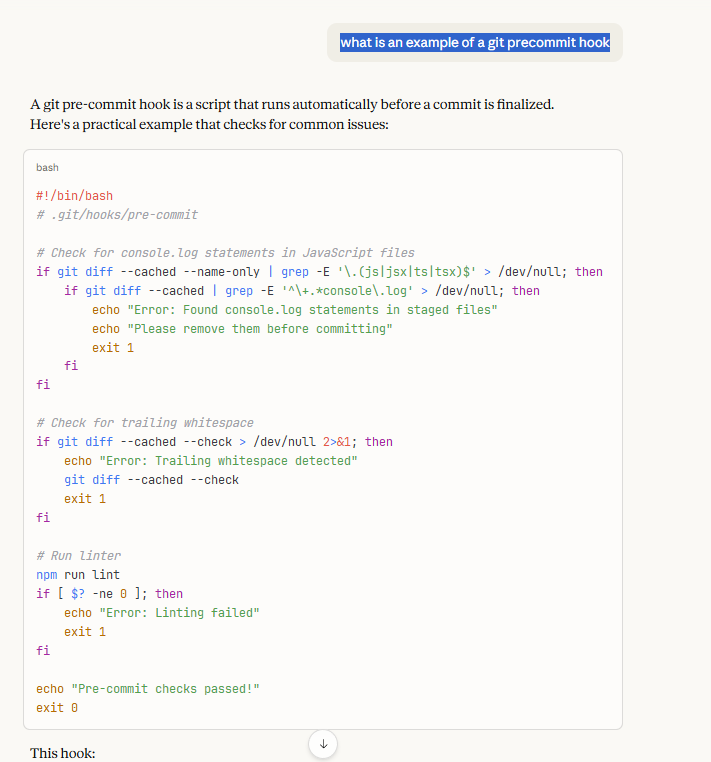
Here was my prompt: what is an example of a git precommit hook
Simple, easy, no punctuation or big setup. I just needed something. I got some code:
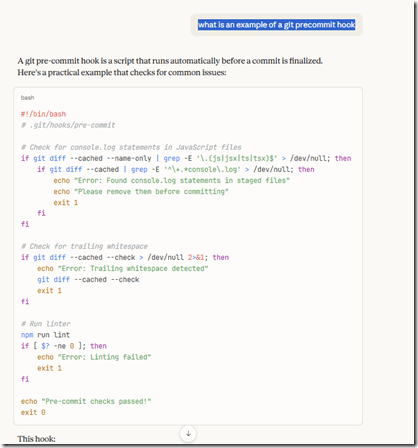
and an explanation. Here’s the’s the text of the explanation (italics from me):
This hook:
- Prevents commits with
console.log statements
- Catches trailing whitespace
- Runs your linter
To set it up, save this as .git/hooks/pre-commit and make it executable with chmod +x .git/hooks/pre-commit.
If the hook exits with a non-zero status (like exit 1), the commit is aborted. You can bypass hooks temporarily with git commit --no-verify if needed.
Many teams use tools like Husky to manage hooks in a project, making them easier to share across the team since .git/hooks isn’t version-controlled by default.
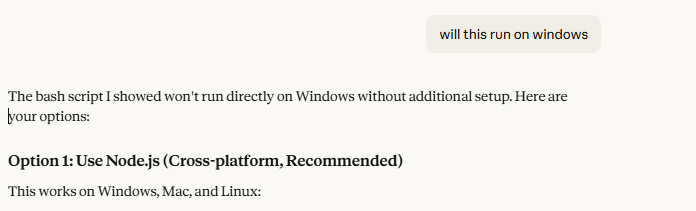
This shows some bash, which I don’t think runs natively in Windows. That makes sense as a lot of coders are likely using Linux/MacOS for complex stuff and the default training for Claude likely assumes that. I asked about Windows and got two options: Node.js and Husky. Since I don’t like to install things, I went with Node. Here’s the next question I asked.
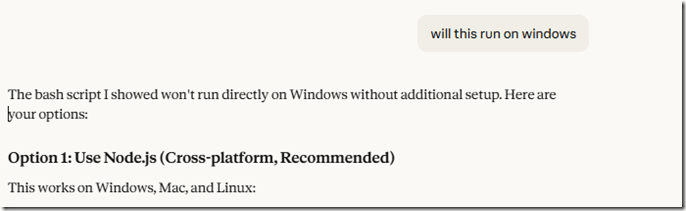
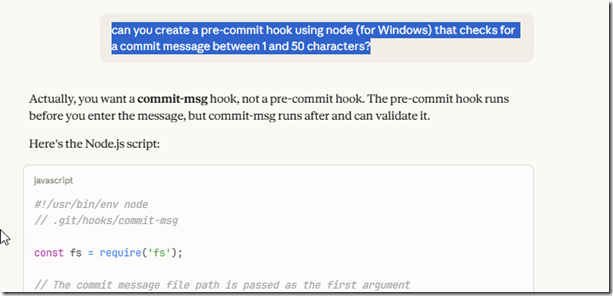
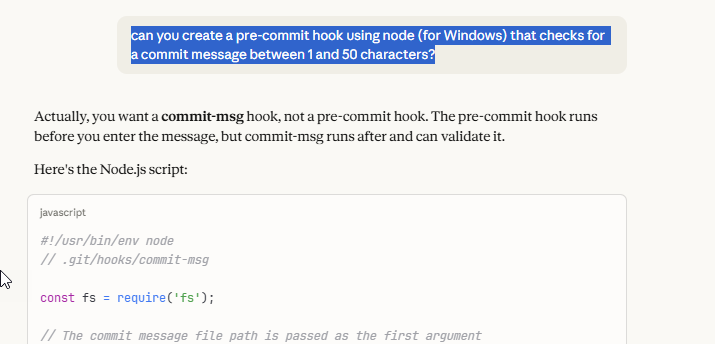
I didn’t want to lint or worry about whitespace, since I’m depending on SQL Source Control to create the files, so I asked a different question: can you create a pre-commit hook using node (for Windows) that checks for a commit message between 1 and 50 characters?
The response is good. I didn’t want this, and reading this, I realize Claude is right. I wasn’t quite thinking through the process here. I also didn’t want the code for a commit-msg hook, so I ignored the code.
I could see that I was getting generic hooks, mostly for other code, so I rephrased a prompt: I want a sample pre-commit hook for .sql files to test something, what is a good example
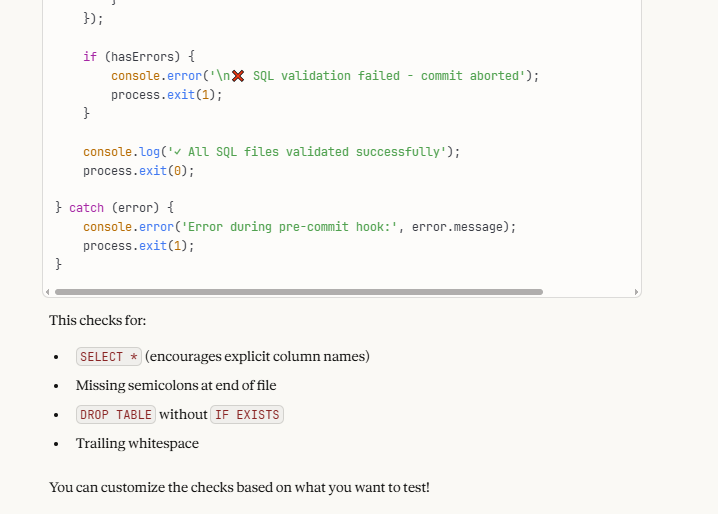
The response was a practical hook for SQL files. The code had a couple of messages printing our errors when I failed things, and the code here isn’t important, but here was the explanation. The bottom of the code is shown, and then the list of things that are checked.
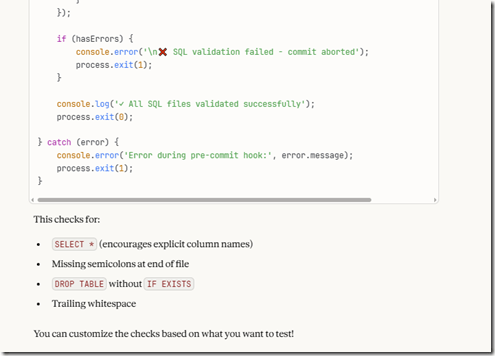
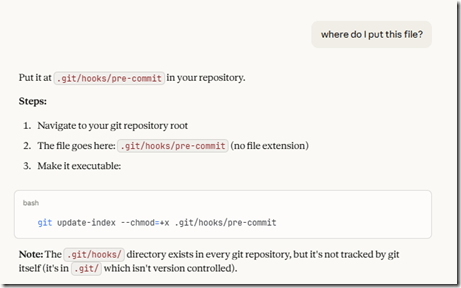
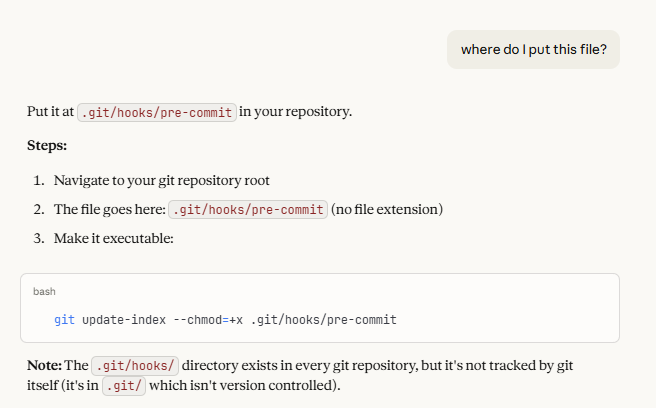
At the top there is a comment about the hook, and since I’d done this a few years ago, I thought I know what to do, but I asked. I mean, why not ask the AI for more help? I liked that it noted not only do I need to add this to my .git folder, but I need to track this if I want to share it. That’s important. I do want other team member, or in this case, me on another machine, to have this hook.
Testing the Hook
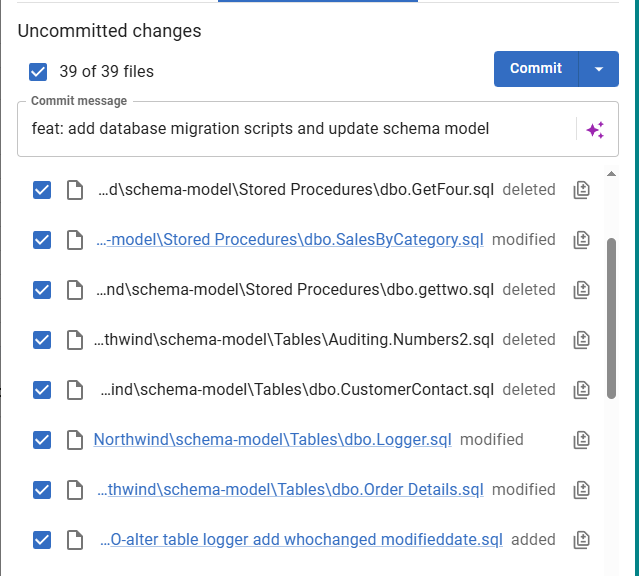
I then went to SQL Source Control and made a change. In this case, I added a file that I knew would fail the check. Here’s my code:
ALTER PROCEDURE dbo.GetAllCustomers

AS

SELECT * FROM dbo.customer
I could see this code change in the SQL Source Control GUI, but no error. I thought this might be staged, and I somewhat assumed the hook would fire on staging, so I asked.
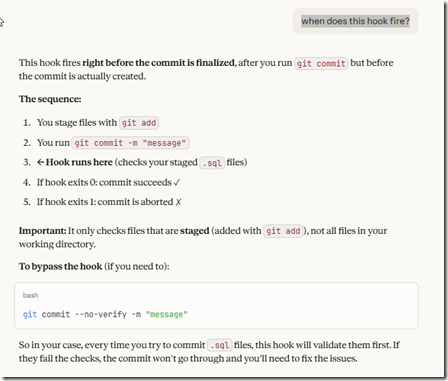
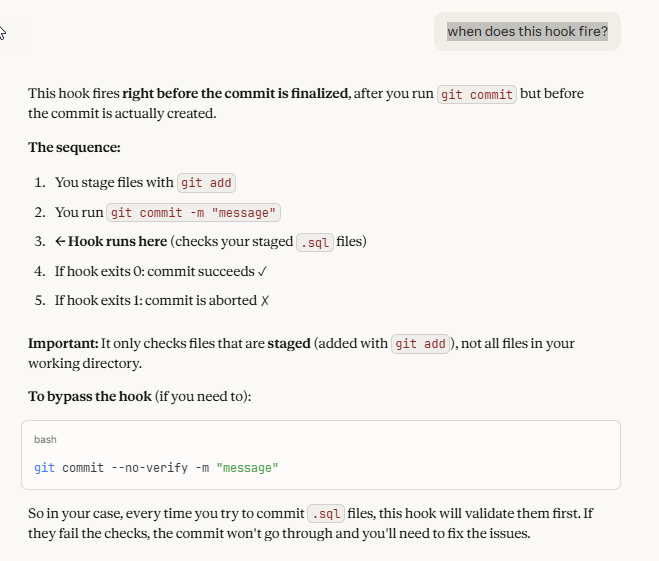
My new prompt: when does this hook fire?
The response let me know that I had to commit this to get the hook to fire. It runs on the commit command, as before the commit succeeds. That’s good to know. Thanks, Claude, for helping me learn something.
In checking from the CLI, I realized that SQL Source Control at this point hasn’t staged the file. It also hasn’t written the file, so there’s nothing to stage. One of the downsides (one fo the few) of SQL Source Control is very limited git configuration. The write, stage, and commit happen at once.
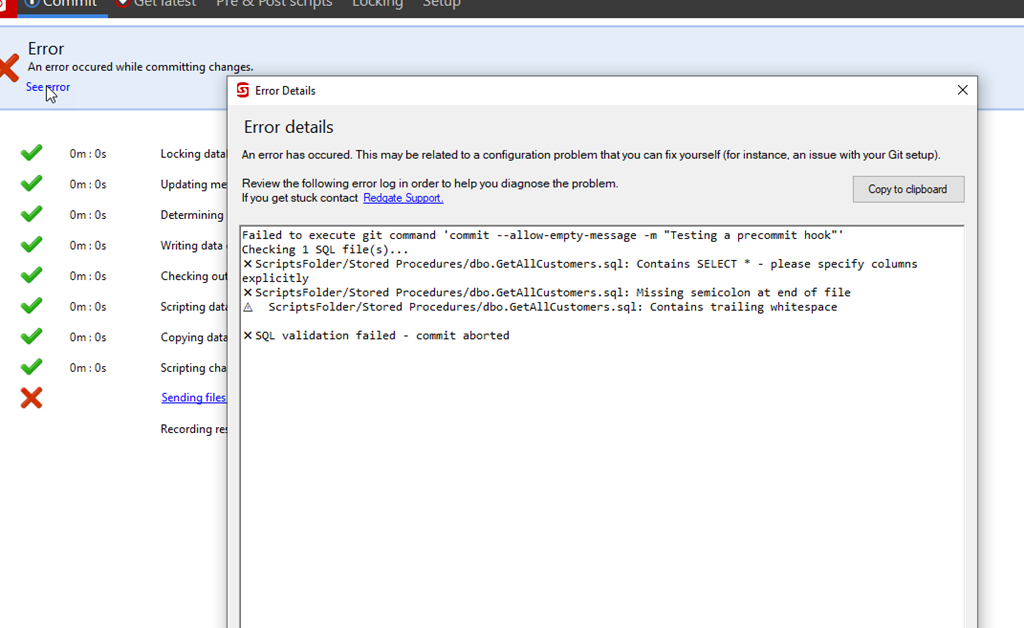
I tested this and sure enough, I got a failure when I tried to commit. The hook fired and saw my SELECT *, and my lack of a semi-colon.
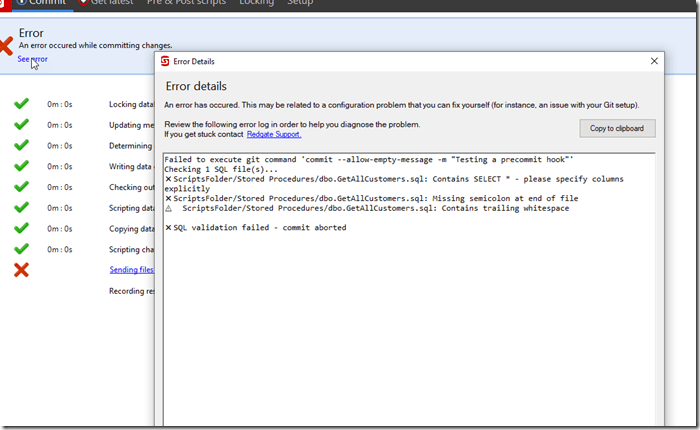
I tested this further by fixing these elements individually, and I could correct the SELECT *, but I couldn’t fix the semi-colon. I realized with testing that when SQL Source Control writes the file, it always includes a “GO” at the end. So my hook doesn’t work.
Asking for Modification
I decided to see if Claude would fix this, as I wasn’t sure what to change myself. I’m not a Node nor RegEx person, and I’d be googling a bunch to figure this out (or find someone else’s code). Instead I tried this: can you adjust this hook to ignore the missing semi-colon if the file ends with a GO, or check for a semi-colon before the GO
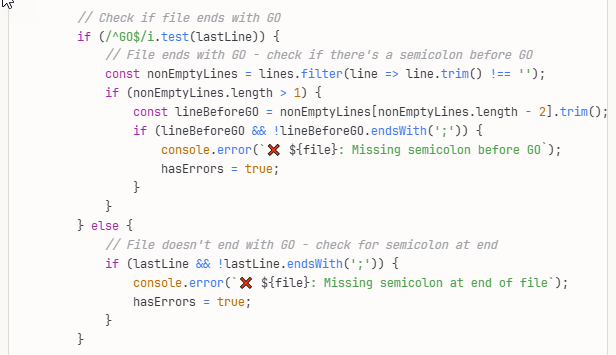
The response was interesting. The explanation said this:
Now it handles both cases:
- File ends with
GO: Checks that the line before GO has a semicolon
- File doesn’t end with
GO: Checks that the last line has a semicolon
The relevant code is here:
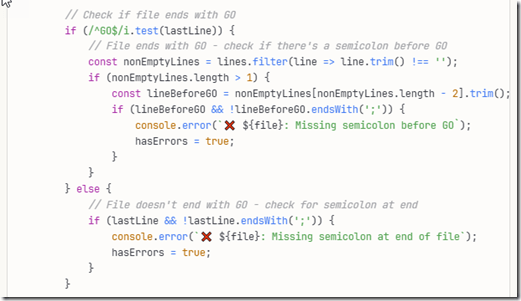
I can read this and it makes some sense, but I would have struggled a bit to get this done in a reasonable time. Instead, it was seconds for Claude to produce this.
When I re-tested, this passed the SQL Source Control GUI and I had a working git hook looking for a couple of simple silly mistakes I might code.
Summary
This is an area that I have a little experience, but not a lot. I’m a junior dev when it comes to Git, and Claude is definitely more skilled. However, I have to know what to ask to get a result and I thought the answers and explanations were good in helping me setup this test in a few minutes rather than the better part of an hour (or longer) if I were searching and trying to assemble code.
This is one of those areas where AI was very useful to me. It built a fairly trivial coding item I needed, it helped explain things when I had questions, and it was helpful in adjusting code quickly when I realized I needed something else.
Imagine asking a colleague this, realizing you’d asked the wrong thing, and then asking them again for new code. How slow, and annoying, would this be for both of you? AI is a game changer here, for things that are too simple to work with a colleague on, yet complex enough that you’d waste a decent chunk of time googling.
That time savings went into me testing the code and testing SQL Source Control. I verified that SQL Source Control can work with git hooks in minutes.

![2026-01_0173_thumb[1]_thumb](https://voiceofthedba.com/wp-content/uploads/2026/01/2026-01_0173_thumb1_thumb-1.png "2026-01_0173_thumb[1]_thumb")
![2026-01_0172_thumb[1]_thumb](https://voiceofthedba.com/wp-content/uploads/2026/01/2026-01_0172_thumb1_thumb-1.png "2026-01_0172_thumb[1]_thumb")




 Voice of the DBA