This is Why You Use Git for Scripts

Git has become a fantastic tool for me, and many other technologists, over the last ten years. It’s almost ubiquitous in most of my clients, and so many people are comfortable with it. Many others aren’t, which is why I started a Git series for DBAs (and other Ops people) on my blog.

Quite a few people asked me why I recommend git over a file share for storing code that a team of Ops people or DBAs might use. Why isn’t a global file share a better choice in an organization? I think I have a few good reasons, but if you disagree, let me know in the discussion for this piece.

First, I’ve worked with a lot of file share tech over the years. Microsoft has done a good job of trying to ensure that a “file server” works well for organizations. I’ve used simple file shares on a particular server, I’ve had mapped drives to a file share appear on every desktop in the org, and I’ve even had to work with large orgs that use DFS (or something similar) to ensure we can replicate files across multiple servers for backup and speed.

All of those work, but they have a complexity, and a dependency on the team managing the file share. They also require a network connection to the share in order to see the files, which isn’t always as reliable and solid as we would like, especially in this modern world of working at home, databases in the cloud, and a widely dispersed workforce that uses BYOD devices. Don’t get me wrong, those aren’t bad things, but they complicate the idea of having a single global location for stuff.

Second, I want to version scripts because sometimes one team member alters a script for their piece of work, but it causes issues with another member’s use of the script. If we catch this quickly, we can usually CTRL+Z or revert the script, or we can copy the script to a new file and then try to edit it for a different purpose. The challenge is we don’t always catch it quickly. We also sometimes don’t know what was in the old script. While I wish most of you always logged the results of all executions, at the very least, save the script you ran. That’s not easy to do in a file share, and it’s something we don’t think about. Getting used to committing code helps us remember to do this, or at least, get the history of the files.

Third, in the case above, the last writer wins. In a busy team, I’ve seen person A save changes to the script, and then run it, while person B saves changes to the same script and runs it. Person A might get a “reload” notification and re-save theirs. Person B might also do that, or they might reload Person A’s changes and lose theirs. It’s a nightmare. Imagine group work in Google Docs, trying to edit scripts with others while you try to execute them and complete some tasks. That would be frustrating and it’s a really good reason to use Git. Let’s not step on each other’s toes.

Lastly, with a file share, I’m dependent on some other group for backup and recovery. If they have an issue, I am hoping they didn’t mess up my scripts. I have to wait on them if they are doing maintenance on the file share or patching the server.

With Git, I can keep the scripts on my machine, while easily replicating and sharing with others. We each have a backup of the script in case of emergency. We can even protect the main branch, forcing everyone to make changes on another branch and then use a pull request so that someone on our team can approve merging those changes into the main folder that we all use. If we don’t like the script, or there are breaking changes, we haven’t edited a file that others are using because it’s in a branch.

Using Git (or any VCS) is a change in habit for many people, but it has a lot of benefits. I think it’s worth the investment of time for teams.

Steve Jones

Listen to the podcast at Libsyn, Spotify, or iTunes.

Posted in Editorial | Tagged , | 5 Comments

T-SQL Tuesday #171–Helping a Customer Fix Something

t-sql tuesday logoIt’s that time of the month for a new blog party at T-SQL Tuesday. This month we have Brent Ozar hosing, and it’s a good topic. I wondered what he might ask when he agreed to host and he has surprised me.

If you haven’t participated in this, start a blog, start building your brand, and write a post that answers Brent’s invitation. If you enjoy this and want to host, ping me for a date.

Closing Tickets

I don’t get tickets per se. I get copied on a few of them from customers, but often the things that I fix are things I’ve broken at SQL Saturday or T-SQL Tuesday or one of the sites I run.

However, I do consult with customers and our Solutions Engineers at Redgate on architectures and challenges that customers are facing. Sometimes I even come up with a solution. This was the most recent one, which I found interesting.

I walked into a conversation at a Redgate office one day. A few engineers were talking about a requirement that a customer had to stop a deployment if a particular configuration file had changed. They allow changes, but by few people, however, the configuration file is in the repository with other code and controls some of the deployment parameters.

Our engineers were looking at git hooks or  moving the file to another repo, or rearchitecting the pipeline to change the configuration. There were other solutions, but all of them were adding complexity to the situation.

Having grown up in the era of limited RAM and unreliable networks, I immediately thought about detecting changes with a file checksum. It’s a computer science technique used in lots of places, including many database drivers. I thought the simple thing is to store the checksum in a variable in the pipeline, and then add a step that runs something like Get-FileHash and compares that to the variable. Then fail the pipeline if it’s wrong.

If the file needs to change, the privileged users can change the file, run this, and update the variable with the results.

A simple way to detect changes and limit them inside the repo, from outside it.

I have to say I haven’t seen this particular issue before, but I have seen lots of people worry about how to ensure deployments don’t happen in prod if they haven’t happened in test. That’s another whole issue, and a complex solution that I saw a customer implement. It worked great, but that’s for another day.

Posted in Blog | Tagged , | Comments Off on T-SQL Tuesday #171–Helping a Customer Fix Something

Un-Stable Teams

I’ve always valued having a team of people I know and can work with. While I haven’t had a lot of long-term jobs before Redgate, I have had a few positions that lasted more than a year and appreciated working with the same group for a long time. We might gain or lose a person, but overall, the structure of the team was the same day after day. This was a comfortable atmosphere, and I liked knowing who I was working with each day.

At Redgate, we have had some stable teams of people, but in our engineering area, we move teams around. There is an annual re-teaming each December/January where engineers can choose to leave their team and ask to transfer to another one. They get to put in their top three choices (or remain on their team), and we do a good job of trying to match up everyone’s preferences. The number and charter of teams do change a bit each year, so engineers get visibility into the structure we’re planning before they mark a preference. It seems from our internal reports that we match up 99% of engineers with their first or second choices (first choice is in the high 80s).

Recently our head of engineering talked about the dangers of a long-term stable team vs. making changes. Chris Smith noted that 25-33% of engineers look to move, which is my impression. I get to know who works on different products (or parts of them), and while I often know year-to-year who can help with which issues, I’m also surprised by the changes at times.

I’m also disappointed sometimes because some very talented engineers will leave a team to move to another. That can worry me as I know how much knowledge is leaving. At the same time, as Chris pointed out, sometimes very talented people will leave an organization because they feel stuck in one job. There also is value in cognitive diversity, which is something I look for. We need to get along, but I like working with people that think differently than I do.

I haven’t seen this need to move as much in operations teams as in development teams. Maybe the nature of the person who supports systems is different than those who build them, but I do find long-term system administrators sometimes struggle with change and improvements. I’m not fond of change for change’s sake, and I want to justify new technologies/protocols/etc. However, I also think as technology changes, we ought to objectively evaluate if it’s better. Not all change is, but some certainly improve the environment.

Do you prefer a stable team or do you like to change periodically? A lot of companies move people around, sometimes on a schedule, to ensure they can grow and bring new ideas and perspectives to other teams. Does your employer do this? Do you like the idea or would you prefer not to re-team periodically?

Steve Jones

Listen to the podcast at Libsyn, Spotify, or iTunes.
Posted in Editorial | Tagged , | 1 Comment

Friday Flyway Tips–Dark Mode

I saw a post that Flyway Desktop has a dark mode and I had to try it out.

I’ve been working with Flyway Desktop for work more and more as we transition from older SSMS plugins to the standalone tool. This series looks at some tips I’ve gotten along the way.

Dark Mode

In general, I’m not a big dark mode person. I tend to use browsers in light mode, like this:

2024-02-07 15_17_17-SQLServerCentral – The #1 SQL Server community

I regularly work in VSCode, which is light for me.

2024-02-07 15_17_28-SQLSat1076.yml - sqlsatwebsite - Visual Studio Code

And of course, SSMS is light. I know lots of people have wanted a dark mode, and you can configure that, but it’s a mess. To me, I just like light mode.

2024-02-07 15_18_10-SQLQuery9.sql - ARISTOTLE.DMDemo_1_Dev (ARISTOTLE_Steve (55))_ - Microsoft SQL S

However, someone posted a note internally a Redgate thanking engineers for dark mode.

Wha??? I had to try it.

It looks interesting.

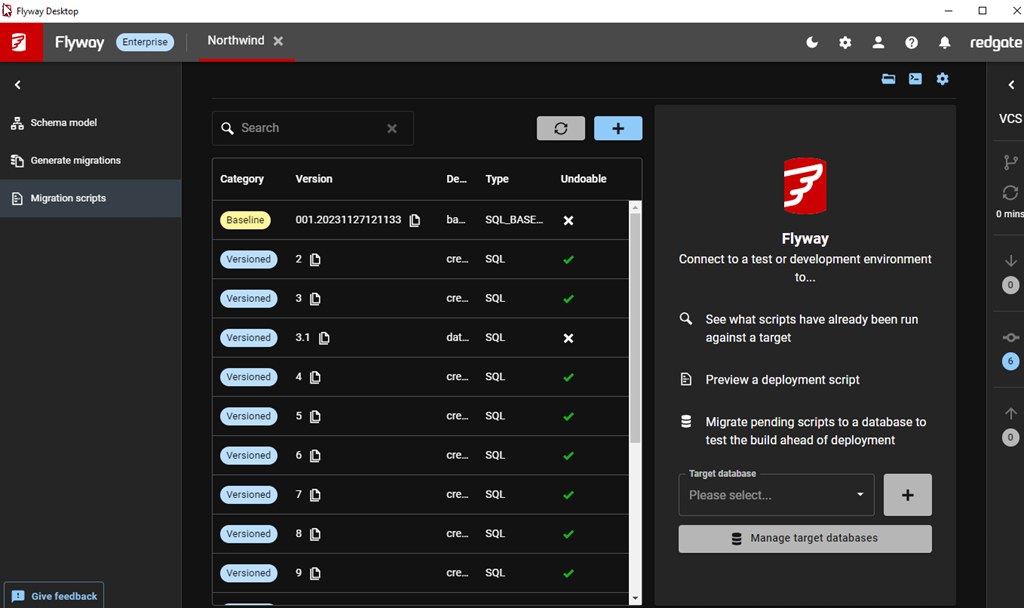
2024-02-07 15_20_57-Flyway Desktop

I don’t know if I’ll use it, but it’s easy to enable, and I can switch anytime. In the top bar, there are a number of icons. There’s a moon for one, which you see above and below, because I’m in dark mode.

2024-02-07 15_21_45-Flyway Desktop

If I click the left-most one above, I see this:

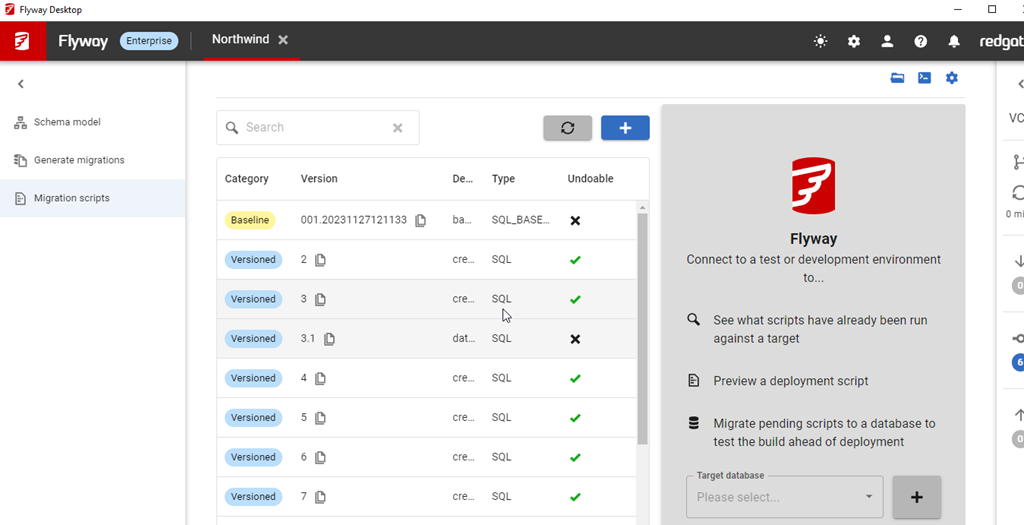
2024-02-07 15_22_05-Flyway Desktop

Now I have a sun, and a light mode.

2024-02-07 15_22_18-Flyway Desktop

This works on all tabs, on the VCS blade, and it gives you the option to work with either a white or dark background.

That’s pretty cool. I don’t care so much, but I know lots of people do, so they now get the option.

Try Flyway Enterprise out today. If you haven’t worked with Flyway Desktop, download it today. There is a free version that organizes migrations and paid versions with many more features.

Video Walkthrough

I made a quick video showing this as well. You can watch it below, or check out all the Flyway videos I’ve added:

Posted in Blog | Tagged , , , | Comments Off on Friday Flyway Tips–Dark Mode