The Cost of the Cloud

Basecamp (formerly 37 Signals) is quitting the cloud. One of the founders gives some reasons, and he had some detail in a tweet on what they’ve spent in the cloud the last few years. Over USD$3mm on various services, though their costs in search seem very high. I don’t, and haven’t, run as busy a business as they do, so I don’t know if they’ve truly done a good job architecting things and setting up services. They say they have, though I’d expect everyone to say and think that.

However, I’ll assume they are correct and they can’t optimize things any more than they are currently. Their decision makes some sense, and I agree with it. I’ve been surprised at the growth of the cloud, both in size and how quickly people are moving to the cloud. I’ve also been saying for years that if you have a steady or known workload, the cloud is likely very expensive.

Maybe that’s worth it for your organization. Not dealing with physical resources, maybe having slightly less staff, maybe less CapEx vs. OpEx. Those are decisions for management and finance people. For most of us, the cloud both simplifies some tasks and makes others more complex. Provisioning, testing out Proof-of-concepts, and scaling are easy. Identity protocols, gaining (and keeping) knowledge of how various options work (networking, storage, etc.) , and keeping track of resources become more complex. Not to mention the world constantly shifting under your feet as cloud providers change how their platforms work.

There are costs in both hard dollars (or your currency of choice) and in the time your staff spends dealing with a new way of doing business. The calculation of whether this is a cost that makes sense is very dependent on your situation. I have customers that love the cloud and others that hate it. The value they get varies dramatically and some would never go back to data centers while others are ready to work long hours to leave the cloud. Overall the sentiment is the cloud is great, but like many decisions made by management there are particulars that baffle the technical staff.

The one thing I have learned about the cloud is that it takes a different sort of mentality from staff than on-premises resources. We have to learn to spin things up and down, scaling as needed. We need to better understand budgets and not look at costs as though they were personal expenses. We also need to be flexible with resources, understanding that machines that are idle are not sunk costs; they are ongoing costs.

The cloud is amazing, and I think it is very useful in lots of situations, but a blanket move to the cloud can be expensive. Make sure that everyone involved in moving to the cloud understands that.

Steve Jones

Listen to the podcast at Libsyn, Stitcher, Spotify, or iTunes.

Posted in Editorial | Tagged | 5 Comments

Daily Coping 15 Feb 2023

Today’s coping tip is to look for good in others, particularly when you feel frustrated.

We all deal with conflicts with others throughout out lives. How we handle those often says a lot about us. As I age, I try to avoid getting emotional and upset, reacting too quickly, and working to understand why someone said/acted/did something.

Today, I’m thinking about my dog. He’s a frustrating beast at times, growing out of puppy stage, but still young. He was a rescue/adoption and a nervous boy. He loves my wife, but he bonds well with all of us.

One of our struggles is leaving him at home. He mostly goes to work with my wife, but there are times where he’s at home and I or someone else needs to leave and he wants to follow their car. I was heading to the gym recently, and I had to turn around a couple times to put him back in the house. We don’t want to lock him in as he’s still getting housebroken, so we’ve been giving him a treat to keep him busy while we leave.

A frustrating period of time as I was trying to get gym time during a lunch break, but I had to remember how much this guy loves me and how often he makes me smile. He’s not trying to be frustrating. He just wants to be with me.

I started to add a daily coping tip to the SQL Server Central newsletter and to the Community Circle, which is helping me deal with the issues in the world. I’m adding my responses for each day here. All my coping tips are under this tag.

Posted in Blog | Tagged , , | Comments Off on Daily Coping 15 Feb 2023

Daily Coping 14 Feb 2023

Today’s coping tip is to thank someone and tell them how they made a difference for you.

I’ve had a lot of success in my life, as well as a lot of help along the way. I’ve worked hard, but by no mean has that meant I did things by myself. I think far too many people forget about the support they’ve had from others.

One person that made a difference in my life was a coach that my daughter had. He was a great coach for her life, but he inspired me as well. Like me, he had a daughter that played and then he started coaching. He wasn’t more than a casual volleyball player, but learned to be a really good coach and a wonderful human.

He taught me a lot, answering my questions, giving me guidance, and he was one of the people that got me thinking about coaching and then moving into that role. I let him know recently how much he changed my life.

I started to add a daily coping tip to the SQL Server Central newsletter and to the Community Circle, which is helping me deal with the issues in the world. I’m adding my responses for each day here. All my coping tips are under this tag.

Posted in Blog | Tagged , , | Comments Off on Daily Coping 14 Feb 2023

The Baseline for Flyway

In my previous post, I set up the Flyway Desktop projects for SQL Server and PostgreSQL. I also added a table to each platform for development. In this post, I’ll look at how I let Flyway know what already exists in my system with a baseline.

This is part of a series of working through Flyway and Flyway desktop to demo database changes. Disclosure: I work for Redgate Software

Baseline v Flyway Baseline

I find these terms to be slightly confusing, especially when I look at Flyway vs. Flyway Desktop. In Flyway, there is a “baseline” verb, which you can run at the CLI. This will mark the state of your database at a level and adds the flyway_schema_history table to the schema in which you are working. This baseline causes Flyway to ignore all migrations up to the baseline level.

In my testing, when I run this on my database, it defaults to V1 for the first migration script. That’s usually fine, but as I wrote, this can cause issues.

There is also the concept of a baseline migration, which is a Bxx script, and this contains the definitions of all the objects that already exist in your target databases. This ensures that as FW and FWD track and deploy changes, they don’t try to redeploy those migrations that are at a level lower than the baseline numbering (the xx).

Creating a Baseline

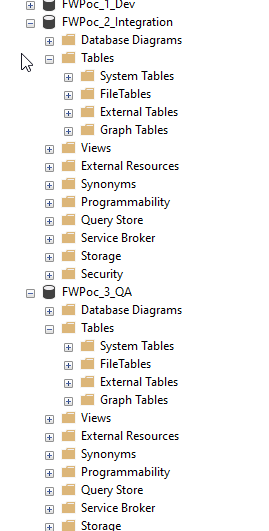
My development database for SQL Server looks like this:

2023-01-25 14_27_21-Window

There is an object in here, but it’s not in any other environment. Both Integration and QA (and the others) have no objects.

2023-01-25 14_27_43-Window

In this case, I don’t need a baseline script, because I want this table to deploy to the downstream databases.

I do, however, need a baseline. I need the baseline marker in my databases to note that we have a base version. This will give me a starting point, but also ensure that FWD creates migrations that are numbered higher than my baseline.

I’ll add this in two ways. One with Flyway Desktop and one with the Flyway CLI.

The Flyway Baseline

For SQL Server, I don’t need to worry about any objects in downstream databases, so I’m just going to run the Flyway CLI. From a command line, I’ll run this code:

flyway baseline -url="jdbc:sqlserver://localhost;instanceName=SQL2022;databaseName=FWPoC_1_Dev;encrypt=true;integratedSecurity=true;trustServerCertificate=true"

This is run from my project location, though I’m passing in the connection string from Flyway Desktop as I don’t have a flyway.conf file configured for this project. Things work from the FWD gui, but not the CLI.

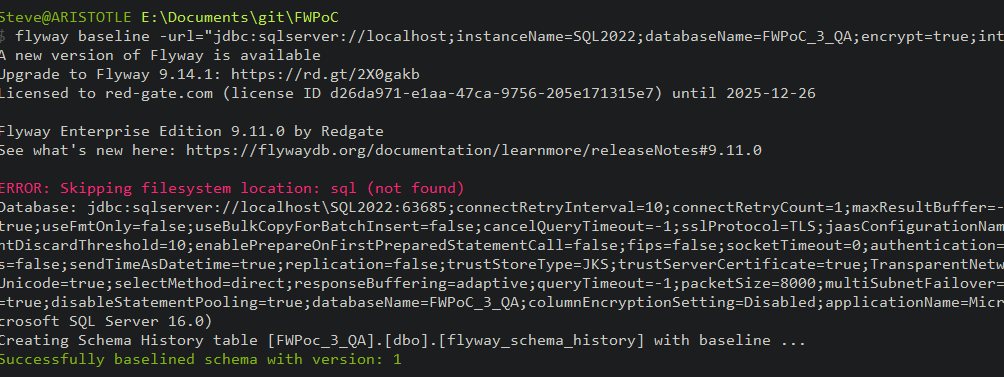
This works, and I see these results. Note the flyway schema history table is created at the bottom, and the version of the database is set to 1.

2023-02-08 08_55_37-cmd

Now when I run Flyway info with that URL, I get this. There is an entry in the version tracking for this table:

2023-02-08 08_56_03-cmd

I can also see this table in my Object Explorer:

2023-02-08 08_54_54-SQLQuery9.sql - ARISTOTLE_SQL2022.FWPoc_3_QA (ARISTOTLE_Steve (88)) - Microsoft

Flyway Desktop and PostgreSQL

I’m going to use FWD for my PostgreSQL project. This will do some of the work for me and give me the option for a baseline script.

Note: I set up a shadow database first.

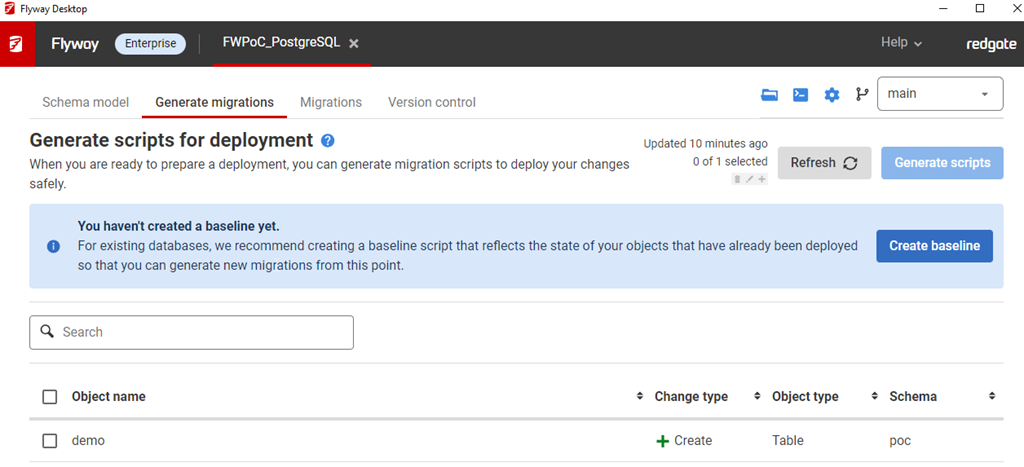
2023-01-25 14_45_24-Window

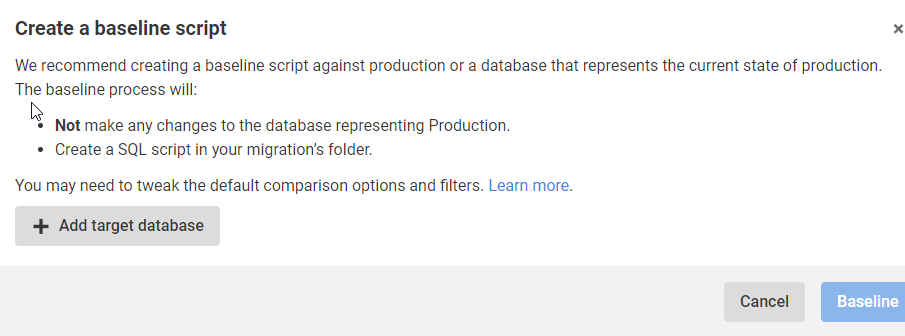
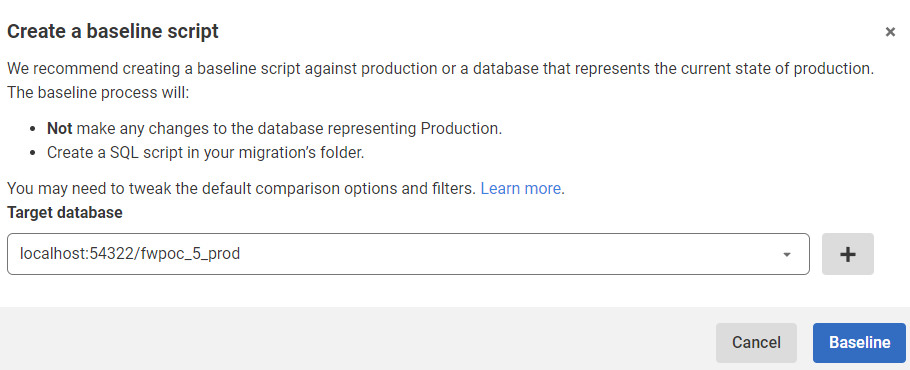
I click “Create baseline” and this asks me for a target. After all, I’m trying to ensure I don’t deploy anything to prod that’s already there.

2023-01-25 14_45_34-Window

When I click Add target database, I get a connection dialog. I fill this in with the credentials for prod. This returns me to this screen below, where I see my prod database, which is at this port with this name.

2023-01-25 14_48_12-Window

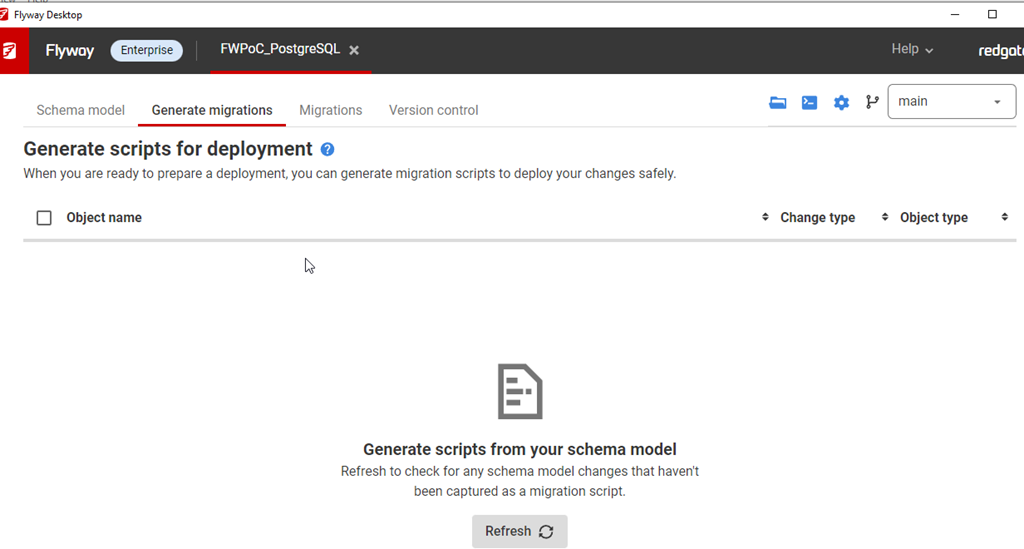
I click Baseline and it goes to work. There’s nothing there, so this returns back to the blank, Generate Migrations tab.

2023-01-25 14_49_02-Window

However, there is no baseline or schema tracking table. I didn’t have a poc schema, so perhaps that’s an issue, but that’s OK. We can fix this.

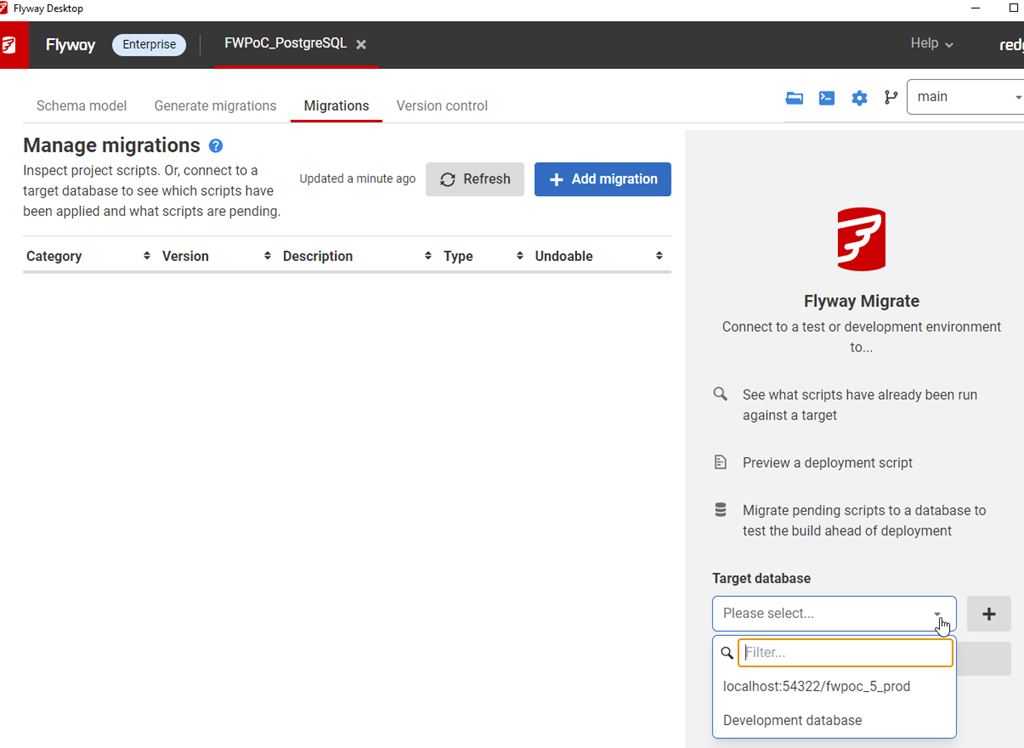
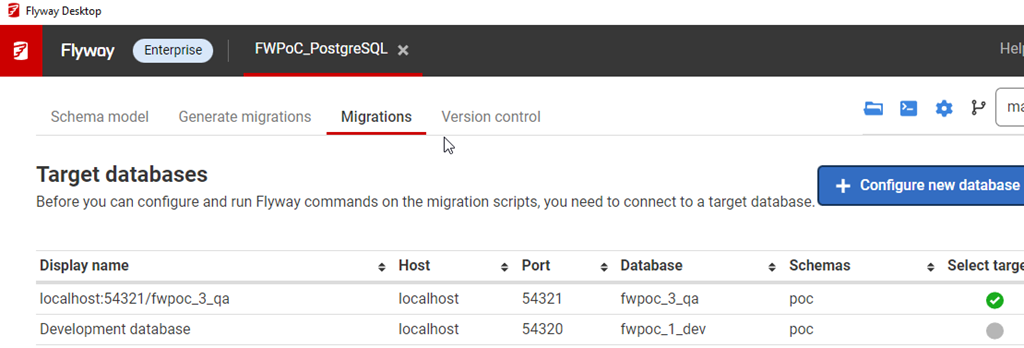
In the Migrations tab, I see this:

2023-01-25 15_10_52-Window

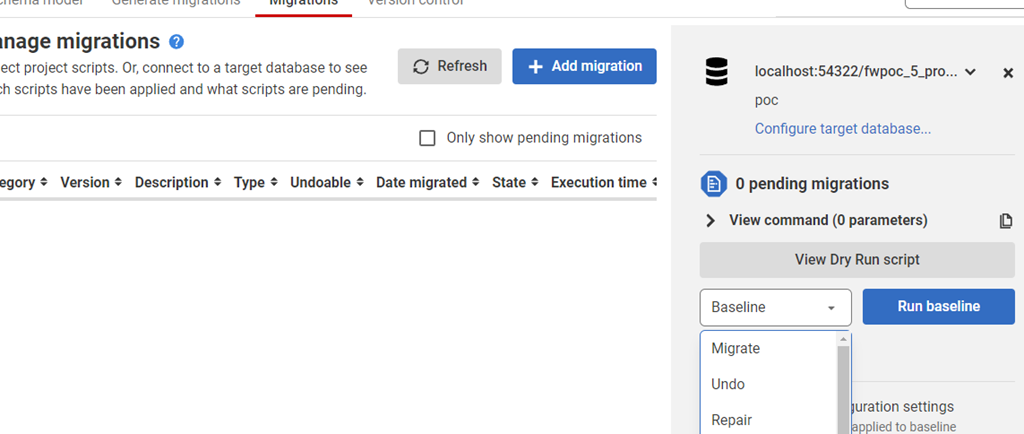
That configures this tab to look at (and work with) this database.

2023-01-25 15_10_44-Window

In general, I know we won’t be able to see production, but this is a PoC. However, this is something that I, in general, don’t want to do. I want to work with dev/test environments, so let’s do that.

I’ll configure my QA environment. I click “configure target database” and I get this screen. These are all the databases for my project. Here I’m going to click “delete” for production and then I’m going to click the Add and configure my QA database. Once I do that, I’ll see this:

2023-01-25 15_14_52-Window

Baseline added for PostgreSQL.

2023-02-08 08_54_02-● SQLQuery_2 - localhost.postgres (postgres) - DBAScripts - Azure Data Studio

Success.

Posted in Blog | Tagged , , , , | 2 Comments