If someone is trying to convince you it’s not a pyramid scheme, it’s a pyramid scheme – from Excellent Advice for Living
For sure. As much as I am optimistic and think the world is amazing, I also know there are lots of bad people out there. There are especially lots of scams, or scam-ish things happening. I’ve certainly seen a lot of ads for low-quality products trying to compete by producing great ads and exaggerating the benefits.
Pyramid schemes may be less common, but the idea remains. If someone is trying to convince you their offering isn’t a scam, it likely is.
Be careful out there on the wild Internet.
I’ve been posting New Words on Fridays from a book I was reading, however, a friend thought they were a little depressing. They should be as they are obscure sorrows. I like them because they make me think.
To counter-balance those, I’m adding in thoughts on advice, mostly from Kevin Kelley’s book. You can read all these posts under the advice tag.
Posted inBlog|Taggedadvice, syndicated|Comments Off on Advice I Like: Pyramid Schemes
I ran across a tweet (are they still tweets?) on X/Twitter that was titled: how to ruin yourself. It had these items, which seem to be coming from a young person. Either a student or in their first job.
Stay on your phone all day.
Feel sad for no clear reason.
Stop eating well and ignore your studies.
Sleep super late and wake up in the afternoon.
Let sadness take over everything.
Always look at others’ lives and feel yours isn’t enough.
Keep blaming yourself for the past but never try to let it go.
Compare your progress with people who started years before you.
Get stuck imagining outcomes instead of creating them.
Keep waiting for motivation instead of building discipline.
What was interesting to me is I saw people doing similar things when I was younger. Either adults with careers or fellow students. I’d change “sad” to “anger”, which I saw a lot in the 80s. Replace the phone with TV, as I saw lots of people start to invest a lot of time in TV with the growth of cable and 24-hour channels in the early 80s. Eating well was less of a thing, but drinking more was a thing. However, many people stagnated, or maybe ruined, themselves in similar ways.
What things motivate you? What gets you to become better at, well, anything you want. From your career to a new career to a better parent or coach or friend? What gets you away from short-term enjoyment (or wallowing) into action?
I write about working on your career on a regular basis, but I’ll summarize my advice for making a better you:
Be curious about the world
Dream of something better
Make a plan to realize a dream
Give up some leisure time
Make adult decisions
Be Kind to Yourself
I’ll try to expand on each of these on my blog over time. The list are things I try to do to make changes in my life. Whether at Redgate, while coaching, or even improving a hobby skill. I have to invest a bit of myself to get something back.
Though the journey is by far the most satisfying part.
I was looking back at my year and decided to see if SQL Prompt could help me with some analysis. I was pleasantly surprised by how this went. This post looks at my experience using this to help me write a few queries.
This year was a big one for me and New York City. By my count, I went there five times. I wanted to see if that was right.
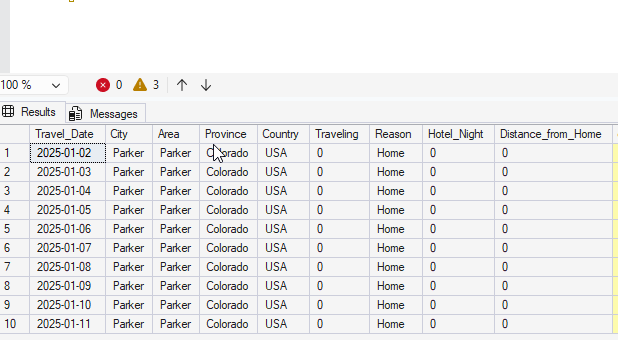
I started by loading up a bunch of travel data I keep into a database. I do this to keep an eye on where/when I’m going places, so that I have a few of how busy I’ll be. In this case, I loaded data into a table. Here’s a short sample of data.
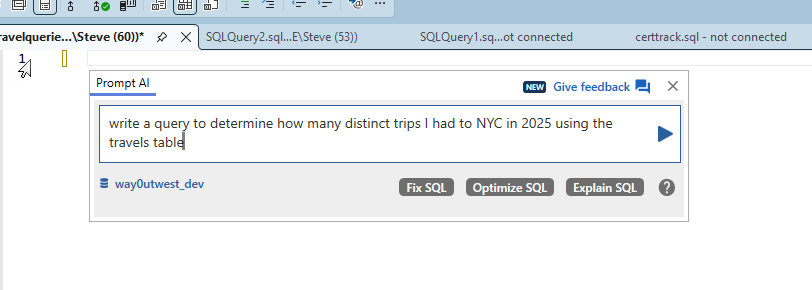
I started by asking Prompt AI to write me a query. Here’s the prompt:
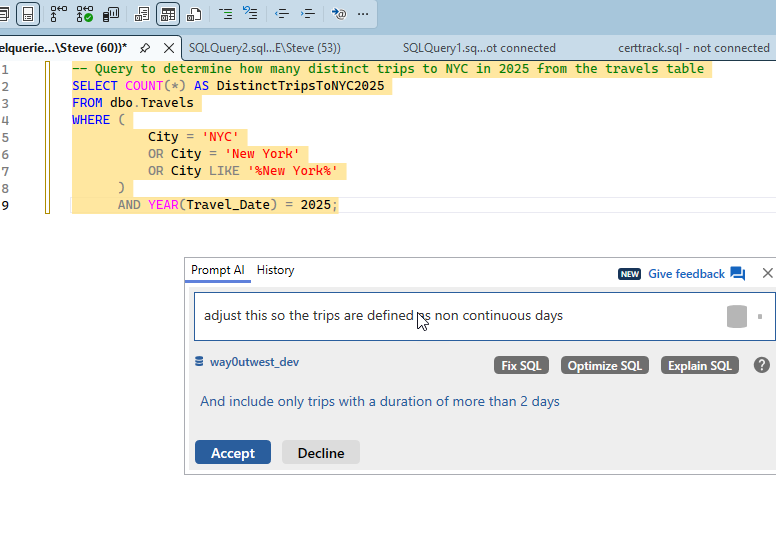
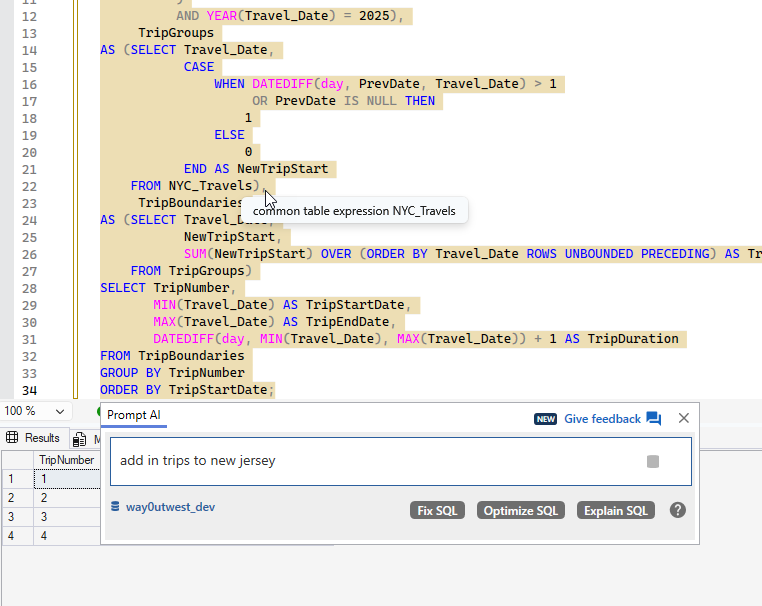
Simple enough. I could have written what it gave me, so I asked for more. Since I’m not tracking trips, but where I am on days, I needed something better. My prompt is what I might express to someone else, non-continuous trips.
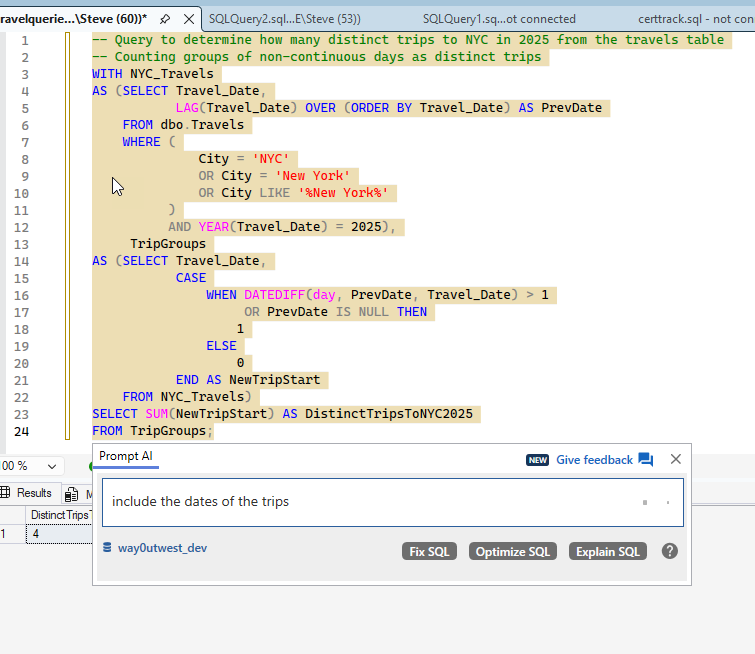
I got a 4 back from more complex code, which is looking for entries with the city being NYC or a variant. It then adds a LAG(), which is what I was thinking before I decided to let Prompt do this. Notice above I was already asking for dates.
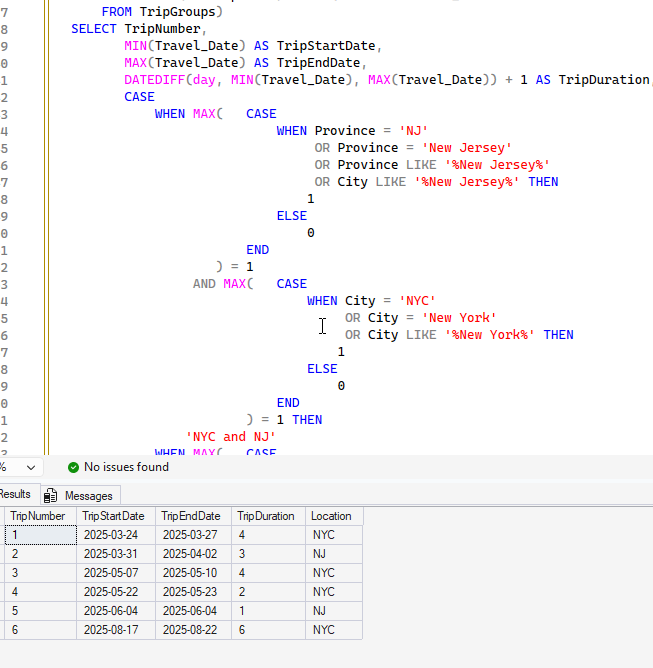
I got my dates, but still 4 trips. I know I flew to the NYC area more times. In looking at the dates, I realized that one of the trips, Mar 31-Apr 2, was only to Jersey City. So I had asked for that above.
You can see more more complex code, which adds in New Jersey. The results were interesting. This has 6 trips, because on one another trip, I went to New Jersey for a day. I had forgotten that one.
Checking Countries
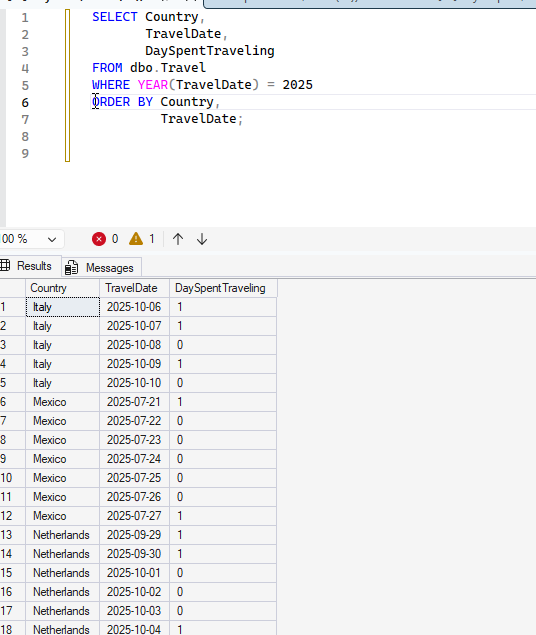
I wanted to do some country analysis. I knew there was a bunch of country data from 2025 in there, so I wrote a simple query. That gets me some data, but it’s a bit of a mess. I really want to know when I visited countries.
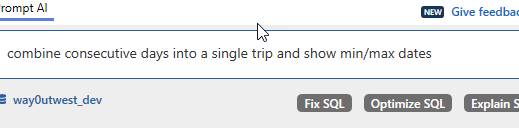
I used PromptAI with a simple request.
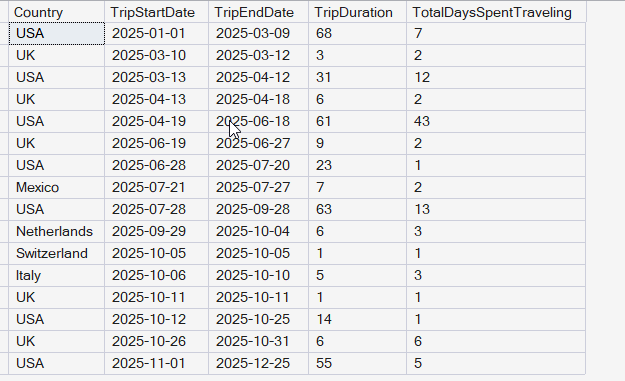
I got some results back, which were good, but included the USA. I then asked to remove this and you see the result.
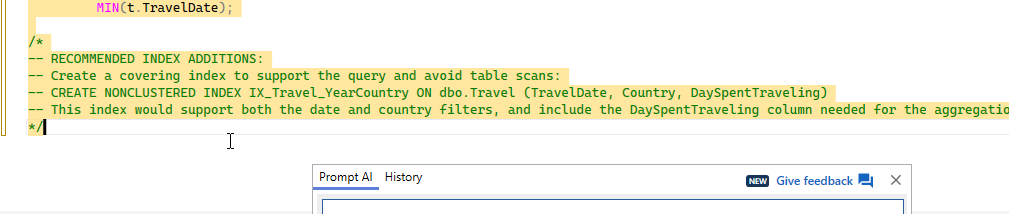
This was a good query, overall, so I clicked the “Optimize SQL” button. I got these items added as comments.
There isn’t a lot to do here, but I created the index. The “optimize” had also added a FORCESEEK, which I didn’t realize at first, so I removed it.
Eventually I added back the USA, partially as this improves performance, but also, with the results, I got a good look at travel patterns. In this case, I can see when I’m in the USA and when I’m not. I liked that I had asked for the trip duration, but the GenAI also added days traveling on the trips, which was fascinating.
The final query is here:
;WITH TravelCTE
AS (SELECT Country,
            TravelDate,
            DaySpentTraveling,
            ROW_NUMBER() OVER (PARTITION BY Country ORDER BY TravelDate) AS RowNum
     FROM dbo.Travel WITH (INDEX = IX_Travel_YearCountry) -- Use existing index to improve performance
     WHERE TravelDate >= '20250101' -- Using efficient date literal format
)
SELECT t.Country,
        t.TripStartDate,
        t.TripEndDate,
        t.TripDuration,
        t.TotalDaysSpentTraveling
FROM
(
     SELECT Country,
            MIN(TravelDate) AS TripStartDate,
            MAX(TravelDate) AS TripEndDate,
            DATEDIFF(DAY, MIN(TravelDate), MAX(TravelDate)) + 1 AS TripDuration,
            SUM(DaySpentTraveling) AS TotalDaysSpentTraveling,
            DATEADD(DAY, -RowNum, TravelDate) AS GroupingKey
     FROM TravelCTE
     GROUP BY Country,
              DATEADD(DAY, -RowNum, TravelDate)
) AS t
ORDER BY t.TripStartDate;
Summary
This was an interesting experiment in having an AI help me do some data analysis. I could have written these queries, but it would definitely have taken me as long as it took to ask the AI and write this post to do so. I’d be messing with data, double checking myself, and trying to decide what I wanted.
I also found it interesting to have the AI write the code and I could think more about the data being returned. I found a few data anomalies that I corrected along the way.
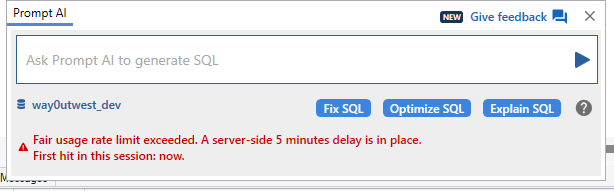
Prompt AI is proving useful, though when I was going back and forth a lot, I got this message.
Most of you reading this are likely technology professionals of some sort. You might be a software developer in C# or a DBA or a manager of those teams. Maybe you’re an analyst working with data and reporting. You have made this a career choice and (hopefully) are growing and learning more about your craft.
I also expect that you want to continue working in the area you are now, or maybe want to move into a related area. Maybe a report writer wants to move into more warehousing/lake housing. Maybe a DBA wants to be a Reliability Engineer. You have a career and you’re working in that area.
However, I’m sure early in your life, you had other jobs. You might have even continued working in some of those areas as you started earning money from technology. Some of you left those jobs behind, but in my first paid job as a network admin, I kept bartending on the weekend to make extra money.
Today I’m wondering what side jobs have you had at work that weren’t related to databases.
These could be paid or unpaid. They could be volunteer , 1099, W-2, anything. Maybe you have an interest, maybe you want to help others, maybe you have a skill that you enjoy as a hobby.
For me, I’ve been a Scout leader (Boy, Cub, and Girl), a bartender, a fundraising speaker, and been on the board of a few organizations. Today, I’m a coach part-time at night and on weekends for a competitive volleyball team. These are fun ways for me to spend my time away from work, and I love having the break from technology.
Let me know today what side jobs you have, or have had, that let you get away from your data professional work.





 Voice of the DBA