Removing SA from Azure SQL Database

One of the recommendations from Microsoft SQL Server is to use Windows authentication. This has been in the docs for years, and I’ve heard many MS consultants and employees note this. Many customers and clients have tried to use Windows Authentication only, but often in a cross platform environment with Java or Linux clients, one usually has needed SQL authentication with a user and password. Client libraries have been enhanced so this isn’t necessary, but still some people prefer SQL authentication, especially with clients outside their organization. It’s simple, easy, and developers can make it work in seconds.

With Azure SQL Databases, some companies defaulted to a username and password, as their Active Directory (AD) wasn’t extended to Azure. That has become easier to do, and many people are taking advantage of it. In fact, some customers are so integrated, they want to do away with usernames and passwords in Azure.

Microsoft has listened, and is giving them the option. The feature is in preview, but if you enable this, SQL auth is turned off, which means whatever administrative account you set up for the server with a name and password will not work. That’s essentially the “sa” account, though with your own custom name.

While this feature won’t be useful for everyone, it’s a good option to have. As more companies look to tighten security and limit the attack surface area, being able to make this choice is important. It’s also something that architects and administrators should be aware of and consider in their decisions on how to implement applications in Azure.

Steve Jones

Listen to the podcast at Libsyn, Stitcher, Spotify, or iTunes.
Posted in Editorial | Tagged , | Comments Off on Removing SA from Azure SQL Database

Daily Coping 23 Mar 2021

I started to add a daily coping tip to the SQLServerCentral newsletter and to the Community Circle, which is helping me deal with the issues in the world. I’m adding my responses for each day here. All my coping tips are under this tag. 

Today’s tip is to find enjoyment in some manual task today, outside of work.

I live on a horse ranch, but I’m not really a horse person. I’m a reluctant stable man and ride, mostly at the request of my wife. Taking care of the horses isn’t something I do often, but it does happen regularly, especially as the kids are gone.

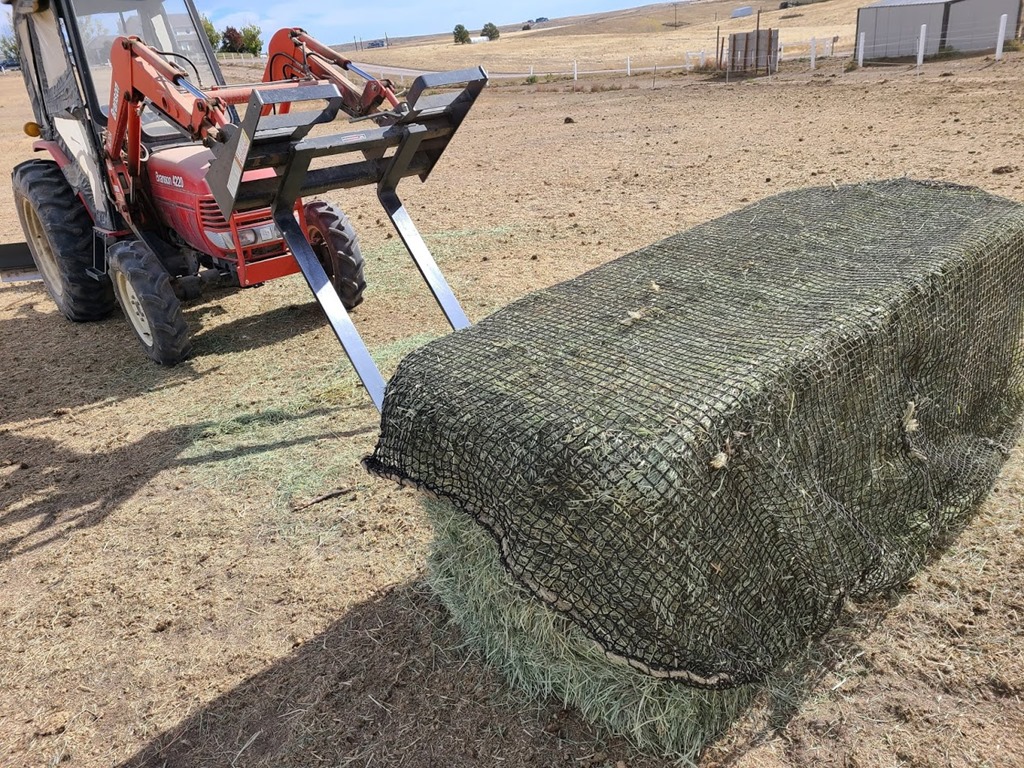
We had a historic snowstorm the last week, which resulted in lots of extra work to try and care for horses. My wife did some, but I helped out, taking some breaks from work. One day we had to get hay into nets, which helps the horses pace their eating. Normally this is process of putting a net partially on, flipping the bale, pulling the other side, repeat. When I do this myself, this is how it looks at the end.

20201017_103814

Because of the melting snow, the mud, and snow piled up, we couldn’t flip the bales. The nets were also full of mud, so while I got a little snow moved and loaded a bale on the tractor. I then unloaded it on a trailer and got a large round container. My wife, her employee, and I all then moved hay into the net manually, which is less fun than it sounds.

However, it’s necessary, it saves some money, it’s hard, but it’s satisfying. Whenever I have to do horse chores, I try to appreciate the benefits. The physical effort, the tangible accomplishment of seeing something getting done, and the appreciation from others.

Posted in Blog | Tagged , , | Comments Off on Daily Coping 23 Mar 2021

Filtering SQL Compare to a Schema

One of the things that numerous clients have some to Redgate about is allowing a team of developers to work on a single shared database without creating conflicts. While this isn’t necessarily a simple thing to do, it is easy if you structure the projects appropriately. This post looks at one of those ways, with schema filtering.

In a recent case, a customer had multiple schemas, and they wanted a SQL Change Automation project scoped to a single schema. Easy enough to do, as a new project gives you a place to pick your filter, but in order to do that, you need to create it first in SQL Compare. This post looks at how to do that.

The Scenario

I created a demo database with a couple schemas inside, and a few objects inside. I had a blank database to simulate a new QA environment. I opened SQL Compare and created a new project, pointing to these two databases. From here, I want the initial comparison. you can see this below, with a number of objects listed in different schemas.

2021-03-12 17_09_13-SQL Compare - E__Documents_SQL Compare_SharedProjects_(local)_SQL2017.SimpleTalk

On the left is the filter pane, and near the top is a “Custom filter rules” link. I clicked this to open up the filter dialog. In here, I see a default set with no rules.

2021-03-12 17_10_21-Edit filter rules

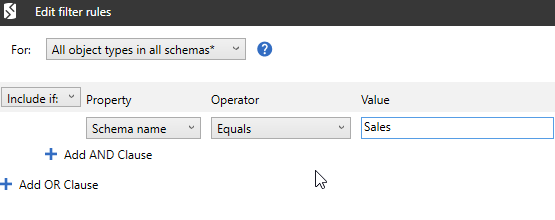
I added a new rule to set the schema name equal to “Sales”, to filter all objects away that do not exist in Sales. This is to give me a “Sales” project that developers can use in this schema.

2021-03-12 17_10_30-Edit filter rules

I click OK, and then I refreshed the comparison. I saw this:

2021-03-12 17_11_48-SQL Compare - E__Documents_SQL Compare_SharedProjects_(local)_SQL2017.SimpleTalk

I still have the Inventory schema listed. That’s not ideal, as this could be confusing to juniors developers. Also, depending on the comparison options, this could allow dependent objects to leak into this project.

Filtering Schemas

Schemas are not owned by themselves, and are separate. As a result, I need an additional item in this filter. If I scroll down the left side, there is a “schema” checkbox. If I put my mouse on this, I can see that there is an “edit” link.

2021-03-12 17_13_24-SQL Compare - E__Documents_SQL Compare_SharedProjects_(local)_SQL2017.SimpleTalk

I click that and then create my filter rule. In this case, I want the “Object name” to equal Sales. The object is the schema.

2021-03-12 17_14_22-Edit filter rules

Once I click OK, the Inventory schema disappears.

2021-03-12 17_15_08-SQL Compare - E__Documents_SQL Compare_SharedProjects_(local)_SQL2017.SimpleTalk

I need to repeat this for each schema that I want to build a filter for. Note that there isn’t a “save as” for filter files, so I need to manually copy each one in the file system when it is complete, or create a new SQL Compare project.

Summary

Once I have the filter files, I can load the appropriate one into each SCA project, allowing me to have projects that only see a small portion of the objects in a database.

One other thing I often do here is remove global type objects, like users, from the project as well by unchecking those boxes in the filter pane.

SQL Compare is an amazing tool that underpins much of what makes DevOps tools and automation work well with Redgate tools. I’d urge you to give it a try if you never have. You’ll be amazed as how much is helps you get work done quickly.

Posted in Blog | Tagged , , | Comments Off on Filtering SQL Compare to a Schema

Working in a Distributed Fashion

Recently at the Redgate Summit, Kendra (b|t) noted that all the developers working for her are doing so in a distributed fashion. She is a product manager at Redgate, and her team uses git to move source code around and share it with different members for the applications they work on.

For database work, I often see people using a shared database, which can create issues between developers, though many teams accept this as a part of working on the same project. We often just expect that our code is in the shared database, which means we don’t need to actually move it around. Hopefully, we do put it into version control.

Has anything changed during the pandemic for how you work with your team? Or with other teams? I assume you don’t see people, but you do need to share things, or maybe you’ve moved away from shared databases. In that case, you might have some tricks for sharing technical code or other things that are a part of your work.

Most of our work in this business is digital, so we likely adapted fairly easily to remote work. However, it might not have been completely seamless, and if things have changed, maybe you want to leave a comment on what’s different.

For most of the work I typically do, it was always remote. While I miss collaborating with people in person, something I used to do regularly, the actual bits I need to move and share work in the same way. Actually, they work in more ways, as we’ve found new and interesting ways to share things outside of email and chat. Mural, Kanban boards, and even more video recording and posting have become more a part of my work day than they ever were before the pandemic.

Steve Jones

Listen to the podcast at Libsyn, Stitcher, Spotify, or iTunes.

Posted in Editorial | Tagged | Comments Off on Working in a Distributed Fashion