Daily Coping 18 Aug 2020

I started to add a daily coping tip to the SQLServerCentral newsletter and to the Community Circle, which is helping me deal with the issues in the world. I’m adding my responses for each day here.

Today’s tip is to smile and be friendly, even when physical distancing.

I’m not out too much, and often when I am in a public business, I am wearing a mask. While I’ve looked at a mirror when I smile with a mask, it can be hard to tell if that’s what I’m doing.

However, I am at various outdoor places, without a mask. Whenever I am, I try hard to smile at more people. Wave, be cheerful, let them know there is still happiness in the world.

Posted in Blog | Tagged , , | Comments Off on Daily Coping 18 Aug 2020

Location Data Privacy

I caught a post from Bruce Schneier that references an article about a company collecting location data from numerous apps (WSJ, AndroidAuthority). This is legal, though the company has ties to the US government. As expected, there are people upset with this tracking, and we don’t have a list of applications.

Apparently a company, Anomaly Six, provides some tracking code to app developers, whom are paid to include this in their apps. I wonder if this for specific companies or contractors. The former is bad, but if the latter, do the clients know their contractor is including this code? I suspect many software development tools wouldn’t necessarily flag this, if a client even bothered to review the code they were provided.

This does seem creepy, and disturbing to have someone tracking your code. However, the data is supposedly anonymized, meaning that they know a phone was moved through “these” locations, but they don’t know who knows the phone. I assume the government could actually get a warrant and track your phone if you were suspected of some crime, so is this bad?

I can’t quite think of why I dislike this, but I do. Perhaps this is to perform some sort of traffic analysis? Either physical movement of individuals or maybe the correlation of cell phone location with other data? Maybe they look for how often phones come into contact with each other? There are likely lots of uses for this anonymous data that could be useful to planners, but I also think there could be lots of more open ways of getting this data, such as asking for it from mobile providers.

This feels like yet another place where the US is woefully disrespectful of data about humans. We seem to be way behind other countries, and it’s distressing to me. I hope that we start to enact a framework of legislation to give people more rights over this data, but I’m not sure that I will see that happen anytime soon.

Steve Jones

Posted in Editorial | Tagged , | Comments Off on Location Data Privacy

Installing FlywayDB

I’ve been working on a demo for a customer. Part of the demo uses a new Redgate product, but Flyway is a part of that. In testing a couple things, I realized that I didn’t have FlywayDB installed on  this new machine, so I did a quick walkthrough.

Installation

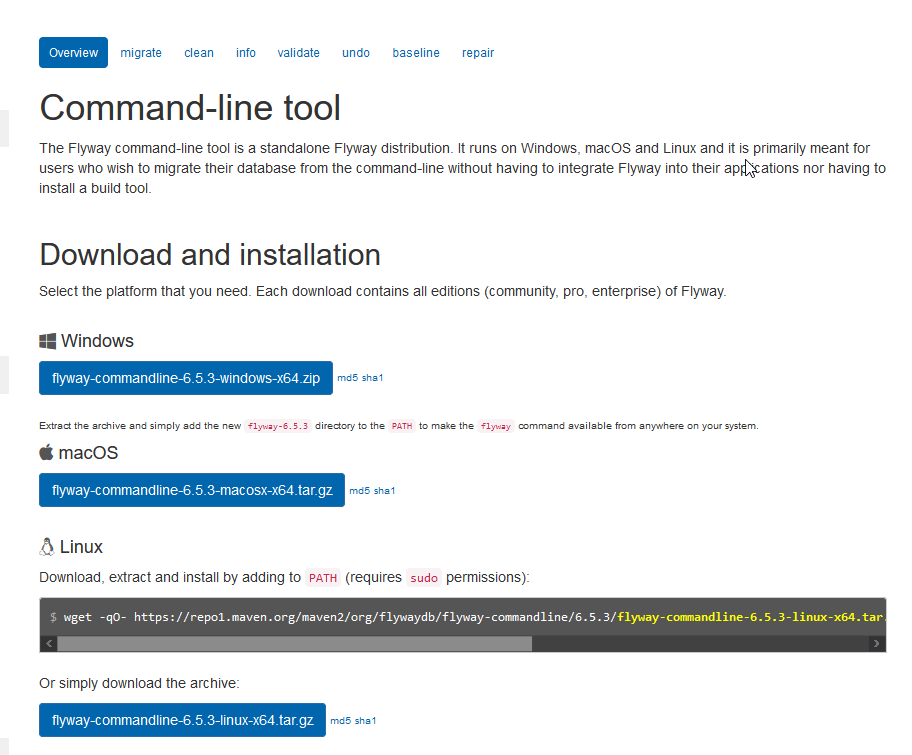
This is actually simple, or fairly simple. First, download the .zip file from Flyway.
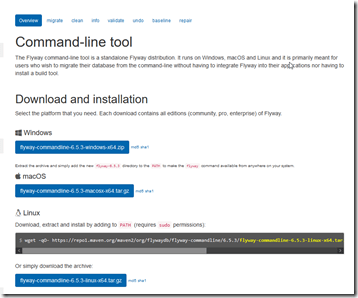
2020-08-06 10_41_58-Command-line - Command-line tool - Flyway by Redgate • Database Migrations Made

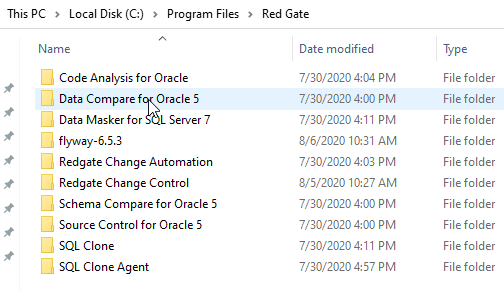
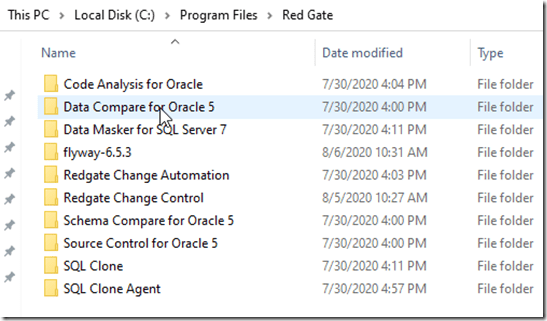
Next, put this somewhere. For me, I wanted to be organized, so I put this in C:\Program Files\Red Gate. This did require some UAC approval to unzip the download into this spot.
2020-08-07 16_38_20-Red Gate 

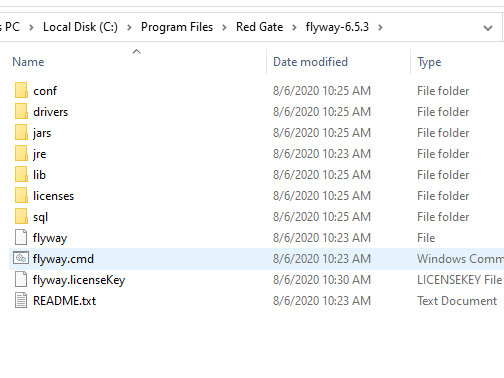
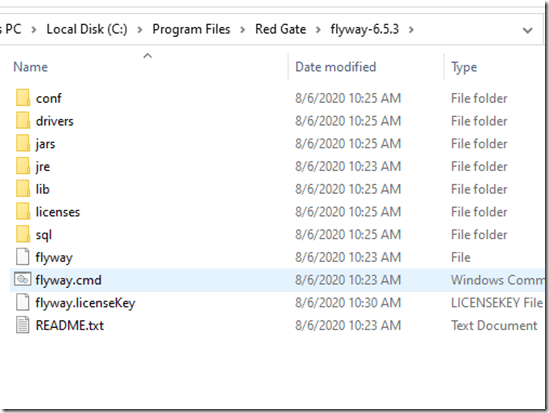
Once I did this, I saw the flyway.cmd file in the subfolder. The instructions note I need to add this to my path.
2020-08-07 16_38_48-flyway-6.5.3

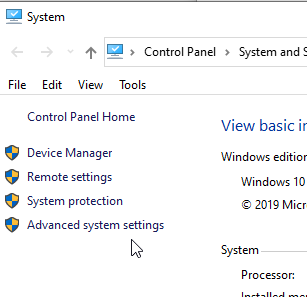
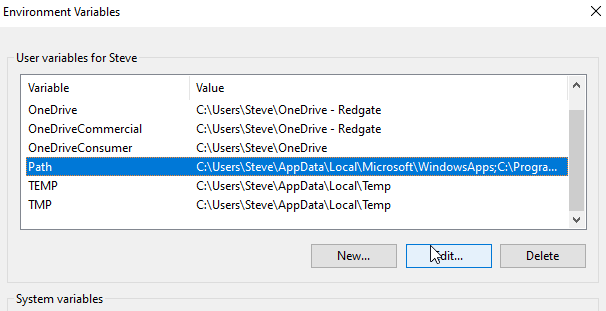
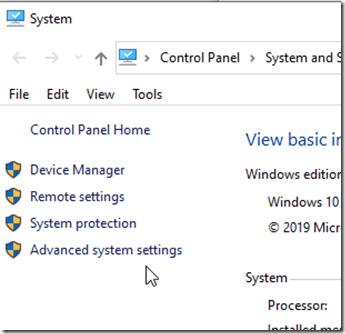
There are different ways to add things to the path, but the quickest for me on Windows 10, is to get to the properties of “This PC”. There is an advanced system settings here.
2020-08-07 16_39_24-System

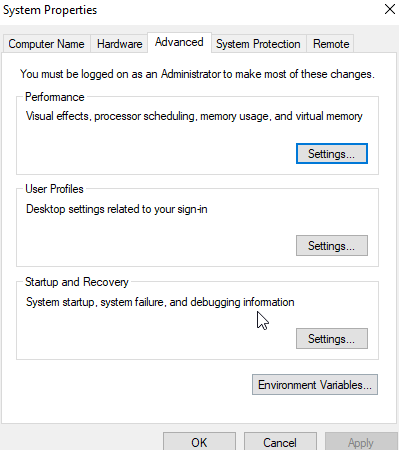
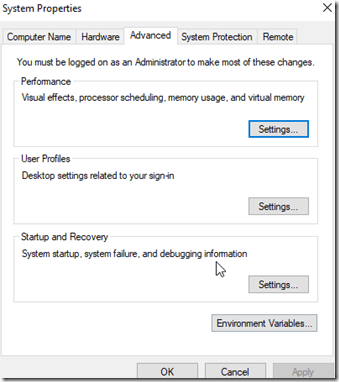
This let’s me see properties, including the “Environment Variables” at the bottom.
2020-08-07 16_39_30-System Properties

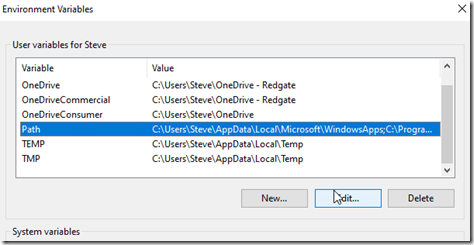
Clicking this shows me the various system variables, including the PATH.
2020-08-07 16_39_41-Environment Variables

If I edit this, I get a standard dialog where I can add the Flyway folder.

Once done, I can test this with “flyway info” at a command prompt.


One note, if I have a command prompt open, I need to restart it to get the new path.

Licensing Flyway

This is an interesting item. I didn’t directly find an answer in the quick start. Most people probably use the Community edition, so they don’t need a key. I, however, wanted to play with the Enterprise version. I got a key from Redgate, and then set the environment variable. As you can see below, this isn’t enough. I got an error that I didn’t have a license.

2020-08-06 10_37_08-cmd

I wasn’t sure if flyway.licenseKey is a file or a setting. I looked around a bit, and on the download and install page, I found an item doe the Configuration. This mentions that the first place Flyway looks is the install folder/conf/flyway.conf. Aha!

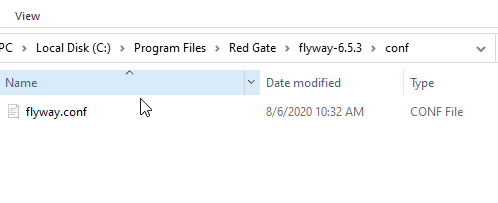
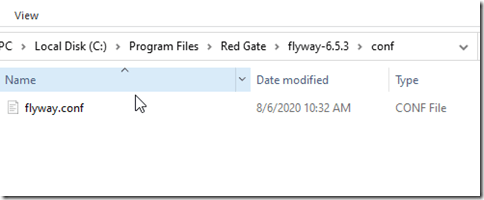
I looked in the conf folder under my Flyway install. Under here is the flyway.conf file, which is a key-value configuration file. It reminds me of the old  Windows 3.1 .ini files.
2020-08-06 10_34_25-conf

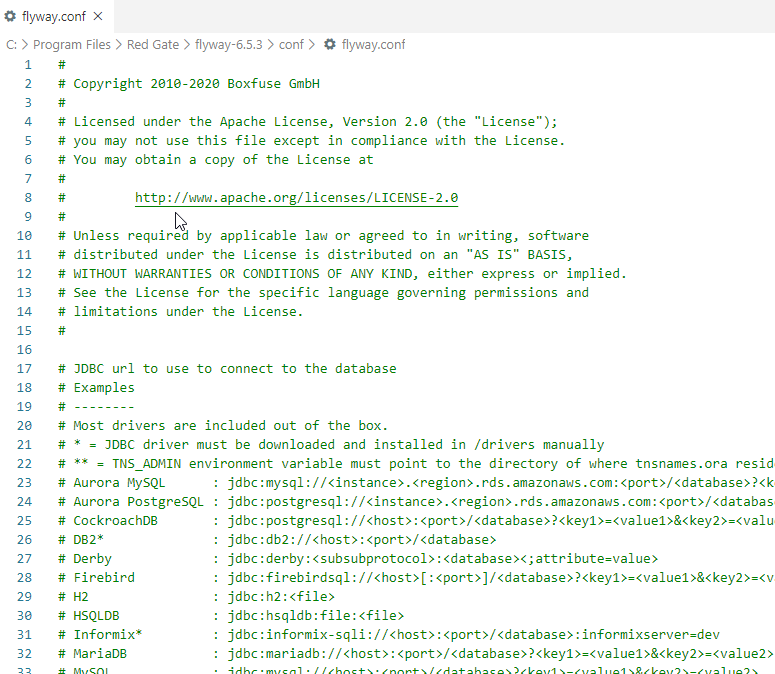
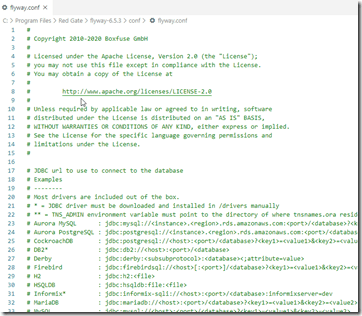
When I open this, I see a lot of values. These are mostly commented out with a #. If you need to enable a value, remove the comment at the start of the line.
2020-08-06 10_35_55-flyway.conf - Visual Studio Code

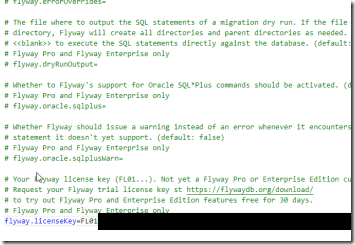
Scrolling to the bottom shows me that the last entry is for the license key. I removed the comment character (# ) and then pasted in my key.
2020-08-06 10_39_08-flyway.conf - Visual Studio Code

The next time I ran flyway info I see this:

2020-08-12 14_06_29-cmd

No license message, though obviously I haven’t set up the connections yet.

That gets me started, and I know things are installed. Now I need to start using it, which is something for another post.

Posted in Blog | Tagged , , | Comments Off on Installing FlywayDB

The Challenge of Audio Data

I’ve worked remote from my co-workers for nearly 20 years. In that time, I’ve spent a lot of time on the phone, as well as in audio and video calls. Quality has often been an issue, both with seeing others and hearing them. Add in accents, speech patterns, and equipment quality, and I’ve often found myself frustrated and upset with calls. Over the years things have improved, and I have to say that the modern Zoom/Teams/Slack style of everyone working separately and being in their own environment has made it easier to communicate.

However, it’s still not great. I was on a call a few hours before I wrote this, where someone was talking on a laptop microphone, and as they moved their head, the audio quality changed dramatically. They also raised and lowered their voice, depending on their interest in that part of the update, which had me constantly raising and lowering the volume on my side.

There was an article recently that noted employees can struggle with bad audio as they try to work remotely with others. Stress, frustration, embarrassment, and more can affect employees. For a once a week hour-long meeting, this might not be an issue. For daily stand-ups or multiple meetings a day, this is likely going to be a long term problem.

When I’m on a call, I don’t know how I sound, unless someone tells me that there is an issue. I sometimes use a headset and mic, but I also take meetings with my PC speakers and external mic. To b fair, I haven’t often reviewed my audio sounds on a recording, but I know that there are times I get annoyed by heavy breathing by others, typing on keyboards, or even echos from someone else’s laptop speaker.

It’s not often, but it does happen regularly. I haven’t even mentioned the issues at the beginning of calls of getting people connected to audio on calls, which are frustrating and often waste five or more minutes at the start of the meeting. We’ve tolerated and dealt with a lot of issues across the last few months of this pandemic, and I’m glad that most organizations, in most situations, have done so.

That doesn’t mean that continued issues will be as easy to handle over the long term. We will see stress and struggles go up if we can’t ensure that audio data has a high quality, as we expect from email, chat, and other written data. I’m going to try and ensure that I listen to some recordings of myself in meetings, and ensure my audio setup is good, not just for me, but for everyone. I hope others do the same.

Steve Jones

Listen to the podcast at Libsyn, Stitcher or iTunes.

Posted in Editorial | Tagged | Comments Off on The Challenge of Audio Data