Tag: speaking

  • Better Presentations–Fonts

    This is part of a series of tips for speakers to make your presentations better.

    Please, please, please, learn how to set up your machine to look good on screen.

    I saw Brent Ozar write a few notes on how to make your presentations better recently. This was primarily for the people presenting at the PASS Summit, with a few specifics to that event. Buck Woody also had a mini rant about sizing the fonts on your laptop.

    Both are worth reading. The visual display of your work can overcome some poor speaking habits. Likewise, great speaking performances overcome some poor visual displays. Having both fail means your presentation may fail.

    Note by failure, I mean that the attendees don’t like the talk and lose out on information because they’re bothered by the way your session appears. This could be at a conference, a SQL Saturday, or a lunch and learn at work.

    Increase Fonts

    To move on from Buck’s post, change the defaults in SSMS. Paul Randal has a nice post on configuring SSMS. Read it and try it.

    I go for 14 point fonts, but note that you need to set Text and Grid results separately and restart SSMS. Do this before you walk in front of people.

    It’s easy to do in SSMS. Click the Tools and then Options menu items. You’ll get a dialog like this, and on the left, under Environment, there’s a Fonts and Colors selection. Click it.

    badpresent4

    The top drop down on the right controls the section of SSMS. Query Windows are the Text Editor items. Below this, I have a font (Consolas) and a size (14). Below that on the left I have the various items in the Text Editor I can change fonts for. There are so many settings that this could be a weeklong project.

    I usually just change the “Plain Text” to 14. I don’t’ worry about the others, but if you use other items in your presentation (like line numbers), change them.

    If you select the top drop down, you’ll see this

    badpresent5

    These are the other places you can change fonts. The two I want to point out (I use them) are the Grid Results about 2/3 of the way down and Text Results a few below that. Change both of these font sizes, though you’ll have to restart SSMS.

    If you make these changes, your attendees might not thank you, but they’ll be less likely to complain. Even in the largest rooms, 14 points seems to reach to the back of the room. And if it doesn’t, learn to zoom.

  • DevConnections 2014

    I live on a small ranch in Colorado. It’s a working ranch where we board horses, and my wife trains both horses and people. There’s a lot of work to be done at the ranch, and both me and the kids help out.

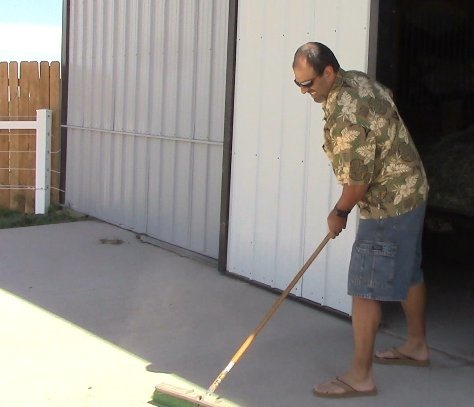
    shovel1

    We have a variety of tools we use to deal with the various chores and infrastructure we have to manage. Depending on the task, we might choose a specific tool.

    shovel2

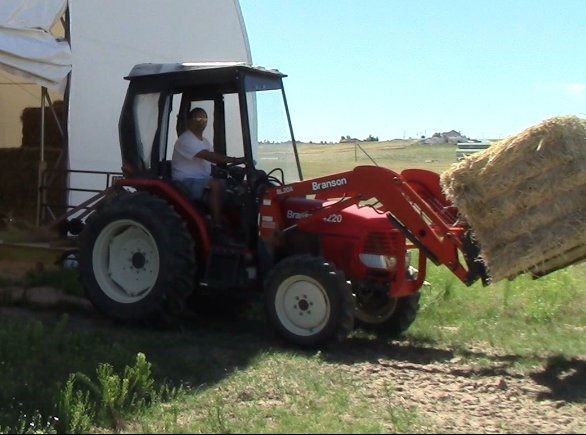
    We also like to use the right sized tool for the job, especially when the job involves heavy lifting.

    tractor

    I often think about my career in technology, and how similar it can be to my life now. I’ve often worked with a variety of technologies, from networking routers, to Active Directory to Exchange in my career as a DBA. I’ve had to understand development languages and techniques to collaborate effectively with developers. Knowing a little bit about a lot of things has helped me often.

    That’s one of the reasons I like the DevConnections conference. With so many different technologies being discussed a the same event, I can walk from a SQL Server session on execution plans to a development talk on Fiddler. You can learn about testing software and SharePoint queries along with Trace Flags without leaving the building.

    Most of us work with a variety of technologies, and if we don’t, we often do work with a variety of IT pros. Learning a bit more about how others do their jobs, how their technologies might interact with yours, or even picking up a little jargon, can help you to be a better IT worker overall.

    I’ll be in Las Vegas this September for DevConnections and I hope you’ll join me. It’s a good time at the Aria resort with plenty of ways to relax in the evening after a packed, educational schedule each day. And if you’re interested in Continuous Integration for Databases or High Performance Encryption, stop by one of my sessions.

    I hope to see you Sept 15-19 in Las Vegas. Register today!

    If you’d like to see a video promo, click below and enjoy.

  • Better Presentations–Hide those Windows

    This is part of a series of tips for speakers to make your presentations better.

    I wanted to give some specific SQL Server presentation items that have bothered me recently. These aren’t big things, but they do cause problems for attendees, and that might mean the difference between someone learning what you are presenting and getting lost because they can’t easily see.

    Windows

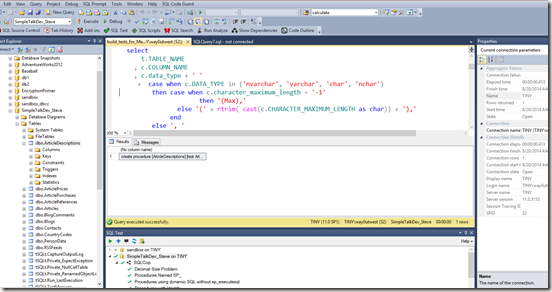
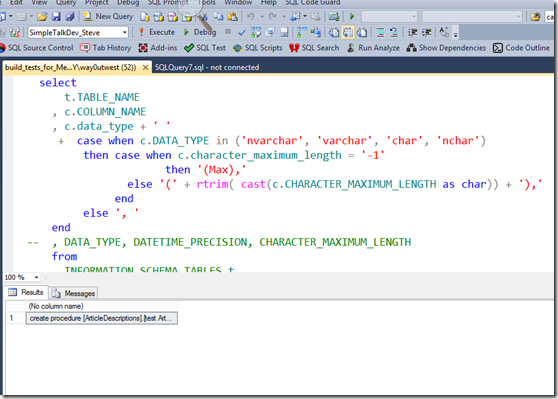
    How does this look?

    badpresent_thumb1

    It’s bad. Imagine if you were 15 feet back from the presenter, which is how this looks on a screen. I can barely see code.

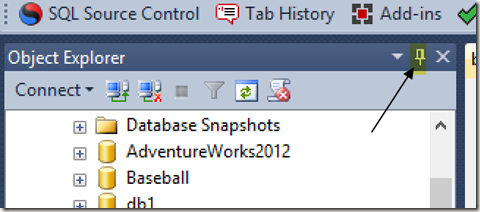
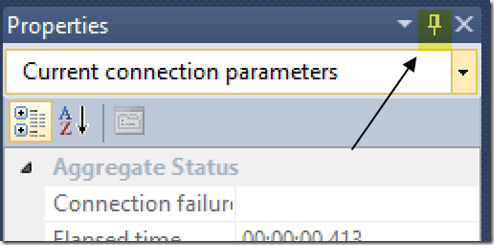
    If you look at the Object Explorer, there’s this little item in there .I’ve highlighted it below.

    objcet_explorer_a_thumb3

    There’s also one on the Properties window.

    properties_a_thumb1

    In fact, my SQL Test window at the bottom, most SSMS add ins and  Visual Studio windows have them.

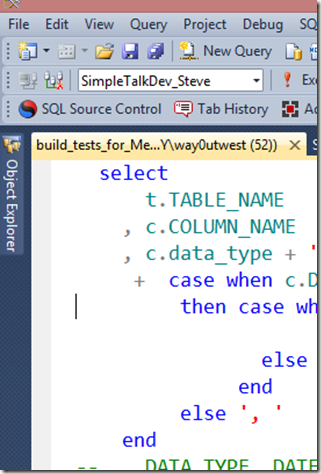
    Click them. They’ll hide the windows, like so.

    badpresent2_thumb1

    This is a much cleaner view of things.

    But, Steve, you’ll say. I need those windows. I get it, I need them, too. They’re on the side of your screen and you can pop them open. They’ll stay open when you work in them, and disappear when you don’t.

    Gone when I don’t need it.

    oe1_thumb1

    Here when I do:

    oe3_thumb1

    It’s a quick tip, and it’s easy to learn. Once you practice with hiding and using windows, I’m sure you’ll find that you work more efficiently all the time, not just when on stage.

  • Making Better Presentations–Tips and Tricks

    I give a lot of presentations each year. I am constantly trying to improve my presentation skills to continue to get invitations to speak, to represent my employer well, and to ensure attendees are interested and learn a few things.

    With that in mind, I’ve compiled a number of tips that I have learned over the years, or that I’ve seen ruin some interesting presentations.

    I’ll be adding to this list over time and linking to the posts as they become visible.

    Feel free to try one of them (please), all of them (if appropriate), or none of them (not recommended).

    Feedback is welcome.