
Recently I got a message that my Evernote subscription was going up. It’s been a $3 a month service, but moving to $4 for me. From USD$35 to USD$50 a year. Not a big change, but a little annoying to me. I have a few reasons, outlined below, but this post is mainly describing the process of moving my data.
Setting up Joplin is easy. You download the app, install it, and then (optionally) connect it to Dropbox, where it adds itself as an app in the /apps folder.
Export and Import
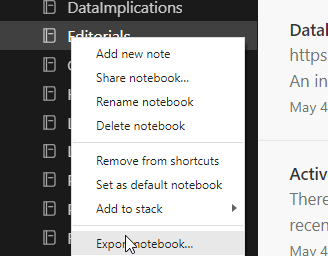
I can easily export a notebook in Evernote to their ENEX format. I do this by right clicking a notebook and selecting Export notebook.
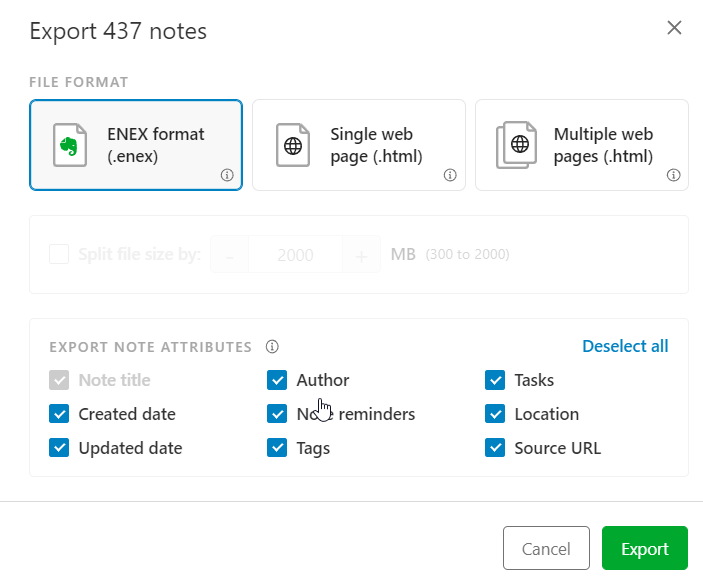
This asks me how to store the output. I get a single file, pick a name/location and this creates a file.
Once this is done, in the Joplin desktop app, I have a few choices. I pick ENEX and then the type, select the file, and things import.
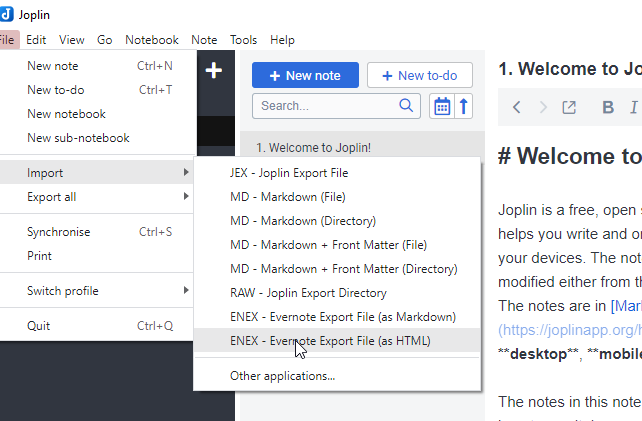
I tried HTML, but got a mess.
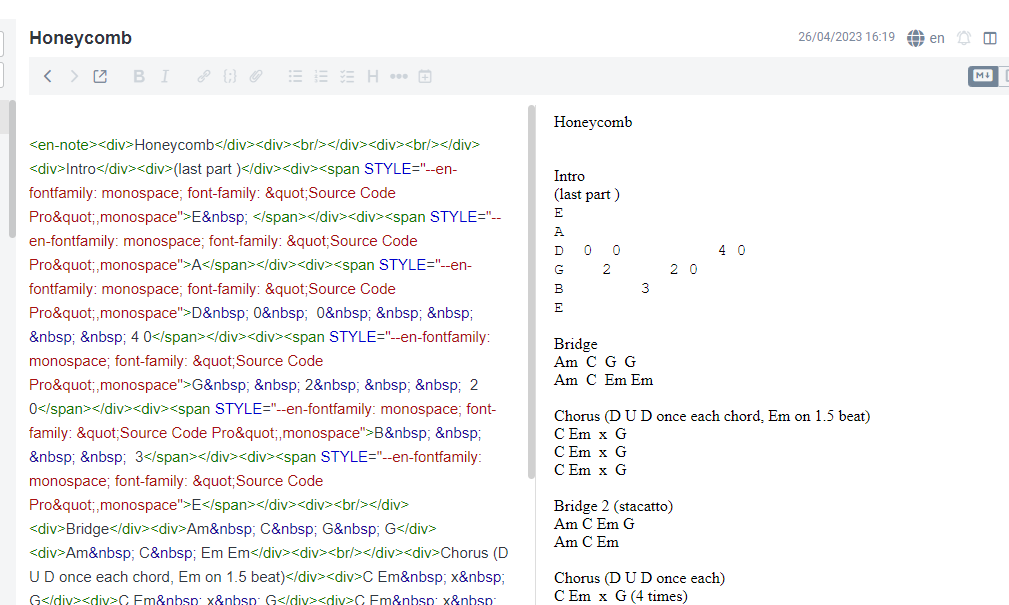
If I could edit in the right pane, this would be OK, but I have to edit in the source pane, which is annoying. I know HTML, but don’t want to write in it.
Instead, I picked markdown, which gives me a better view.
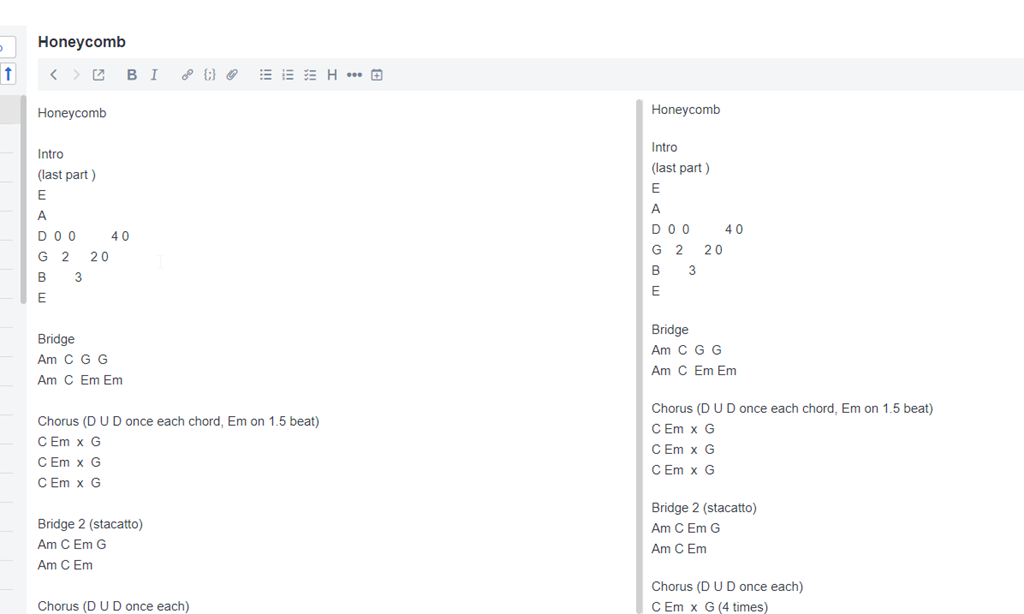
I have perhaps a few thousand notes, but really only about 12 notebooks. Since I can export 12 times and import 12 times, this is easy.
I then have all my notes in a new app, where I can sync them between desktop, mobile, and the iPad in the kitchen.
Note I’ll spend a couple weeks working in Joplin and see what I think.
Why Leave Evernote?
Evernote has continued to expand their capabilities, which I get. As a software service, they want to keep growing and attracting more customers and providing more features.
However, for me, I want to simply take notes. I almost never include images, web clips, etc. Instead, I like simple text and quick software. I want to make notes and save them, syncing across devices. To me, I need a glorified way of capturing text files and moving them between machines.
While Evernote has worked well, they’ve done some things that make this less ergonomic for me. Specifically:
- They add a div tag that notes this item was clipboard’d, which is perpetually annoying. I also copy/paste often as this is my writing tool and they add some markup in HTML, which I then have to remove.
- New notes mean I have to select if this is a note, a task, or something. One extra, very, very annoying click.
- Their navigation options are clunky and slow on mobile/tablet.
- Their UX has me constantly clicking from the top to the bottom to the top of the screen.
- They’ve become more chatty, and single-threaded with more lags. Something I find annoying.
They have also deprecated the Plus subscription, which is simple.
I decided to try Joplin, which I found in this PC Mag article. Joplin is an open source app, and if I keep using it, I’ll donate some money to the developer. I don’t mind paying for software, but I need something simple.
If this doesn’t work, I have other options. I might just create a private GH repo and use folders to organize text files. That’s about what I need.
I can also renew Evernote for a year and kick the can and hope they don’t try to force me into the $12/mo subscription.
I know lots of people love OneNote, but I find it overkill and too annoying.




 Voice of the DBA
Too often software vendors (entitles and not just an individual doing something open source and free) seem to feel the need to have to constantly expand the software’s feature set even when it’s not necessary. When was the last time the hammer or the screwdriver’s functionality was expanded? I get why more complex apps like a spreadsheet would do this but simpler more specialized software doesn’t need to have to constantly expand. Update and evolve to work with new platforms and OS’s yes but not an ever increasing expansion of new features. Back when we purchased a license to use something forever I can see why non-free software felt it had to expand so as to justify why existing users needed to spend $$ again but with most software that is not free having moved to a service model I don’t believe they all need to keep expanding the software’s feature set especially if it’s something singular and simple like your note taking. Perhaps Evernote should just have a basic version that never expands on what it does, it’s just the basic notetaking and is the cheapest version available and separate for that have the challenger to OneNote. If they think they can force users to move onto the pricier product I’d say you’ve just proven them wrong.
LikeLike
I work in the software business, so I see both sides. I certainly see the need to pay programmers to maintain software, and I also see many people asking for features. I also get inflation and increasing costs. Ultimately, this isn’t a big cost, but it annoyed me.
In this case, I am not upset that Evernote is adding features and charging for them. I think there are people that clip things, like embedded graphics and formatting, want todos, etc. I don’t, however, and I was happy to pay for some features. I just am slightly upset that they are bundling so many things in there. I really just wanted offline access on mobile, for recipes or guitar notes while camping.
I have pretty much been living in Joplin for the last 3-4 weeks. It’s slightly clunkier than Evernote, but also simpler. It seems to run well, and it has a mobile app. I have it on my phone and the kitchen iPad. I donated $50 to the developer, which is more than Evernote, but it’s also perpetual, which I appreciate. It uses DropBox as well, so my data is my data.
I’ll send Evernote my complaints, though I don’t expect them to change their business model.
As for hammers and screwdrivers, lots of improvements in both. I’m amazed by the hammer selection (https://www.homedepot.com/b/Tools-Hand-Tools-Hammers/N-5yc1vZc98g ) and screwdriver advances in new ways (https://hackaday.com/2020/09/04/the-screwdriver-you-dont-need-but-probably-want/). I am considering some of the electric assist ones. I use a drill often, but those are big and heavy, and I find myself sometimes wanting something smaller.
LikeLike
I never said there were not improvements made to a hammer or screwdriver but when was the functionality in either last expanded, made to do more than hammer or screw something? You will have a multi-purpose tool that will have a hammer, screwdriver, wrench and what not bundled but if you ask any mechanic or craftsmen if they’d rather have an individual hammer, screwdriver, wrench and what not or a single bundled item that has all they’ll pick the individual tools every time because sometimes a singular focused tool is better than one that tries to do it all. All the improvements to the hammer, screwdriver, wrench and so on have all been about making each do what it already does, even better, not do other things. With the exception of the swiss army style tool bundle which is really meant for the rare household use/user there’s not a hammer that sells well that also functions as a wrench or as a screwdriver. Depending on the width of the screw I guess you could use the nail removing edge of a hammer to try and twist in a screw but it won’t be easy. 🙂
LikeLike
Well, lots of people like multi-tools as well.
The software grows in similar ways. The challenge in the modern era is more that we are “renting” tools, and we don’t always get to pick and choose which tool we want. It would be like someone adding a rachet to my current screwdriver as part of a subscription. I like rachets, but not always on my screwdrivers. Sometimes they get in the way
LikeLike
Exacccctttlllyyy
LikeLike
Thank you for the details! I got my Evernote mail today 🙂 I guess we get these close to the renewal.
Joplin seems a great alternative, but have you evaluated how to move out of Joplin if needed? If I wanted back to Evernote at some point for example, I would like to test first with the export options they have, how that would work …
LikeLike
Apologies for the delay. Was out of town and buried a bit. I found this: https://www.reddit.com/r/Evernote/comments/ut7kas/migrate_from_joplin_to_evernote/
There are a number of export options.
LikeLike