A New Word: Chysalism

Chysalism – n. the amniotic tranquility of being indoors during a thunderstorm?

While I love the sun, I did enjoy thunderstorms when I lived in Virginia. Something neat about being inside, cozy, enjoying live while the weather outside has thunder, lightning, and rain creating chaos. It rarely happens in Denver, but I do usually appreciate when it does.

From the Dictionary of Obscure Sorrows

Posted in Blog | Tagged , | 3 Comments

Experiments with GitHub CoPilot

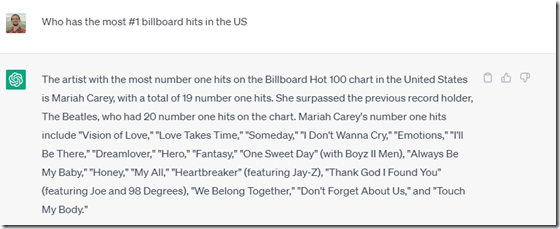
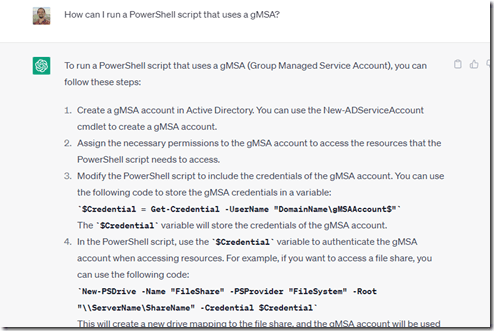
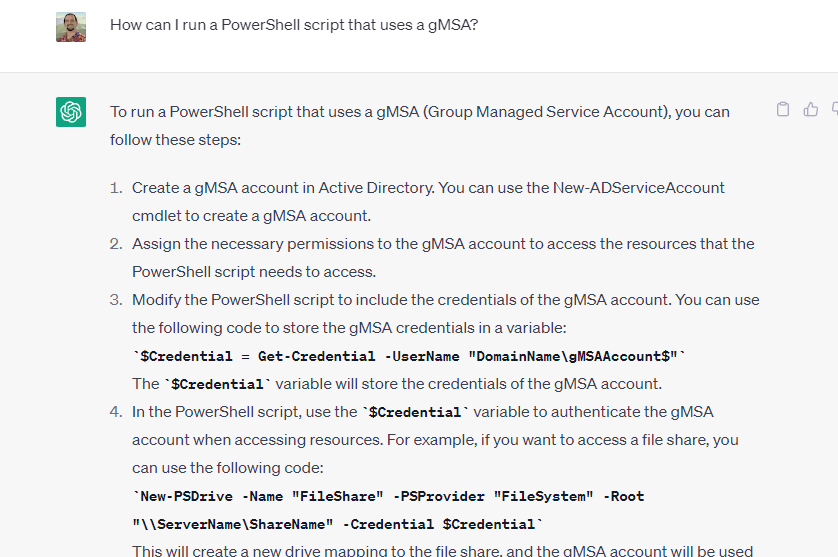
There has been a lot of attention given to ChatGPT and AI over the last month or two. I’ve tried a few things with the public interface at Open.ai. Some worked well, like this one:
2023-04-29 09_06_27-

Others not so well:

2023-04-24 10_26_10-Window

This post looks at a few things I tried with VS Code and GitHub Copilot.

Getting Access

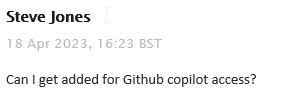
I saw a note in our internal Redgate Slack that all developers were given access to Github Copilot. This is something you can subscribe to for about US$10/month, or if you are a student, you can get it for free. In my case, I filed a ticket:

2023-04-29 09_08_52-Inbox - steve.jones@red-gate.com - Outlook

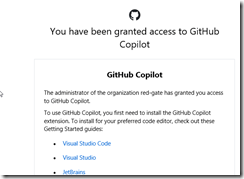
It took a week or so as someone was out on holiday and this was a low priority ticket. In any case, I got a note from our ticket system, as well as GitHub, that I had access:
2023-04-29 09_10_04-Inbox - steve.jones@red-gate.com - Outlook

So I added the extension to VSCode.

2023-04-29 08_58_23-Extension_ GitHub Copilot - sqlsatwebsite - Visual Studio Code

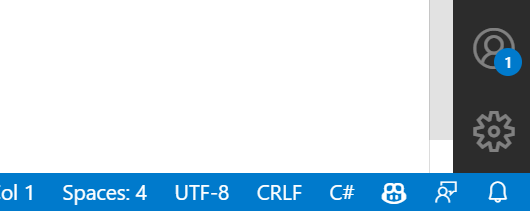
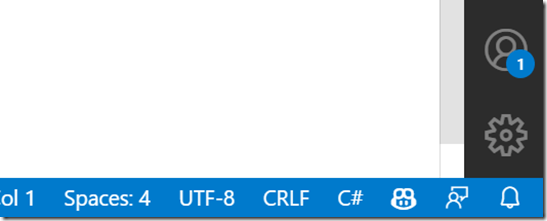
Once installed, I got a note to sign in to GitHub, and when I had completed that, I saw the Copilot icon in the lower right corner of my IDE.
2023-04-29 09_11_04-Window

Getting Started

My first experiment was to open my ZeroDowntime client code and see what happened. This is a VS 2019 project, but I opened it in VSCode, specifically the form1.cs code. I highlighted some code and …

Nothing.

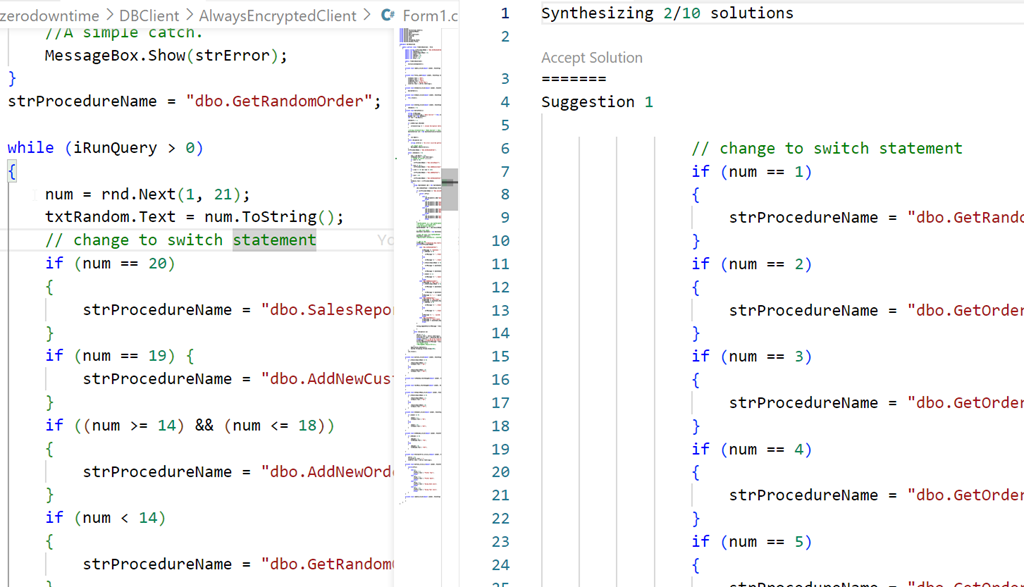
Then I tried something I’d seen. I added a comment above some code. Still nothing, but when I opened the Github Copilot completions panel, I saw this:

2023-04-29 09_02_27-● Form1.cs - sqlsatwebsite - Visual Studio Code

Not helpful, nor what I asked for. Both solutions were similar.

Starting from Scratch

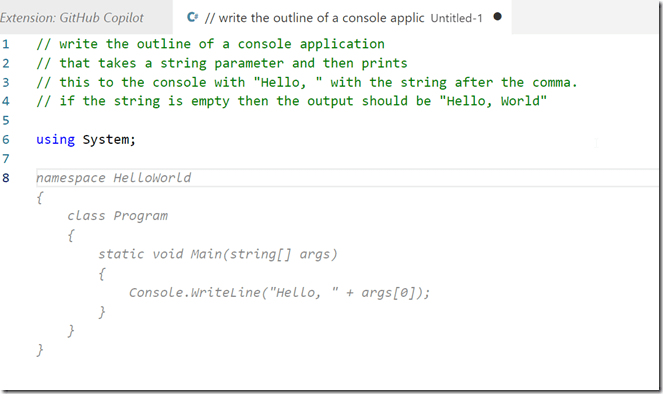
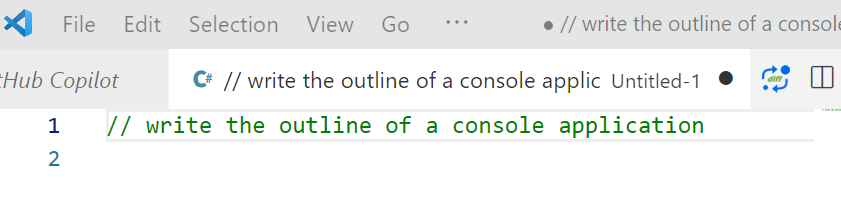
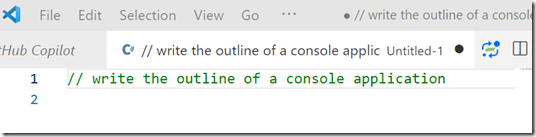
I decided to then start from scratch. I created a new file, set this to C# and wrote this:
2023-04-29 09_14_18-● __ write the outline of a console applic • Untitled-1 - sqlsatwebsite - Visual

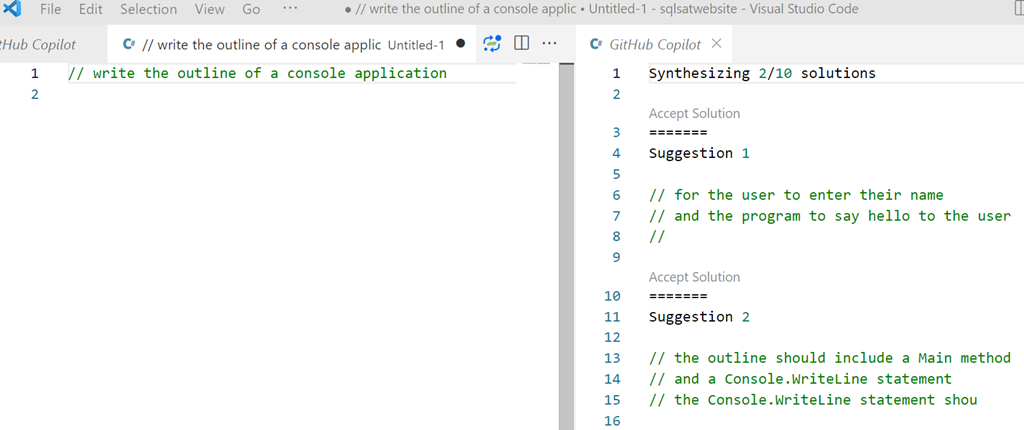
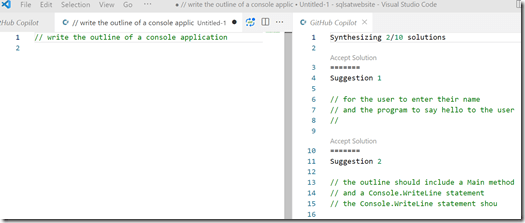
Initially I got nothing, but when I opened the Copilot panel I saw this:
2023-04-29 09_14_46-● __ write the outline of a console applic • Untitled-1 - sqlsatwebsite - Visual

That is more interesting. Clearly poor specifications on my part.

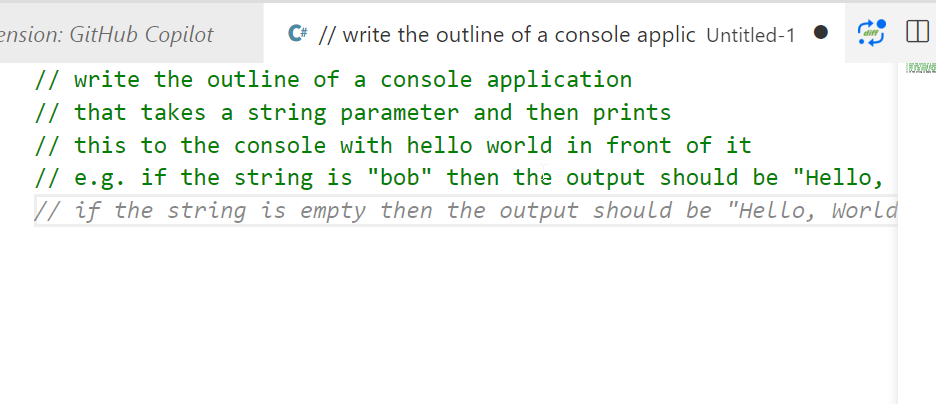
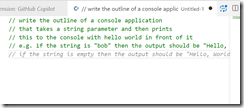
Let’s try something else. I added more detail, and as I did, Copilot even added a few things after to help me specify what I needed.
2023-04-29 09_16_06-● __ write the outline of a console applic • Untitled-1 - sqlsatwebsite - Visual

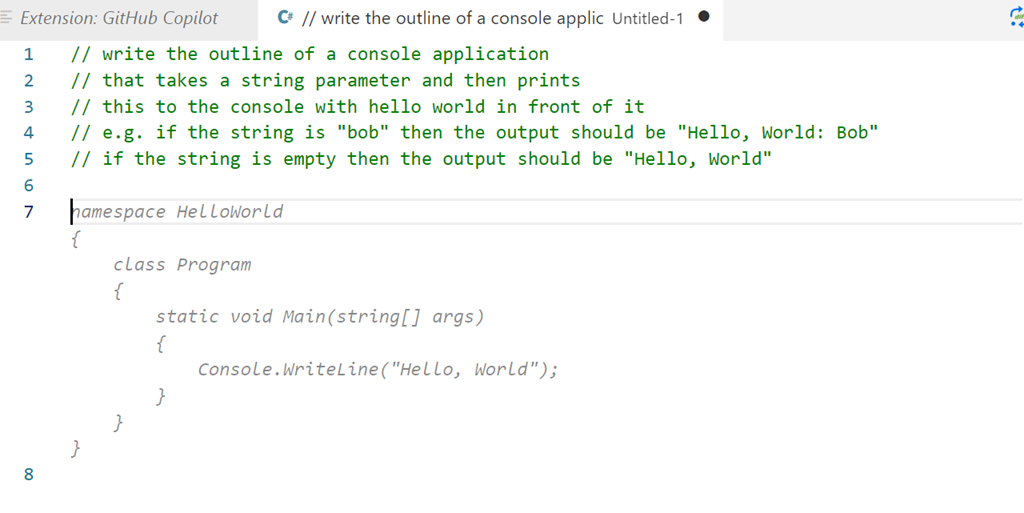
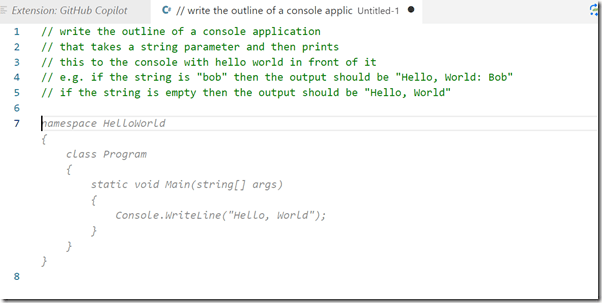
I finished these lines and hit enter and I got something, though not what I wanted.
2023-04-29 09_18_07-● __ write the outline of a console applic • Untitled-1 - sqlsatwebsite - Visual

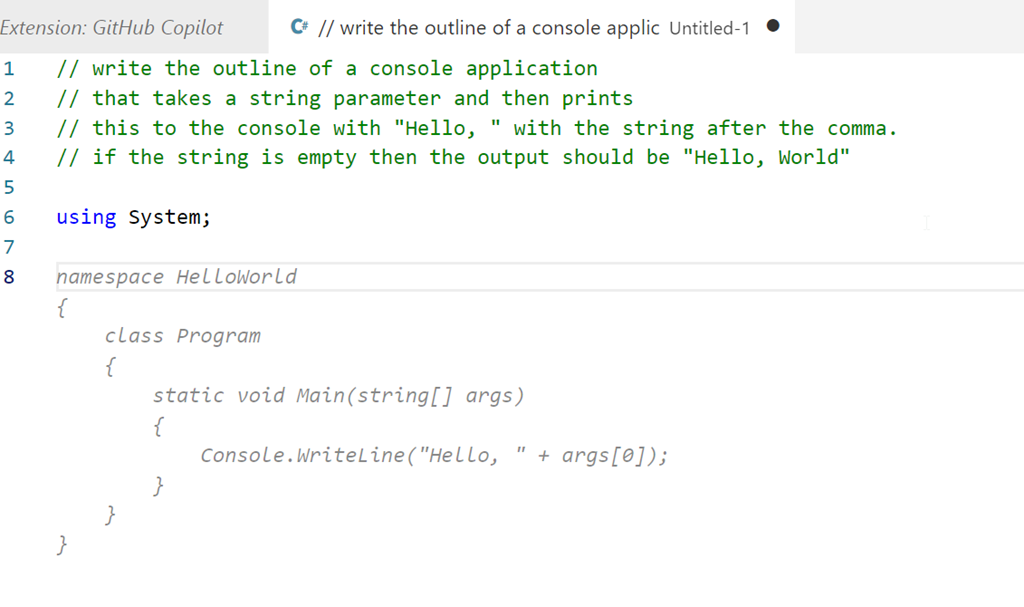
Let’s try something else:

2023-04-29 09_19_22-● __ write the outline of a console applic • Untitled-1 - sqlsatwebsite - Visual

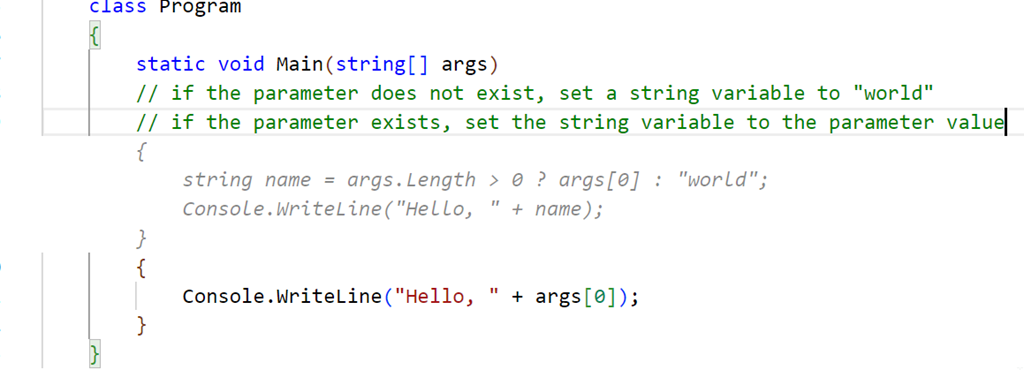
That’s better. Not great, but better. This doesn’t quite match what I asked for. I copied this to a template project and then added another comment. I want to check for the existence of the parameter, and I got this code, which is better than something I’d write.

2023-04-29 09_30_22-● Program.cs - sqlsatwebsite - Visual Studio Code

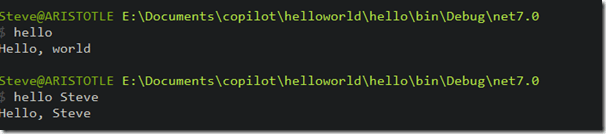
Not quite right, and I have some lines to delete, but this gives me something, and as a middling C# dev, this is helpful. Once cleaned, I compiled and ran the code, and it seemed to work, at least for a very basic console app.
2023-04-29 09_37_18-cmd

Let’s try SQL

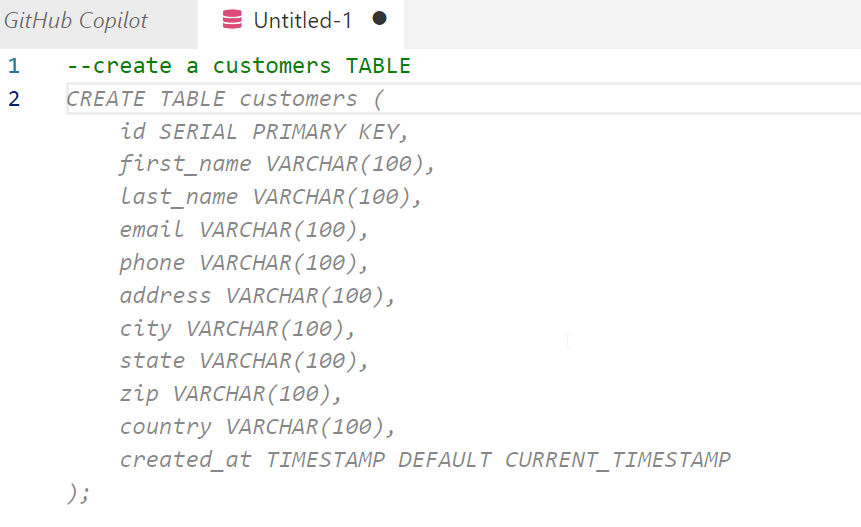
I opened a new file, set the type to SQL and wrote a comment, using the appropriate comment style.

2023-04-29 09_38_33-● Untitled-1 - sqlsatwebsite - Visual Studio Code

I guess that’s OK. Not great, but I didn’t provide much detail. Interesting that it chose to use a created_at column with a timestamp. I never use timestamp, which is deprecated. Not sure how the AI learned about this type, perhaps because of a large corpus of training data using old code with this? Who knows.

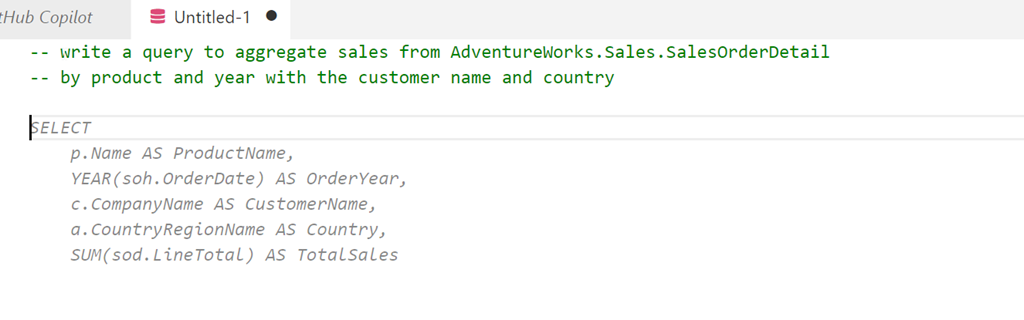
Let’s try something else. I’ll ask for a query using a known schema.
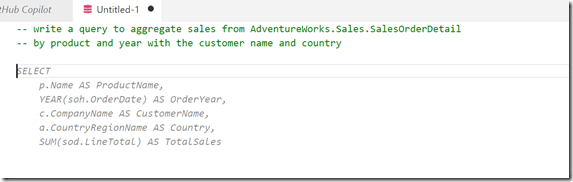
2023-04-29 09_40_29-● Untitled-1 - sqlsatwebsite - Visual Studio Code

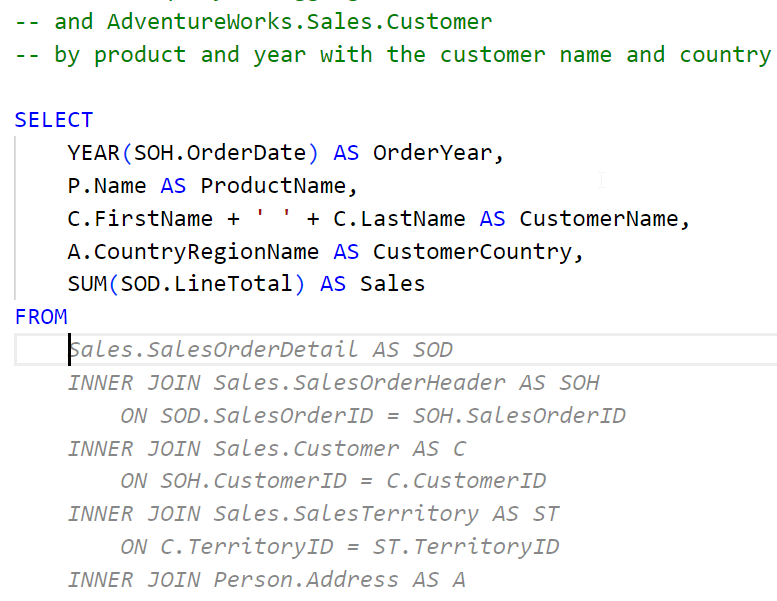
A start, but not quite right. I do have to keep hitting enter to get the query written. A couple more Enters and Tabs to accept code get me this:
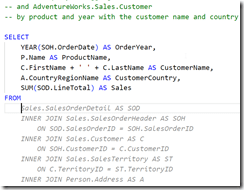
2023-04-29 09_48_03-● Untitled-1 - sqlsatwebsite - Visual Studio Code

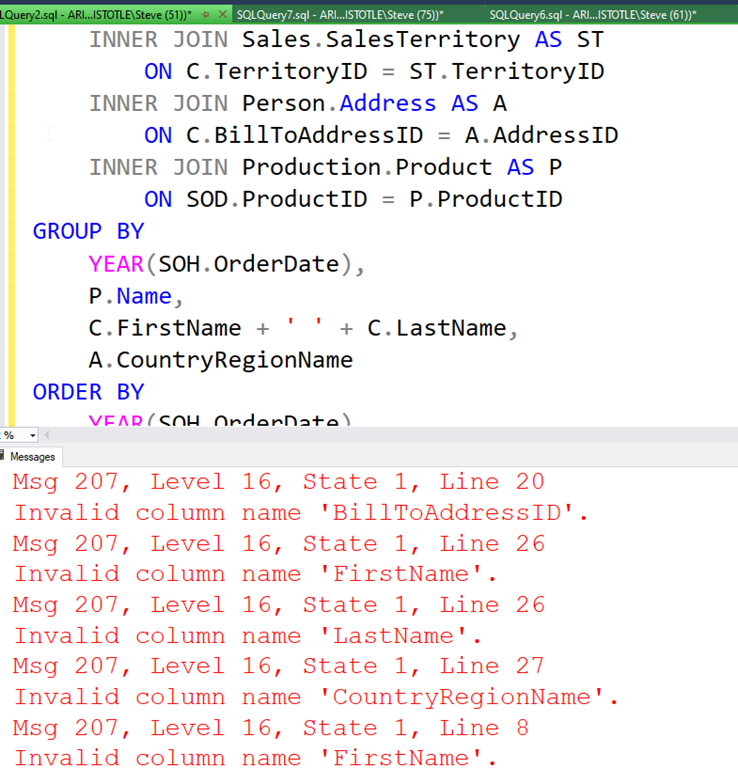
If I keep going, I get a long query, but it doens’t work. At least not on my version of AdventureWorks.
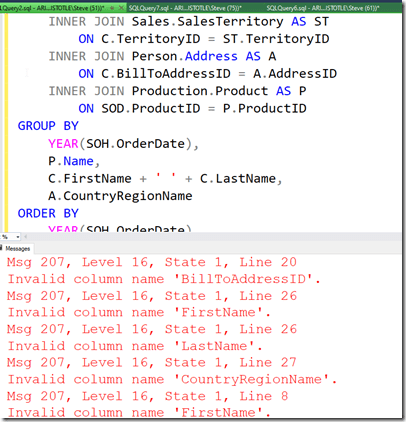
2023-04-29 09_50_45-SQLQuery2.sql - ARISTOTLE.AdventureWorks (ARISTOTLE_Steve (51))_ - Microsoft SQL

Not great.

What if I add a comment? I’ll ask for window functions.
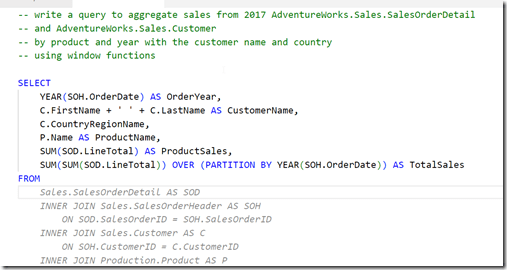
2023-04-29 09_51_45-● Untitled-1 - sqlsatwebsite - Visual Studio Code

I get something else, but again, the final query doesn’t work. This time there are less errors, but the join listed seems to think the Customer table has a first name and last name, which it doesn’t.

Initial Thoughts

I’m not sure how useful this is. I think this is going to be one of those tools that I’ll have to practice with and understand how it works. My basic tests are mostly because I’m not sure what to do with it, or how it can be helpful.

I have lightly seen some demos, but I realize that I need to watch a few more and also experiment with the features. I was hoping it would clean up some of my C# code, which is fairly basic, but it didn’t, at least not with my prompts.

We’ll see how this goes, and I’ll see if I can use it in ADS and if it can actually recognize and use my database schemas to write queries or tests.

Posted in Blog | Tagged , , , | 5 Comments

The Public Perception of Security Issues

It’s my fault.

That’s what I think if there is a security incident with my employer that involves the database. It’s almost my first thought when I hear about issues at other organizations, thinking a technical person is at fault. Since I’ve been a developer and administrator, and I know how complex systems are, I usually stop myself and try to learn more before I assign blame.

The public and your customers also think that it’s just your fault. At least, that’s what I see and hear from friends. Non-technical people are very quick to assign blame and get upset. They can’t understand why some companies get breached and others don’t.  To them, it’s because the staff or management are lazy and haven’t done a good job keeping their systems secure.

However, even my technical friends get upset. I’ve had more than a few of them chastise an organization for getting breached when they themselves haven’t always kept up to date on patches. I mean, how many of you are sure every SQL Server you have is at the latest CU level? How quickly do you patch? Are you sure your firewall people haven’t accidentally misconfigured a rule for port 1433?

Anyone can get breached, as noted in this article. However, a good response can set you apart, and I wish that more management and technical people would be prepared now for a data loss incident, a ransomware attack, or really any security issue that might occur in the future.

It’s easy to panic and make rash decisions. The best time to draft your response is now, when you have a clear head and no pressure. Have a few people start to game out how to react, what words and message to send, and who will take responsibility for communicating with customers. It’s worth a little exercise to discuss some possible responses to events and at least have the outline of a plan.

And no matter what, be sure you have a copy of the plan air-gapped from your network. On a few flash drives, saved to a separate OneDrive/Google Drive/Dropbox account, or even printed out. The last think you need is for all of your work to be inaccessible because of something like ransomware encryption.

Steve Jones

Listen to the podcast at Libsyn, Stitcher, Spotify, or iTunes.

Posted in Editorial | Tagged | Comments Off on The Public Perception of Security Issues

Design Lessons for Software

I play guitar as a hobby. Not great, but I enjoy it and find it relaxing. It’s a good break from my day periodically, killing a few minutes before a meeting. It’s also a nice way to unwind at night. I find it better than playing games or my phone or streaming more Netflix shows. I enjoy those as well, but there is something different about music.

I tend to use acoustic guitars, meaning no electronics. However, I have had electric guitars in the past, and have even used pedals to alter sounds. When I saw this article about design lessons from guitar pedals, I was intrigued. It has 5 lessons from these devices, which are for other digital gear. However, I think they could apply to software as well.

The first one is that these pedals are rugged. While I’m not stomping on pedals with my feed, I do think that we could ensure software is more robust and not susceptible to small mistakes by users, especially in the order of their touches/clicks that might cause problems.

The second is about using more than our hands, which I hope doesn’t apply. You can add voice or gestures but don’t require those. I HATE those features. The fourth is about physical UIs, including physical buttons, which I think is important for cars, but not necessarily for all software. However, if you can give someone a button or knob instead of a touch, it can be helpful.

The third is to have bold, visual cues. I had a designer once say we ought to build more Fisher-Price software, meaning something obvious and usable by a child. I know some of our processes are complex, but we ought to work to keep things as simple as we can. For databases, I think clear, consistent names help here, especially for indexes, FKs, and triggers.

The last one is to make things beautiful. I have to admit I didn’t think about this much before coming to work for Redgate Software. Across the last 15 years, I’ve learned to appreciate the value of design, UX, and the people that make things look good. I can’t do that; I have no skill in this area, but I know that having someone come behind me to do this is worth the effort.

Of course, on top of all this, your software has to work and perform well. If the software doesn’t work correctly or is very slow, none of your clients are happy. Learn to write better code, improve your skills, and listen carefully to those asking for features. If you do that, these design lessons will make sure all your efforts shine through.

Steve Jones

Listen to the podcast at Libsyn, Stitcher, Spotify, or iTunes.

Posted in Editorial | Tagged | Comments Off on Design Lessons for Software