Tag: Filestream

  • Don’t Forget Unique with FILESTREAM–#SQLNewBlogger

    Another post for me that is simple and hopefully serves as an example for people trying to get blogging as #SQLNewBloggers.

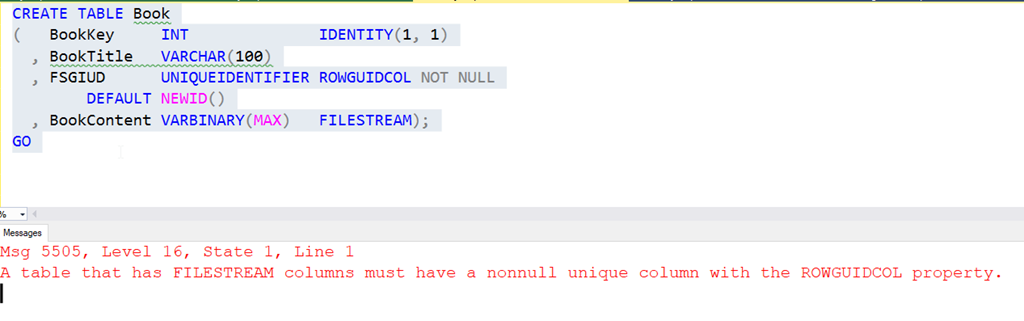
    While testing FILSTREAM with SQL Clone the other day, I kept getting an error while trying to create a table. I’d click Execute and see this:

    2020-08-12 14_10_37-SQLQuery2.sql - ARISTOTLE_SQL2017.FSTest (ARISTOTLE_Steve (58))_ - Microsoft SQL

    My mind kept focusing on the ROWGUIDCOL part, and not thinking unique. It’s been a few years since I worked with FILESTREAM as it’s not an Azure feature and things have been going that way for me.

    In any case, after running this a few times, and then checking an old demo, I realized that I had forgotten UNIQUE as an attribute for the column. Once I added that, it worked.

    The docs for CREATE TABLE shows this that unique is listed as a constraint property, but under the FILESTREAM section, is does say this about the ROWGUID column: “This column must not allow null values and must have either a UNIQUE or PRIMARY KEY single-column constraint.”

    Don’t forget this, but if you do, read the error message,

    SQLNewBlogger

    This post took me about as long to write as it did to realize I was being silly and forgetting to read. Overall, this was about 10 minutes to compile, take the screenshots, and get the references.

    When you write, look for places you’ve learned something, and then use those as ideas for blogs.

  • SQL Clone Works with FILESTREAM

    SQL Clone is an amazing product that virtualizes your data, allowing multiple instances to share a read only image, but still produce writeable databases that look normal to SQL Server. It’s similar to how a container appears to a user, but this uses real SQL Server instances.

    I need to write up a more detailed walkthrough of this, but someone asked the question today about SQL Clone and FILESTREAM and I didn’t see a proper article on the Redgate site, so I decided to run a test and post this.

    Setting up FILESTREAM

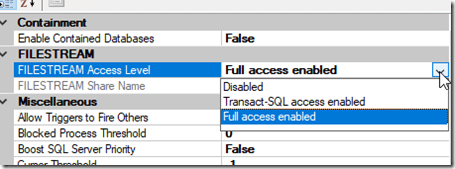
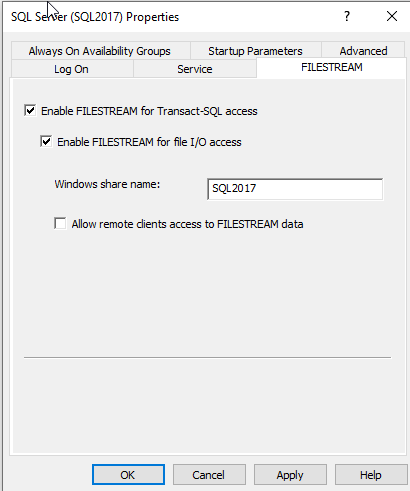
    We have some articles at SQLServerCentral on FILESTREAM, but essentially this feature uses a folder on your instance file system to store blog files, instead of putting them in the database. To enable this, you need to do it in Configuration Manager
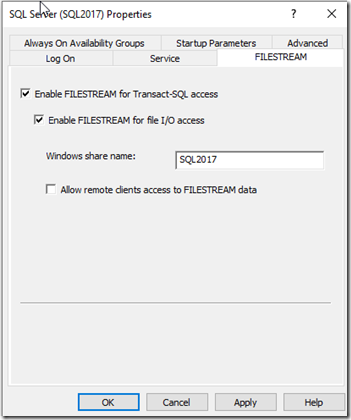
    2020-08-12 12_30_53-Window

    and in SSMS

    2020-08-12 12_31_19-Window

    You do need to restart the database engine, but then you can create a database that includes a FILESTREAM filegroup.

    CREATE DATABASE [FSTest]
     CONTAINMENT = NONE
     ON  PRIMARY 
    ( NAME = N'FSTest', FILENAME = N'D:\SQLServerData\SQL2017\FSTest.mdf' , SIZE = 8192KB , FILEGROWTH = 65536KB ), 
     FILEGROUP [FSFG] CONTAINS FILESTREAM 
    ( NAME = N'FSData', FILENAME = N'D:\SQLServerData\SQL2017\FSData' )
     LOG ON 
    ( NAME = N'FSTest_log', FILENAME = N'D:\SQLServerData\SQL2017\FSTest_log.ldf' , SIZE = 8192KB , FILEGROWTH = 65536KB )
    GO

    Once this is done, create a table and load some data.

    CREATE TABLE Books
    (   BookKey     INT              IDENTITY(1, 1)
      , BookTitle   VARCHAR(100)
      , FSGIUD      UNIQUEIDENTIFIER ROWGUIDCOL UNIQUE NOT NULL
            DEFAULT NEWID()
      , BookContent VARBINARY(MAX)   FILESTREAM);
    GO
    DECLARE @Document AS VARBINARY(MAX)
     
    -- Load the image data
    SELECT @Document = CAST(bulkcolumn AS VARBINARY(MAX))
          FROM OPENROWSET(
                BULK
                'E:\Documents\Using Local and Hosted Agents for Build with Azure DevOps.docx',
                SINGLE_BLOB ) AS Doc
     INSERT dbo.Books
         (BookTitle, FSGIUD, BookContent)
     VALUES
         ('Using Local and Hosted Agents for Build with Azure DevOps'   -- varchar(100)
        , NEWID() -- uniqueidentifier
        , @Document
         )         
     ;
    GO

    This gives you a database table with some data in SQL Server, in the Books table, and some in this folder, FSData, on your file system.
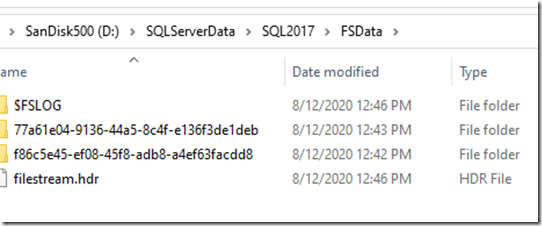
    2020-08-12 13_54_32-Window

    DO NOT mess with this folder, but the contents here will be included in any backup.

    Now, I showed how to make an image and clone in a previous post, which I’ll do from this database.

    When I get done, I’ll deploy this to another instance. In this case, I was worried about a folder issue on the same instance, but I’ll test that another day.

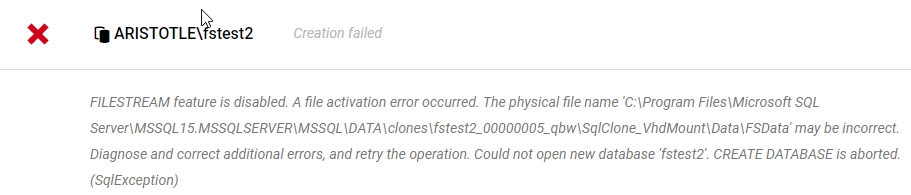
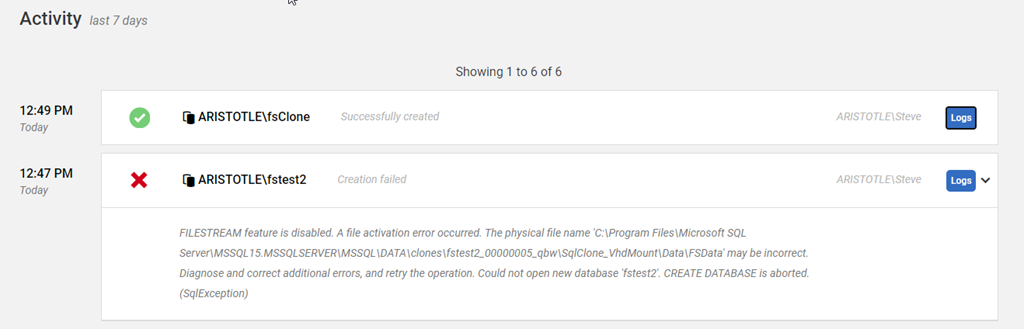
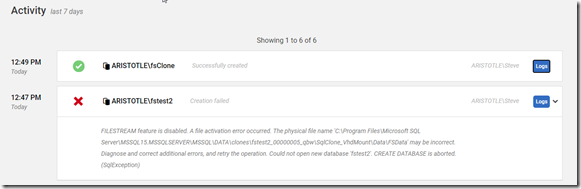
    Whoops, I need FILESTREAM on the second instance.
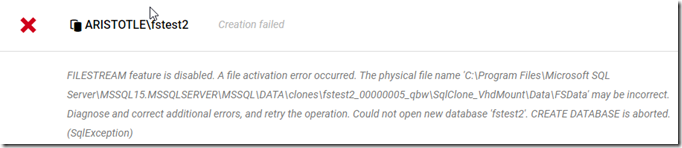
    2020-08-12 12_52_32-Window

    I’ll follow the same config steps as above and restart this instance. this time things work.
    2020-08-12 12_52_28-Window

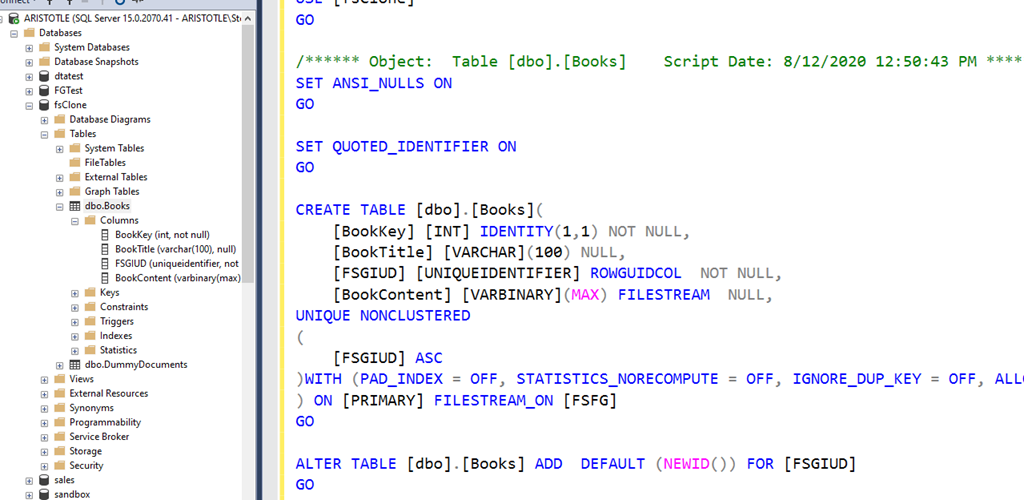
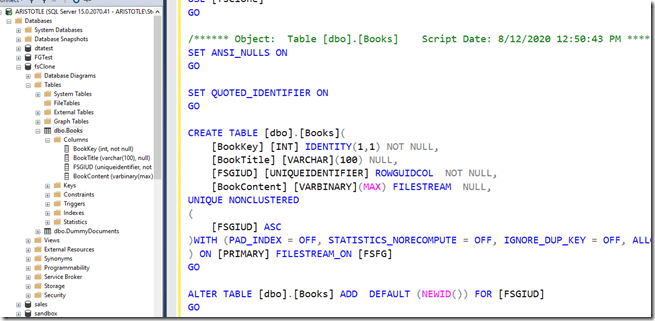
    If I script the table, I see it is  a FILESTREAM enabled table.
    2020-08-12 12_50_47-Window

    That’s it for now, but I’ll get a proper article written for the Redgate Hub.
  • Two in Two Days

    It’s a busy week for me. I’ve got quite a few articles to review, feedback to write for Stairway Series authors, review and changes of some PowerPoint decks for later this month, and two User Group presentations.

    This is on top of a busy first week of school in the household. I feel like I’m playing catch up all week.

    Boulder

    I’ll be at the Boulder SQL Server User Group tonight. My presentation will be on Unstructured Data in SQL Server, looking at Filestream and Filetable and how they can be setup and used.

    Fortunately I’ve done this before, and a little practice this week was enough to get me ready.

    Hopefully I’ll see a few of you there as I haven’t been to Boulder in over a year.

    Denver SQL

    The Denver SQL Server User Group usually asks me do a presentation or two each year and this time I have a new one. They get to be my guinea pigs for the first delivery of this talk.

    Get Testing with tsqlt, a preview of a talk I’ll be doing at SQL in the City, is on the agenda. I’ve been going over this one a few times this week, so hopefully it goes smoothly.

  • Managing Data in a FileTable with T-SQL

    I wrote a post about creating a Filetable, which just covered the basics of how to build one. How do you work with the data in this table? In this post I’ll look at a few things you can do from the T-SQL side.

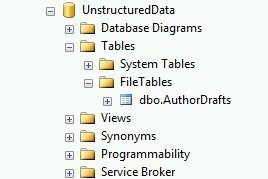
    From the last post, I had my author drafts Filetable. I can see this in the Object Explorer.

    filetable_c

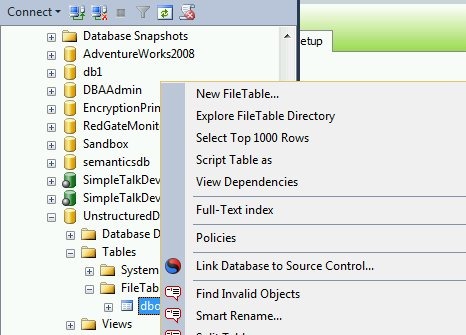
    I can use the same “select data” feature from Object Explorer on a Filetable, just like any other table.

    filetable_e

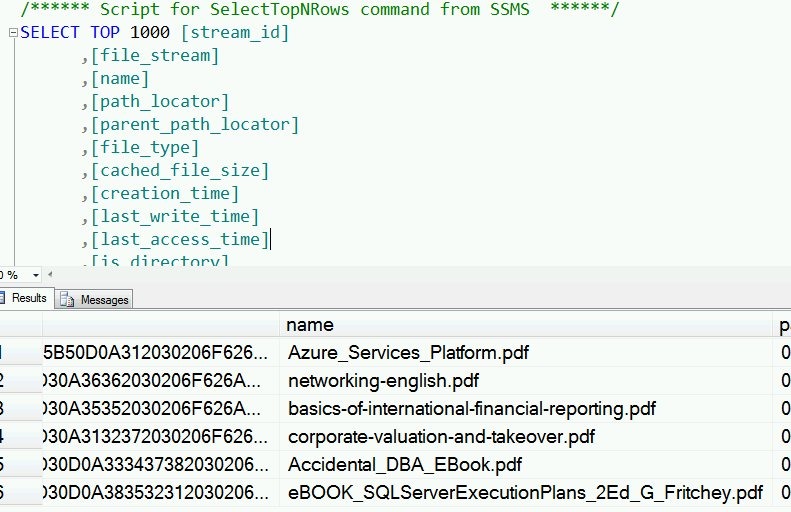
    I get the results, and as you see, I have a few rows in the table.

    filetable_f

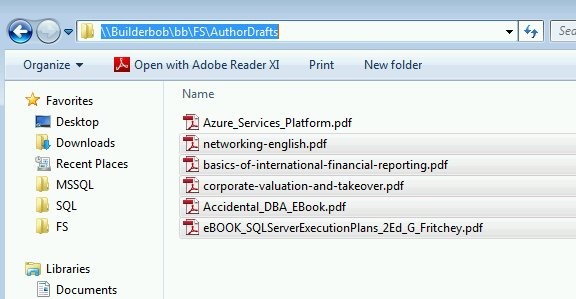
    These are actually the files I see in the share.

    filetable_d

    Inserting Data

    One of the advantages of Filetable is that you can use Explorer (and any tools that use the same Explorer APIs) to move data in and out of a table. However that doesn’t preclude you from using T-SQL.

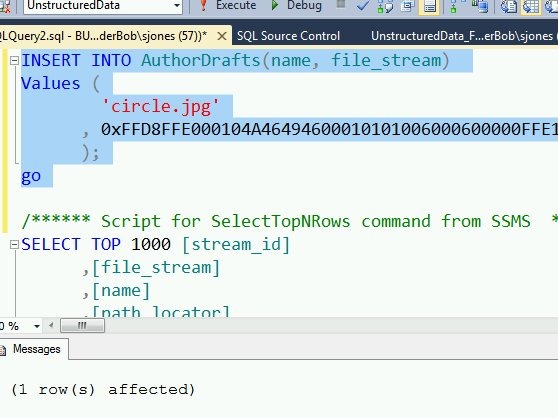
    I can use a script to insert data into the table, just as I might with Filestream.

    INSERT INTO AuthorDrafts(name, file_stream) Values ( 'circle.jpg' , 0xFFD8FFE000104A46494600010101006000600000FFE100684578696600004D4D002A000000080004011A0005000000010000003E011B0005000000010000004601280003000000010002000001310002000000120000004E00000000000000600000000100000060000000015061696E742E4E45542076332E352E313000FFDB0043000201010201010202020202020202030503030303030604040305070607070706070708090B0908080A0807070A0D0A0A0B0C0C0C0C07090E0F0D0C0E0B0C0C0CFFDB004301020202030303060303060C0807080C0C0C0C0C0C0C0C0C0C0C0C0C0C0C0C0C0C0C0C0C0C0C0C0C0C0C0C0C0C0C0C0C0C0C0C0C0C0C0C0C0C0C0C0C0C0C0C0C0CFFC0001108000A000D03012200021101031101FFC4001F0000010501010101010100000000000000000102030405060708090A0BFFC400B5100002010303020403050504040000017D01020300041105122131410613516107227114328191A1082342B1C11552D1F02433627282090A161718191A25262728292A3435363738393A434445464748494A535455565758595A636465666768696A737475767778797A838485868788898A92939495969798999AA2A3A4A5A6A7A8A9AAB2B3B4B5B6B7B8B9BAC2C3C4C5C6C7C8C9CAD2D3D4D5D6D7D8D9DAE1E2E3E4E5E6E7E8E9EAF1F2F3F4F5F6F7F8F9FAFFC4001F0100030101010101010101010000000000000102030405060708090A0BFFC400B51100020102040403040705040400010277000102031104052131061241510761711322328108144291A1B1C109233352F0156272D10A162434E125F11718191A262728292A35363738393A434445464748494A535455565758595A636465666768696A737475767778797A82838485868788898A92939495969798999AA2A3A4A5A6A7A8A9AAB2B3B4B5B6B7B8B9BAC2C3C4C5C6C7C8C9CAD2D3D4D5D6D7D8D9DAE2E3E4E5E6E7E8E9EAF2F3F4F5F6F7F8F9FAFFDA000C03010002110311003F00E97FE0E87FF82CA7ED35FB04FED85E09F03FC2BD6A5F87BE1097408B5C4D523D2ADAF1BC41746795248CBDC4722F970848C18940399373E43478FD75FF00827CFC68F177ED17FB0FFC2AF1D78F3461A078C7C59E19B2D4F57B110B42B14F244199846DF346AFC384392A1C024E335E95E2EF87BE1FF880968BAF687A3EB6B612F9F6C2FECA3B916F27F7D3783B5BDC60D6C5007FFFD9 ); go


    As you can see, this command works fine:

    filetable_g

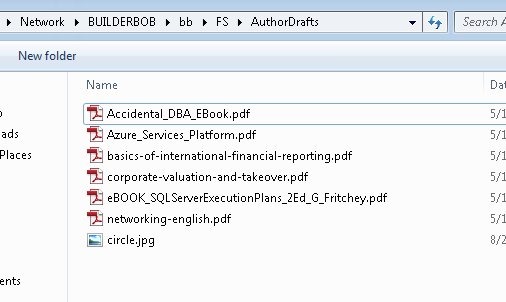
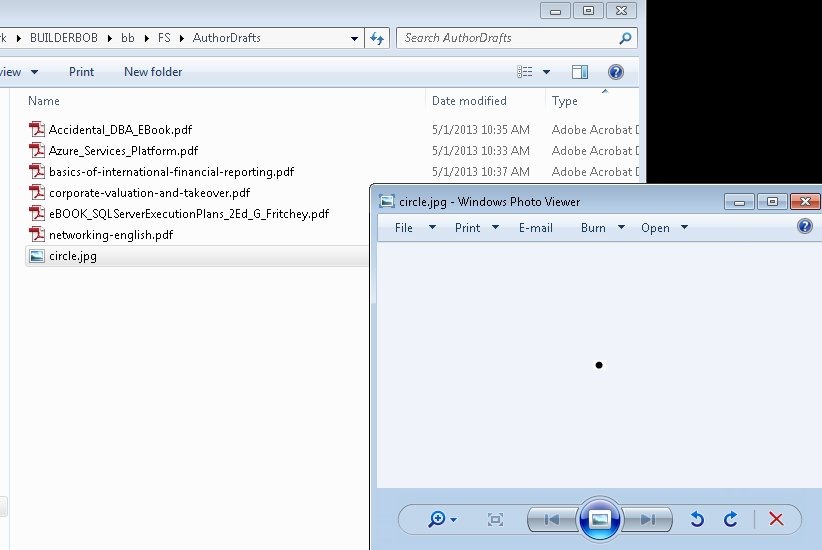
    If I then look at the share, I see my file:

    filetable_h

    Retrieving Data

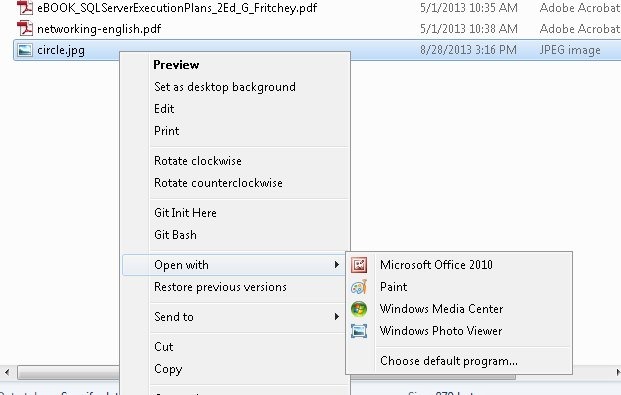
    As shown above, I can use SELECT queries to return data from a Filetable in T-SQL. However, I have a share as well, and I can cut, copy, paste, and open files from the share just as I would any other file in the file system.

    filetable_j


    If I open the file in Paint, I see my image:

    filetable_i

    Summary

    Working with files in a file table is easy, and while many people will use Explorer functions, you can use T-SQL as well to insert, or retrieve the data as you choose.