Tag: SQL Provision

  • Teams in SQL Clone and SQL Provision

    SQL Clone v4 is out, and the big change is the addition of the Teams feature. I guess technically this is just for SQL Clone, which is included in SQL Provision, but hey, I need the Google juice with both product names.

    If you look under the permissions menu item, you see any specific permissions you’ve created, but there’s also a Teams tab at the top.

    2019-10-21 15_46_48-Microsoft Edge

    If you click on this, you will see the basic overview, and the chance to start using Teams instead of individual permissions. This is designed to let you group images and instances for groups of users, rather than the gross permissions at the admin/image/clone level.

    2019-10-21 15_46_59-Microsoft Edge

    There is an article that describes and an overview of Teams and another that talks through the DevOps Self-Service with Teams in our Product Learning section of the Redgate Hub. These will help you get started implementing the feature.

    Personally I like the matrix approach to security of using groups that have permissions to objects and then putting users, or groups, in the group to handle access. It worked well for me in SQL Server and in AD.

    Teams does this with a three phase approach, letting you limit the source (images), the target (instances) and the user in a matrix, which really simplifies the view that any particular user has of the clone environment. I like the blade we have that shows this.

    2019-10-21 15_50_06-Teams in SQL Clone and SQL Provision - Open Live Writer

    Once you start to get used to building images and deploying clones, there can be a lot of moving parts in a semi-mature environment, which can be confusing and problematic for developers that just need databases. Limiting the number of images or instances that a group can see will make it easier for them to just get the databases they should.

    What’s more, I could use this with masked and unmasked images for separate teams, allowing developers to use one set of data and customer service or QA to have another. With colors to designate teams, this makes things easier for admins.

    Ultimately the matrix approach is flexible, but also confusing, so limit the number of teams to what you need and try not to be too granular. That ensures new admins can understand the configuration and limits the chances you’ll accidentally grant too many rights to a user.

    Give SQL Provision (SQL Clone + Data Masker) a try today if you are looking for ways to quickly provision large scale databases for development.

  • Quick PoSh SQL Provision Databases for New Developers

    As part of some presentation work, I wanted to demonstrate some onboarding of new developers. To that end, as part of a demo, I wanted to build a script that would take a few parameters and generate some SQL Provision databases for development. The idea is that an admin can have a script here to set up a developer with a database for a project with SQL Provision. I imagine this would be part of a script that also cloned a repo, set up a project, etc.

    The Process

    My thought here was that I needed a script that uses some pattern to build databases. The one I decided on was that the basic image name would be used with the developer name to prevent collisions. This would work if an admin used login names or even nicknames, as long as there is some uniqueness on the instances. Of course, if you’re provisioning to a local instance, this doesn’t matter.

    In any case, the images I make are often date driven, with a format like:

    SimpleTalk_Base_20181001

    Using formats like this, I can easily strip off the beginning part of the name (SimpleTalk) and then append my _developer to the end. For me, this means I’d get a database named: SimpleTalk_Steve

    This manifests itself as a script:

    2018-10-03 20_09_05-NewDeveloper.ps1 - Minimize impact Dev Test Environments - Visual Studio Code

    That produces a new database.

    2018-10-03 20_08_57-SQLQuery6.sql - Plato_SQL2016.DataMaskerDemo (PLATO_Steve (61)) - Microsoft SQL

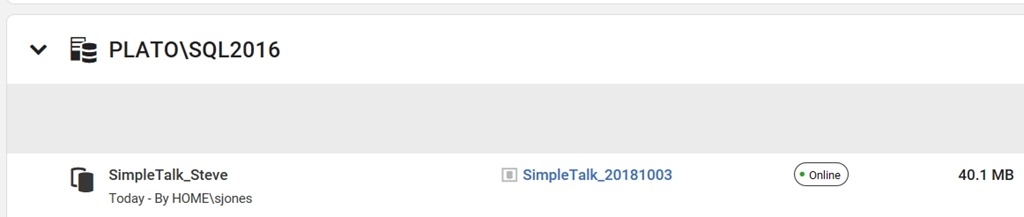
    I also see this in the SQL Provision dashboard as a new item.

    2018-10-03 20_10_14-Microsoft Edge

    The Script

    I started this with some simple PowerShell. The first part of this script is a few parameters and a variable. Note that I’m splitting the instance name here.

    2018-10-03 20_11_48-● NewDeveloper.ps1 - Minimize impact Dev Test Environments - Visual Studio Code

    From here, I connect to the SQL Provision server and then get the instance and image objects.

    2018-10-03 20_12_01-● NewDeveloper.ps1 - Minimize impact Dev Test Environments - Visual Studio Code

    Lastly, I create the clone, making a new name from the image, and if the word “base” is included (I do this often), I strip it out.

    2018-10-03 20_12_06-● NewDeveloper.ps1 - Minimize impact Dev Test Environments - Visual Studio Code

    Quick and easy, but this allows me to demo how to onboard a new developer.

    There are lots of enhancements, and I need to add some error checking if there isn’t an instance, and if the connection fails, but for now, PoSh lets me quickly start getting some useful scripts that I can use for demonstrating some functionality. This certainly would work in an environment where I knew the Clone server was there and I had control over imaging. If not, I’d be writing more PowerShell.

    SQL Provision is pretty amazing and lets you really leverage technology to provide developers with copies of databases in seconds. Download an evaluation and see what you think.

  • The New SQL Provision Dashboard

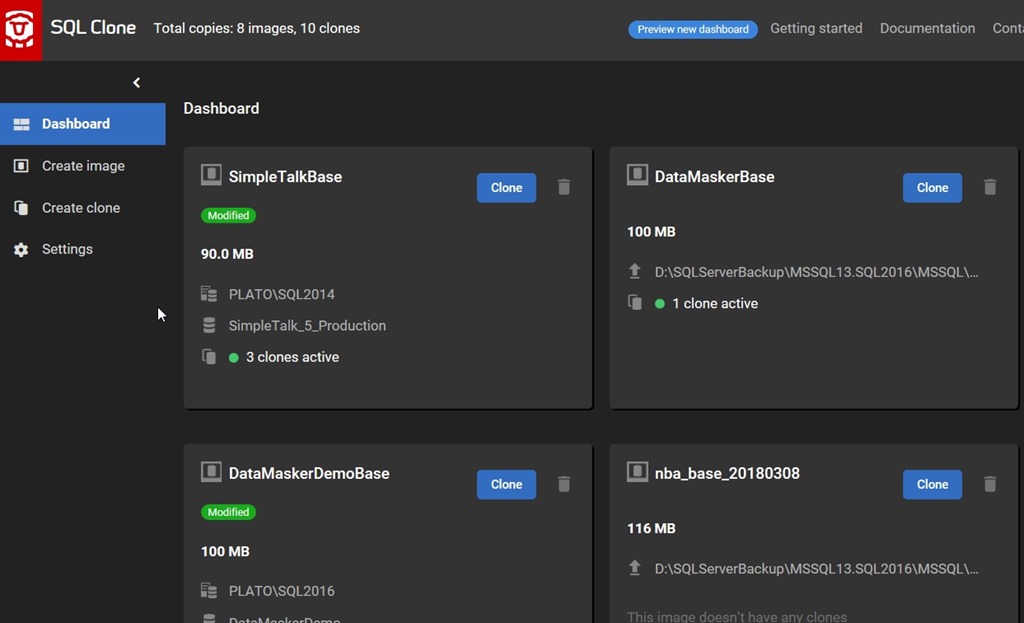
    As much as I liked the ability to quickly and easily build development and test databases with SQL Provision, I thought the dashboard of cloned databases was hideous. It left a lot to be desired, and frankly, the dark theme is annoying to me. Here’s my old dashboard.

    2018-08-06 10_52_18-Microsoft Edge

    I wasn’t alone, as various customers were asking about enhancements and additions. The team has been listening and I talked with them a few months ago during a meeting about possible ideas and designs. I saw an early mock up, and was hoping it would be released soon.

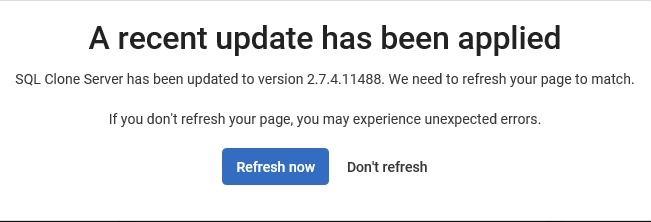
    After coming back from vacation, I saw an update was available, so I applied it. After a few minutes, I saw this:

    2018-08-06 10_51_11-Socrates - VMware Workstation

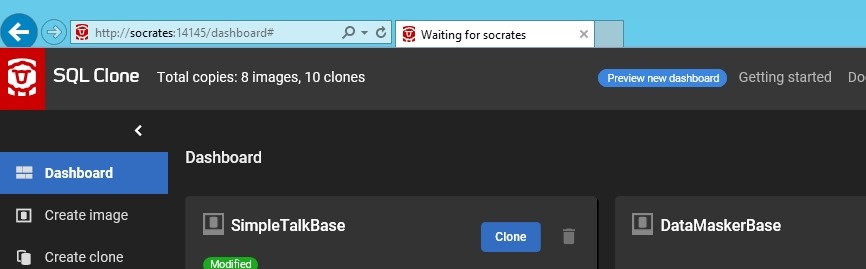
    Once this was done, the page refreshed, and I saw the dashboard. I know, not much has changed, but look at the upper right part of the screen. There’s a blue box that says “Preview new dashboard”.

    2018-08-06 10_51_51-Socrates - VMware Workstation

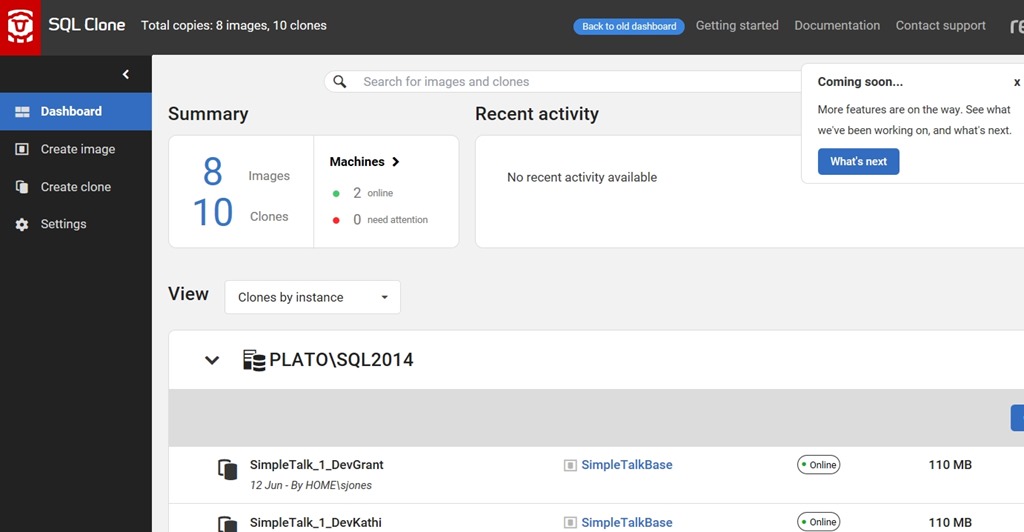
    Once you click this, you get a new dashboard, which thankfully doesn’t use the dark theme. What’s nice is that I also get some information at the top of what my activity is. I can see the total clones and images, and the machines that are working or having issues.

    2018-08-06 10_52_28-Microsoft Edge

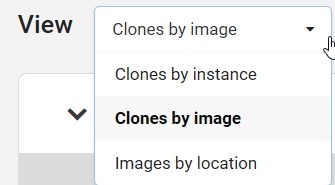
    I also have options for resorting the clones and images. I can change the sorting, which is set by the client, not the server. This means one person can see clones by instance, while another can see clones by image.

    2018-08-06 10_52_49-Microsoft Edge

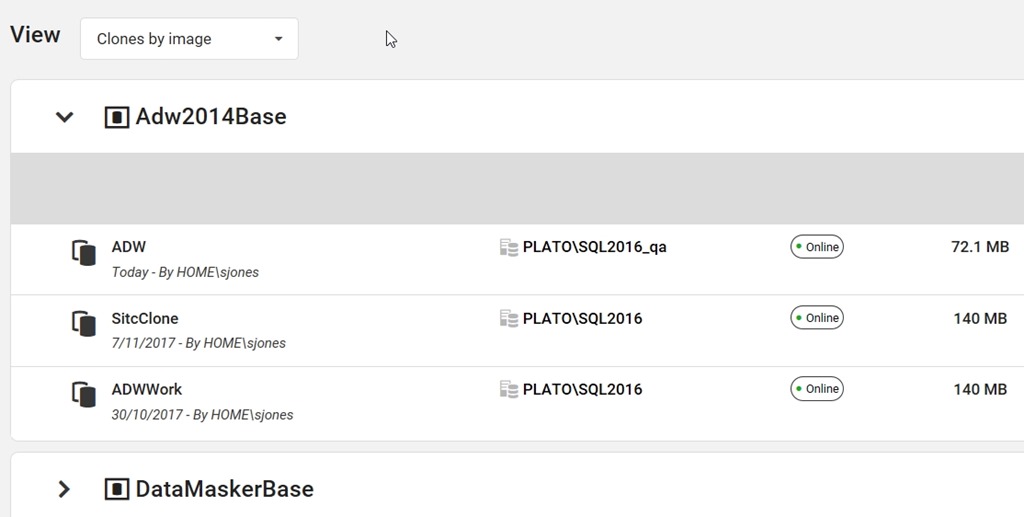
    If I change this, you can see that I get a new view at the bottom.

    2018-08-06 16_24_40-Microsoft Edge

    There are more changes needed, and some coming. There is a feedback item when you switch to give feedback to the team, and I’d encourage you to do so. Certainly I think sizes or some calculation of total sizes for images and clones is needed. It would be nice to get filters for sizing, so I can also tell if someone is using a clone to do a lot of work and growing it’s size. One of the important things here is that you ought to not get to wedded to a particular clone. We want to rebuild these as needed.

    I’d also like to see some way to link images to a source and perhaps group them so that I know how many copies I have of some database, like production. While I think we definitely need a couple of images at any time for rotation, we want to get control of our systems and limit the number.

    If you have other feedback, let us know, and we’ll build a better dashboard together.

  • Is this a SQL Provision Cloned Database?

    As I work with SQL Provision, I keep finding new questions and concerns from clients and customers. Recently I had someone wonder if we could determine whether or not a database on which they were working was a SQL Clone cloned copy.

    You can, and it’s easy to check. When SQL Clone creates a database, it will use the base image, and ensure there is an extended property set on the database itself.

    The function sys.fn_listextendedproperty() is used to return the database extended properties. We can use the DEFAULT keyword for the various parameters, like this:

    SELECT objtype ,
            objname ,
            name ,
            value
    FROM fn_listextendedproperty(DEFAULT, DEFAULT, DEFAULT, DEFAULT, DEFAULT, DEFAULT, DEFAULT);
    GO

    This gives me an empty result set on a non-SQL Clone database if I have no extended properties set. If I had others set, I might get some result. For a database I’ve setup with SQL Provision, I’ll get this:

    2018-07-02 17_02_58-SQLQuery1.sql - (local)_SQL2016.StackOverFlow (PLATO_Steve (69))_ - Microsoft SQ

    For the most part, I don’t care that I’m using a clone rather than a native SQL Server database, but there could be places I do care, and certainly I want to filter out this extended property from my version control system.

    SQL Provision is a great tool for rapidly giving new environments to developers without the hassles of restoring copies and using lots of storage space. If you want to give it a try, download an evaluation today.