Tag: sql server

  • T-SQL Tuesday #67 – Extended Events for DBCC

    tsqltuesdayIt’s the second Tuesday of the month and time for another T-SQL Tuesday. This time it’s #67 from Jes Borland on Extended Events. You can read the invite, and whether you can participate today or not, write your blog and leave a comment for Jes on her blog.

    If you want to see all the topics from the past, I have them on a post here.

    If you want to host, contact the founder of T-SQL Tuesday, Adam Machanic. He chooses the hosts and is always looking for people that want to participate. You just need a blog and a good idea.

    Who Ran DBCC?

    I ran across a question recently from someone that said DBCC messages had appeared in the error log, but no one had run DBCC. That’s not possible as DBCC isn’t run without someone, whether that’s a human or a service, executing the DBCC command.

    In the past, I might recommend a trace to track this, but not I’d choose an Extended Events (XE) session. I’ll show how to set up a simple session, though be aware I’m not an XE guru. I’m sure there are better ways to structure this, but it worked well for me.

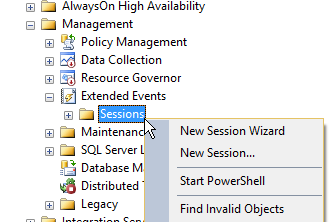
    You can start quickly building a specific XE session by right clicking the Sessions folder under Extended Events in SSMS under Management. I tend to pick the wizard for getting started, though be sure to save the script later.
    2015-06-08 11_36_10-SQLQuery2.sql - JOLLYGREENGIANT_SQL2012.Sandbox (JOLLYGREENGIANT_sjones (86))_ -

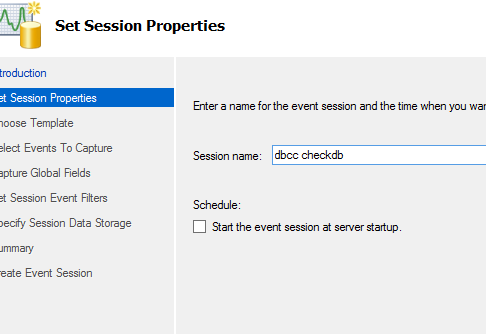
    From here we get the opening screen for XE, which I won’t show. The next screen asks for a name for the session. It doesn’t matter, but once you start using XE, you’ll start to get quite a few session, so it’s handy to pick something that’s simple and easy to understand later.
    2015-06-08 11_38_23-New Session Wizard_ Set Session Properties

    I can choose to start the session here when I’m done, but don’t worry if you’re not sure. You’ll get a chance again later.

    The next step is to decide whether you use a template or build a session from scratch. I’m not sure if any of these templates will work well as I haven’t dug in. In my case, I decided to just choose a generic session.
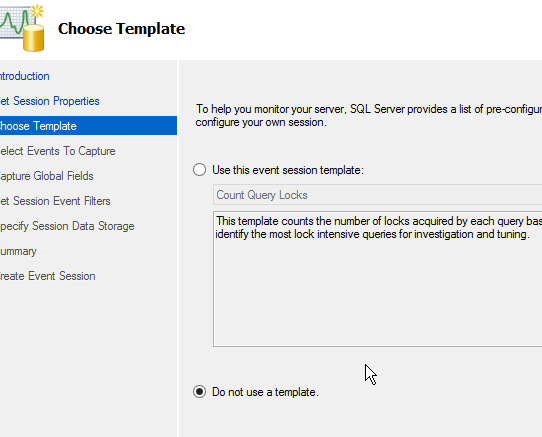
    2015-06-08 11_41_07-New Session Wizard_ Choose Template

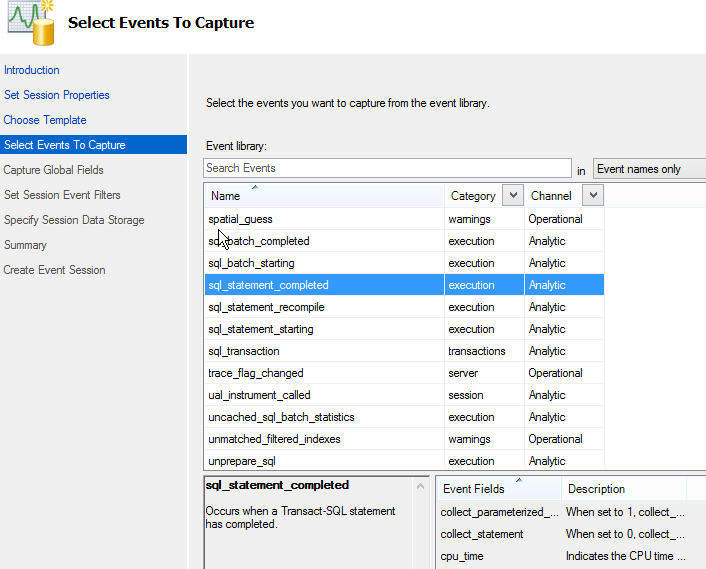
    Now I need to pick the events. There are a lot, but I went down to get the sql_statement_completed as my event. This will let me see the text of a call, which is what I need.
    2015-06-08 11_41_32-New Session Wizard_ Select Events To Capture

    A couple notes here. One, you might want to grow this screen so that you can read what’s in the lower windows. I know there’s a lot of data here, but this screen doesn’t seem well defined.

    The second note is that don’t forget to add the event with the arrow button. Until you have an event (or multiple events) in the right window, you can’t click "Next".

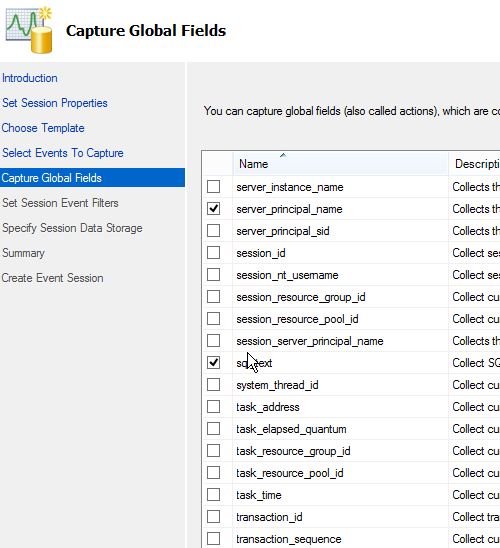
    The next step is to get the data fields you need. Again, there are a lot, and I limited this to what I needed. I grabbed the client host and app, as well as the database. Then I grabbed the service_principal_name and sql_text as well. This should let me determine who’s running the command.
    2015-06-08 11_45_29-New Session Wizard_ Capture Global Fields

    I’ve got lots of data here, but I only care about the execution of dbcc checkdb. This means I need to filter things, which is my choice with the next screen.


    Here I need to click in the top line to get a place to add a filter. Then I select sql_text from the drop down and choose like for the operator and "dbcc checkdb" for the value. This should grab events that execute with a dbcc call.
    2015-06-08 11_49_19-New Session Wizard_ Specify Session Data Storage

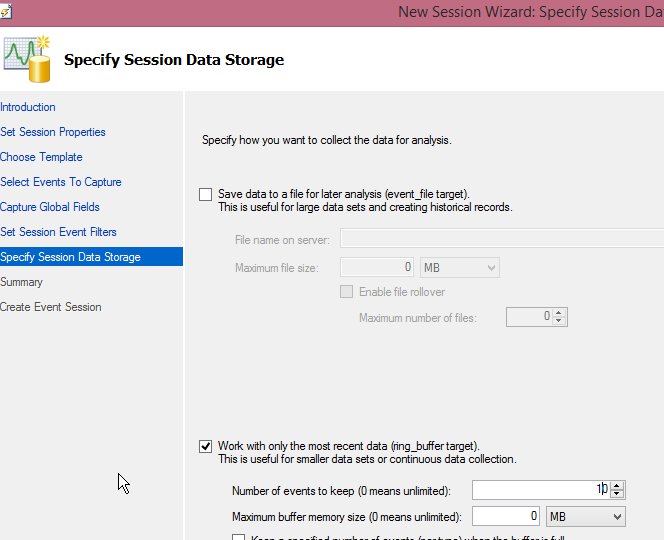
    I have to choose where to store this data. Since this is mostly a check for me, I can just use the ring buffer and keep data in memory. I lowered this to 10 events, but you can certainly pick what works for you. If you care about auditing, drop this in a file. For a small session like this, there’s not much data that’s going to be captured.

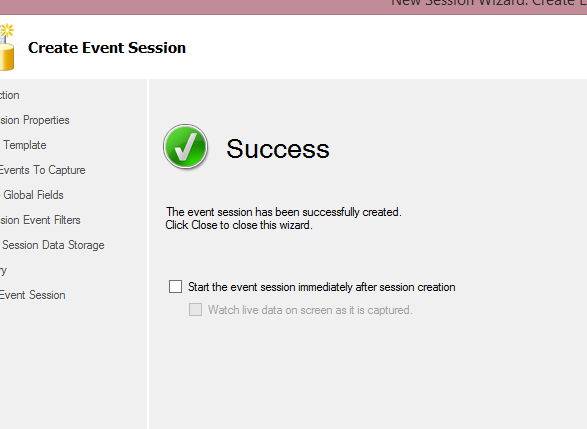
    I get a summary screen, which lets me review settings. I haven’t shown it here, but once I pass that, I get the "Success" screen. This is where I can start the session, and actually watch live data if I want.
    2015-06-08 11_51_20-New Session Wizard_ Create Event Session

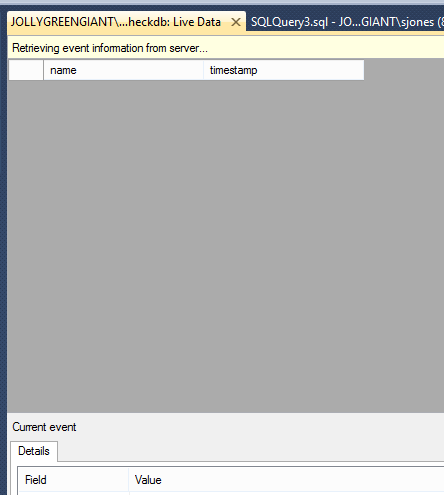
    For this, I’ll watch the live data.

    2015-06-08 11_52_20-JOLLYGREENGIANT_SQL2012 - dbcc checkdb_ Live Data - Microsoft SQL Server Managem

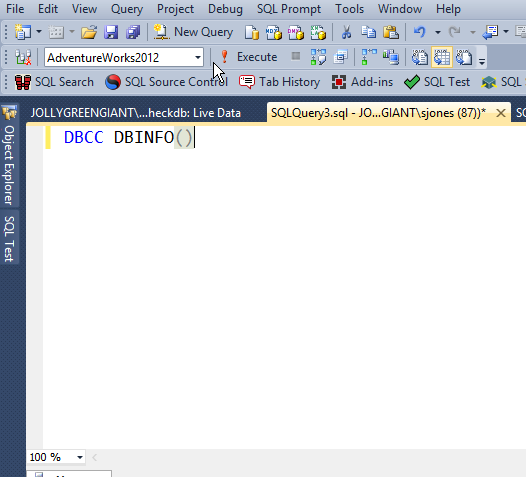
    I decided to test this first and see if it captures anything else. I ran a few queries, and then this:
    2015-06-08 11_52_30-SQLQuery3.sql - JOLLYGREENGIANT_SQL2012.AdventureWorks2012 (JOLLYGREENGIANT_sjon

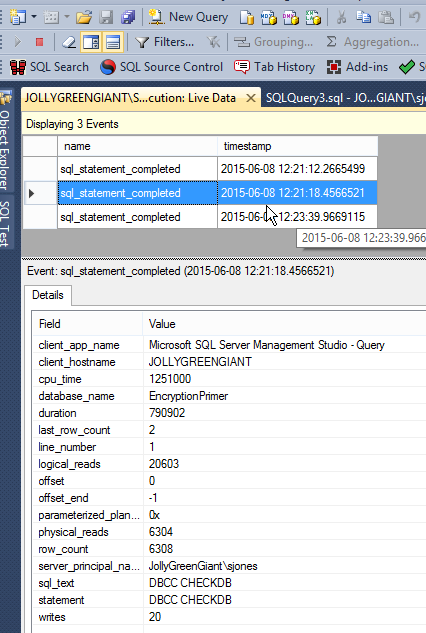
    Still a blank, live data screen. Then I ran checkdb. I saw the results, and then ran it a few more times.
    2015-06-08 12_23_59-JOLLYGREENGIANT_SQL2012 - DBCC execution_ Live Data - Microsoft SQL Server Manag

    As you can see, I now can see that I ran checkdb against the EncryptionPrimer database.

    This lets me do some quick auditing of what’s happening with my DBCCs. A smart DBA might even use this to ensure that DBCC is being run against some databases, perhaps on a spare machine.

  • Architecture for Auditing

    In the analog world, when we need to provide an auditing system for checking on physical activity, we usually separate out the roles of people that might record or track activity from those that perform activities. The better separation we have between individuals, the better we can usually ensure our auditing records are intact, complete, and trustworthy. We certainly have issues in the real world achieving these goals, but overall things work well.

    In our digital systems, however, auditing seems to be bolted on to the systems and not designed with the need to separate duties and protect our auditing records from tampering. I would have hoped that many of the software platforms (Oses, RDBMSs, etc) over the years would have recognized this (along with security) and enabled auditing as a function separate from Administrator/root/sa/etc, but it hasn’t happened. Far too often, we’ve operated under the assumption that administrators can, and should, be trusted.

    In SQL Server, most all of the auditing mechanisms are enabled, managed, and reviewed by administrators. While viewing is certainly helpful, and perhaps necessary, for good administration, there ought to be a way to enable auditing that doesn’t require DBAs to manage it. There ought to be some role for auditors, one that allows an independent individual (or group), to access the record of actions taken on the instance.

    Perhaps it’s not as big a concern for the world as I think it is. In most cases, auditing data exists to help solve problems, not to ensure a legal record of activity for sensitive actions. If that’s the case, then SQL Server provides lots of choices and options for the auditing of your system. Extended Events, SQL Audit, and more are valuable tools for the DBA. I’m just not sure their value extends beyond being useful tools.

    Steve Jones

    The Voice of the DBA Podcast

    Listen to the MP3 Audio ( 2.4MB) podcast or subscribe to the feed at iTunes and LibSyn.

  • Finding Production Drift

    A few years ago when I started delivering presentations about automating database delivery with Grant Fritchey, I was surprised by something. We were rehearsing a talk and Grant mentioned that there were really only two places where we knew the state of our code: in a VCS and in production. I hadn’t really thought about that before, but realized it was true.

    While the development environments are always in flux, by using a VCS, you can determine the state of your code at any point in time. However since changes can occur in production (DBAs adding indexes, changing security, etc), you can’t count on a release branch of some other designation as being a guarantee of the state of your live environment. Production is always its own version of the truth.

    Ideally all of the changes being made on your production system are tested in development, QA, and pre-production environments before being deployed, but very few companies have a mature enough deployment pipeline to allow them to push hot fixes and patches rapidly enough, especially when they need to be made in an emergency.

    More than likely some changes will always be made in production directly, especially small ones that affect data. You can’t prevent this, but you should be able to deal with the aftermath and ensure that your system doesn’t destabilize from the enhancements. Without a doubt DBAs should log any scripts they run, but it’s easy to forget things, especially when changes are made in firefighting mode or at 3am.

    That’s why having some sort of monitoring system to watch production for any changes becomes an important logging mechanism for DBAs. Whether you build one yourself, or buy some software, you use the native tools or bolt something onto SQL Server, make sure that you put something in place. Work to push your ad hoc changes back to development, and ensure they get into a VCS at some point.

    Steve Jones

    The Voice of the DBA Podcast

    Listen to the MP3 Audio ( 2.5MB) podcast or subscribe to the feed at iTunes and LibSyn.

  • Native Audits

    As our databases contain more and more information, it is becoming increasingly more common to implement some sort of auditing feature to ensure that our data is not being inappropriately accessed or altered. It’s not only the management of our organizations, but also regulatory rules are becoming more numerous, and some may think onerous, which increases the burden on the DBA.

    There are numerous products available to help here, but SQL Server has included it’s own internal features since SQL Server 2008. However, it seems that I encounter many people that are unaware of the SQL Server Audit feature, and indeen, may not be aware of the Extended Events system on which it’s based. This week I wanted to ask if you are using this feature.

    Are you using SQL Server’s native Server Audit and Database Audit features?

    If you can share and reasons or details on how you are using the audits, or how easy it is to administer them, it would be interesting. I think we do need to increase the level of auditing on our systems at least to ensure that we are not experiencing any inappropriate data access. At a minimum, we should be monitoring for privileged level access or account changes.

    Steve Jones

    The Voice of the DBA Podcast

    Listen to the MP3 Audio ( 1.8MB) podcast or subscribe to the feed at iTunes and LibSyn.