Unboxing SQL Clone 2020 for a PoC

When I got a new machine, I had SQL Clone on my old machine, in a few VMWare VMs. I decided to move this to my new machine, so that I can more easily demo things. I also want this always running so that I can use in constantly in development. That’s part of my job, but it’s also a good way to approach this as a Proof of Concept.

I’m going to install this on my desktop, but the process is the same for a distributed installation on a server and a desktop. I’ll separate out the server and then the desktop into two posts, with a quick look at how this works. I’ll also detail the steps I need that differ slightly from what’s in the documentation.

Architecture

There are really three components to SQL Clone:

  • The SQL Clone management server (web server and data store in SQL Server)
  • A file share for storing database images
  • An agent on each SQL Server instance that gets database deployed to it

SQL Clone has a server component, which is really just a metadata store and a web interface. This manages how the clones are deployed and tracked, but really, these are just metadata stores. Not much horsepower is needed for the server, either the web server or the database used as the data store. I’ll detail this setup below.

There also is a file share that is used for keeping the read-only images. This does need to be high quality storage that each SQL Server instance can connect to with minimal latency. I’ll set up a share on this desktop, so that I can use this from other machines.

The SQL Clone Agent goes on the SQL Servers where you deploy cloned database. This will also be on my local workstation, but I can add agents on other machines as well if they run SQL Server. I’ll look at this in another post.

Installing the Server

The documentation for getting started lists requirements on this page. There are a few items that this lists for the server:

    • Windows Server for running SQL Clone Server – this will be my desktop, but can be any Windows server.
    • SQL Clone license details – Obviously.
    • A SQL Server instance – This doesn’t have to be on the same Windows server as SQL Clone, but often is. The db load and web load is low.
    • SQL Clone Configuration database details – A SQL Server instance to host the data store that tracks which images, clones, and users are available.
    • SQL Clone Server service account– a service account for the Windows server
    • File Share set up – high quality connectivity needed

For this setup, I will start by downloading the SQL Provision eval. Once I have this, I also want to ensure I have a SQL Clone license key (or am doing an eval).

Once this is done, I’m going to start with the service account. I use SQLCloneMgmt for my service account name. I’ll create this on the local system. You can use a domain account as well, and the setup will assign the rights needed for running a service.
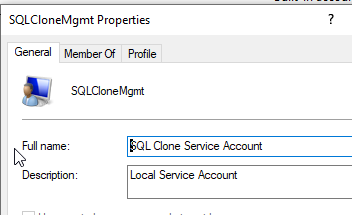
2020-07-30 16_03_36-SQLCloneMgmt Properties

Save the password as you’ll need it later.

Next, I decided to create the database in advance. The documentation notes that the default is SQLClone_Config, so I used that name. I also set this to the simple recovery because I don’t expect to worry about PIT recovery.

CREATE DATABASE [SQLCLone_Config]
GO
ALTER DATABASE [SQLCLone_Config] SET RECOVERY SIMPLE
GO

I do need to add my service account to SQL Server. This is really just an account that connects to the database, creates some objects, and then reads and writes some data.

2020-07-30 16_07_17-Login - New

I also want to go to the User Mapping page and give this db_owner in the SQLClone_Config db.

2020-07-30 16_06_56-Login - New

That’s about it for the pre-setup. Now, let’s install the server.

2020-07-30 16_09_38-SQL Provision

I’m choosing SQL Provision, which is Data Masker  and SQL Clone. Data Masker is used to process data during image creation, so I’ll install both. Once this is done, the Eula is next and then the install location. I’ll accept the terms and defaults.

There is a check for running applications and then a normal Windows application install runs. When this completes, I get to the configuration screen and then a login for Redgate on top of it.

2020-07-30 16_22_27-

I’ll log in and my license isn’t found. No worries, I can activate this later. I’ll need to ping someone for a new one. Once I get that, I clicked the Activate link and entered it. I get a confirmation. Note: you can move forward as an eval for the installation.

2020-07-30 16_25_14-

The configure Clone screen appears when you get done with licensing. Click Next to move on.

2020-07-30 16_25_57-SQL Clone Server Setup

The next screen is where I put in the service account information and the SQL Server details. This is the SQLCloneMgmt account I created earlier, and for my SQL Server, it’s on Aristotle.

2020-07-30 16_27_25-SQL Clone Server Setup

I click “Finish” and after a moment my default web browser opens. I see this:

2020-07-30 16_28_58-SQL Clone

This is the welcome screen for the Dashboard. Since this is a new install, there is not information here. Click “Get Started” and you move to the flow that is used for SQL Clone.
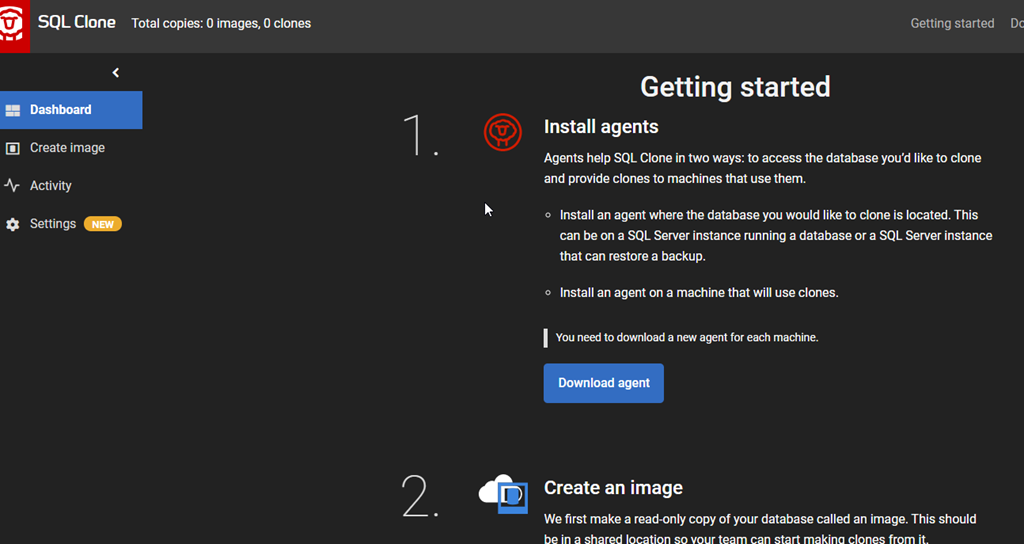
2020-07-30 16_29_56-SQL Clone

The server is installed, but I can’t do anything without an agent. Agents do all the work on the SQL Server instance machines. I’ll do that part in another post. If I look at my SQL Server, I see this:
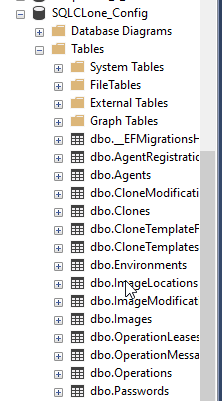
2020-07-30 16_31_37-SQLQuery3.sql - ARISTOTLE.SQLCLone_Config (ARISTOTLE_Steve (62))_ - Microsoft SQ

SQL Clone is installed and ready for work. The next thing for me is to set up a file share for the server.

File Shares

I can work with a local path, but I’ll constantly get warnings for images, since only SQL Server instances that can see the local path can work with the images. It works fine for a proof of concept, but it’s annoying. As a result, I’m going to make a share that’s essentialyl a loopback, pointing back to this machine.

I have a few drives on my machine. The E: drive is an SSD, and I want to use that.
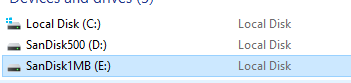
2020-07-30 16_33_09-This PC

Whether this is the local machine or a server, I’d create a folder on this drive. I want to create “SQLCloneImages” so I know what this is, and then look at the properties to share this.

2020-07-30 16_34_40-SQLCloneImages Properties

I’ll click “Share” and add my account. On a server, I’d likely pick an existing AD group to read this share, or create a new one. When I complete the process, I see a confirmation.
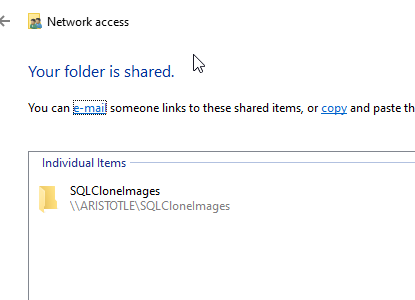
2020-07-30 16_34_48-Network access

Sharing is a weird concept in Windows, as we’ve tried to be better about security. You’ll likely do something different, depending on your Windows OS.

That’s it. I can test this in Explorer, and I see the share.
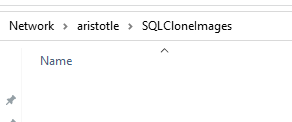
2020-07-30 16_36_40-SQLCloneImages

Everything is ready for an Agent, which I’ll tackle in another post.

Posted in Blog | Tagged , , | 1 Comment

Daily Coping 4 Aug 2020

I started to add a daily coping tip to the SQLServerCentral newsletter and to the Community Circle, which is helping me deal with the issues in the world. I’m adding my responses for each day here.

Today’s tip is to remember that you are not alone, we all struggle at times.

I know that I’m not alone, and I have empathy for others that feel as I do. My wife reminds of this, especially the last couple weeks as I’m struggling to cope with the unending view forward of this pandemic and the limitations on life.

Hearing that message over and over was good. From the club director where I coach volleyball, from a couple friends, from my wife. It has helped.

Posted in Blog | Tagged , , | Comments Off on Daily Coping 4 Aug 2020

Data Cleanup for WordPress Tags without a Plugin

Over the years I’ve had this blog, I’ve added lots of tags. In 15 years and 4,600+ posts, you can guess that I’ve made some typos and mistakes. I’ve also changed how I classify posts, or names of products/technologies have changed.

Recently I wanted to do some tag cleanup as I discovered I had an “administration” tag and an “adminstration” one (missing an i). Apparently there is no easy way to do this in the EAV structure of WordPress, though there is a plugin that will help.

Unfortunately, I use wordpress.com for my blog and they don’t allow plugins without a business (and much more expensive) plan. Makes sense, I understand, and I’m not complaining, but how can I clean up tags?

Slowly

The way to do this is manual, and slow. I am surprised that the WordPress base package doesn’t allow for this, but I also think they made some poor database decisions they’re living with and this means I must as well.

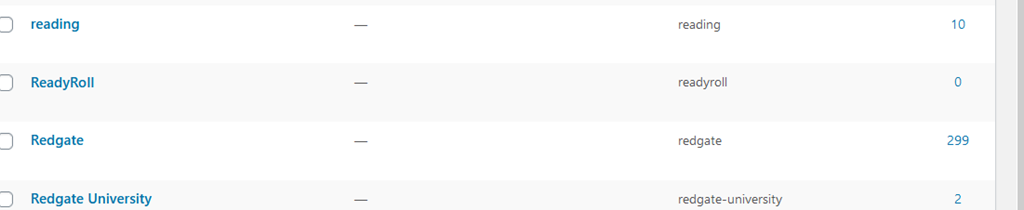
If I look at tags, I’ll see things like this:

2020-07-23 08_47_17-Window

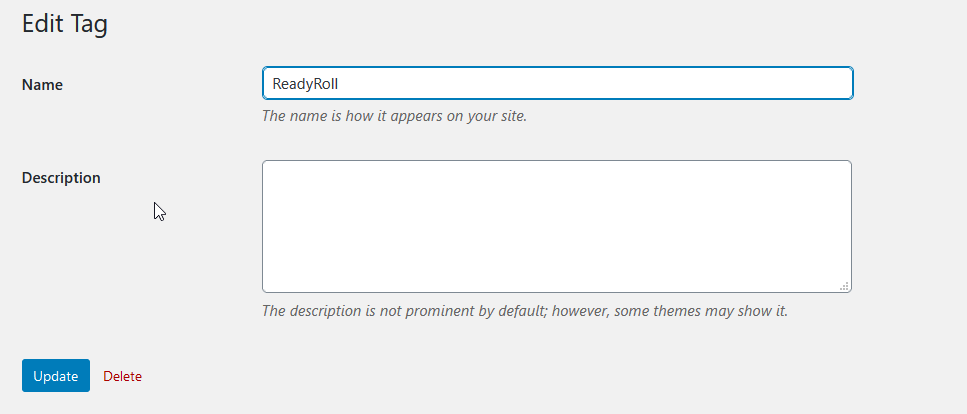
ReadyRoll has been renamed, and this tag is really obsolete. Some of the posts still make sense, and I don’t want to delete them. I do want to get rid of this tag. I’ve already started using “SQL Change Automation”, which is the new name, so what I want to do is fix tags.

If I click Edit above, I only get a few choices.

2020-07-23 08_47_21-Window

Nothing here to merge. If I rename this tag, I’ll have two tags with the same name, which is another whole issue. However, over on the right side, I can see how many posts have this tag.

2020-07-23 10_50_42-Window

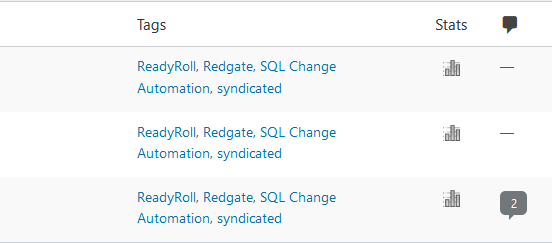
If I click the “””3”, I go to a page with those posts.

2020-07-23 10_51_25-Window

For this set of posts, they’re already dual tagged. I think I added the SQL Change Automation tag when the product changed.

Now I can quick edit each of these, and remove the tag for ReadyRoll. When I complete that, I go back to the tag and I see there isn’t anything using this.

2020-07-23 08_52_31-Window

Now I can just delete the tag.

A Chore

This isn’t easy, simple, and it is incredibly manual. I don’t have a ton of tags that I need to change, but I did find 4 or 5 that were typos and I have worked on those across a few days, as I need a break from other work.

I also have a number of tags with 1-2 posts, so I have been thinking about consolidating those, or re-tagging with something else, but I haven’t decided.

Data cleanup is a pain, and not being able to do this in a lookup table in a database and quickly fix things is annoying. It’s not an enjoyable chore, but it also gives me perspective as someone that has built software for the tooling that users would like to see, as well as the struggles when we don’t account for tasks they will perform, like consolidating tags.

Posted in Blog | Tagged , , | Comments Off on Data Cleanup for WordPress Tags without a Plugin

Confidential VMs

Ever since we started to offload workloads to hardware that we didn’t physically control, there have been security concerns. I remember when this started with application service providers and web workloads. This has continued to be an issue as more and more types of workloads have moved to cloud vendors and other hosting providers.

Google is trying to ameliorate some of the concerns by offering customers confidential VMs. These are special types of VMs, using encryption and hardware capabilities to protect the workloads from any unauthorized access. I don’t know to what extent this practically protects a workload compared to a non-confidential VM, as the details are a bit confusing. I’m sure there is some extra protection, but the weak point in most cases here is still likely the humans that use credentials to access the VM. I’d suspect a determined attacker would try to hack the sysadmin and their laptop rather than the VM itself.

In any case, Google is trying to ensure the added encryption doesn’t cause any workload degradation. Hardware can likely help her, but I’m not sure that you can perform encryption and decryption without using more resources. There might be minimal impact, but there has to be some resource impact. At least compared to a non-confidential VM.

I’m glad there is research and work still happening to find ways to improve security for systems that we might no longer control. I think that’s increasingly the trend. Whether you go with a cloud vendor like AWS, Azure, GCP, etc., or you look to host with a Rackspace like provider, more and more of our infrastructure is being outsourced, and I don’t know that the trend will reverse itself anytime soon. Even if it does, the more we can provide security hurdles against unauthorized access, the better.

Steve Jones
Listen to the podcast at Libsyn, Stitcher or iTunes.

Posted in Editorial | Tagged , , , | Comments Off on Confidential VMs